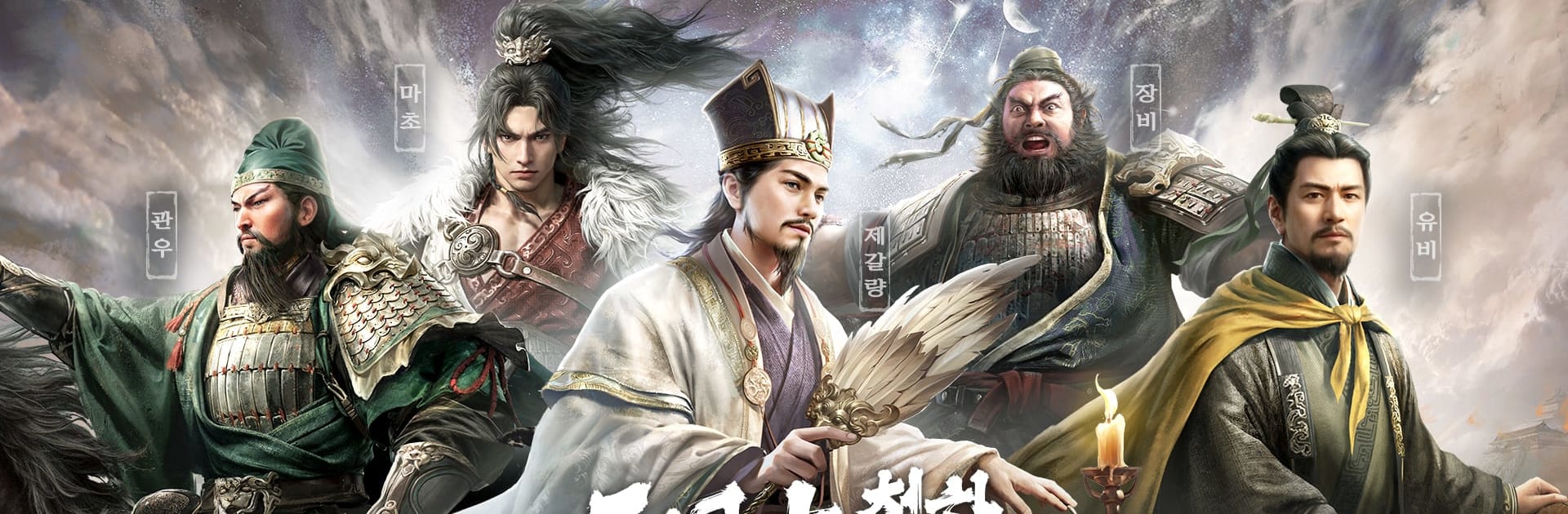
삼국지: 천하결전
삼국지: 천하결전

삼국지: 천하결전

Strategy

| BILIBILI

Play on PC with BlueStacks or from our cloud

  • Overview
  • Game Features
  • How to Play

Page Modified On: July 07, 2026

Play 삼국지: 천하결전 on PC or Mac

Play 삼국지: 천하결전 by BILIBILI on PC or Mac with BlueStacks. Use a bigger screen, mouse and keyboard controls, and smoother performance while you play.

About the Game

삼국지: 천하결전 drops you into the chaos of the Three Kingdoms with a bold promise: brains beat budget. This Strategy battler leans hard into planning, positioning, and class synergy, so every victory feels earned, not bought. Want the big-screen view? It runs smoothly on BlueStacks if you like playing on PC.

Game Features

  • Class-Driven Armies: Build squads using six distinct roles—Jinjun, Qinglang, Qizu, Tiangong, Shenxing, and Zhongchan. Each class brings a job to do, and smart combos create powerful battlefield momentum.
  • Tactics Over Wallet: The power curve comes from smart team building and counterpicks, not premium shortcuts. Outsmart opponents with timing, formation tweaks, and clever skill chains.
  • Massive Real-Time Sieges: Command forces in battles that pack the screen with units. It’s all live and in motion—alliances coordinate pushes, flanks, and defenses while you issue orders in real time.
  • Fast Action, Quick Recovery: Skirmishes are brisk and intense, with speedy reinforcement and recovery systems that keep you fighting instead of waiting.
  • Play Without the Chore: Auto guild setup, rally tools, and scheduled siege options cut out busywork. Gather fortress resources automatically and manage alliances with clean, intuitive tools.
  • Heroes That Feel Alive: Recruit famous Three Kingdoms generals brought to life with detailed biographies, unique traits, dynamic illustrations, and smooth 3D motion capture for battle animations.
  • Clear Team Coordination: Alliance commands are direct and readable, making it easy to plan assaults, reinforce allies, and hold territory together—no micromanagement meltdown required.

Get ready for a buttery smooth, high-performance gaming action only on BlueStacks.

Game Features

Enhancements

  • Macros
  • Multi Instance
  • Multi Instance Sync
  • Eco Mode
  • Enhancements
Macros

Macros

Skip the boring parts of a game. Play 삼국지: 천하결전 with Macros and get the edge. Simply record a sequence of commands and execute them at any moment.
Multi Instance

Multi Instance

Why limit to one game on your phone when you can play many on your PC? Open multiple instances of 삼국지: 천하결전 at once with Multi-Instance. Leverage the power of different accounts by doing more.
Multi Instance Sync

Multi Instance Sync

Get the best out of 삼국지: 천하결전 with Multi-Instance Sync. Play the game from different accounts and build your own empire. Use Multi-instance sync to repeat the action in the main BlueStacks instance on all other instances.
Eco Mode

Eco Mode

Find the rarest heroes by making multiple summons in 삼국지: 천하결전. And while you are at it, reduce your PC’s resource consumption with the Eco Mode. Farm efficiently. Get the best results.
Read More

How to Download and Play 삼국지: 천하결전 on PC or Mac

  • Download and install BlueStacks on your PC or Mac

  • Complete Google sign-in to access the Play Store, or do it later

  • Look for 삼국지: 천하결전 in the search bar at the top right corner

  • Click to install 삼국지: 천하결전 from the search results

  • Complete Google sign-in (if you skipped step 2) to install 삼국지: 천하결전

  • Click the 삼국지: 천하결전 icon on the home screen to start playing

video
Watch Video

Minimum System Requirements

With BlueStacks 5, you can get started on a PC that fulfills the following requirements.

  • Operating System

    Microsoft Windows 7 or above, macOS 11 (Big Sur) or above

  • Processor

    Intel, AMD or Apple Silicon Processor

  • RAM

    at least 4GB

  • HDD

    10GB Free Disk Space

Note:

* You must be an Administrator on your PC. Up to date graphics drivers from Microsoft or the chipset vendor.

삼국지: 천하결전 - FAQs

  • How to play 삼국지: 천하결전 on Windows PC & Mac?

    Play 삼국지: 천하결전 on your PC or Mac by following these simple steps.

    • Click on 'Play 삼국지: 천하결전 on PC’ to download BlueStacks
    • Install it and log-in to Google Play Store
    • Launch and play the game.
  • Why is BlueStacks the fastest and safest platform to play games on PC?

    BlueStacks respects your privacy and is always safe and secure to use. It does not carry any malware, spyware, or any sort of additional software that could harm your PC.

    It is engineered to optimize speed and performance for a seamless gaming experience.

  • What are 삼국지: 천하결전 PC requirements?

    Minimum requirement to run 삼국지: 천하결전 on your PC

    • OS: Microsoft Windows 7 or above MacOS 11 (Big Sur) or above
    • Processor: Intel, AMD or Apple Silicon Processor
    • RAM: Your PC must have at least 4GB of RAM. (Note that having 4GB or more disk space is not a substitute for RAM)
    • HDD: 10GB Free Disk Space.
    • You must be an Administrator on your PC.