World War
World War

World War

Strategy

| LOONW

Play on PC with BlueStacks or from our cloud

  • Overview
  • Game Features
  • How to Play

Page Modified On: September 02, 2025

Play World War on PC or Mac

Step into the World of World War, a thrilling Strategy game from the house of LOONW. Play this Android game on BlueStacks App Player and experience immersive gaming on PC or Mac.

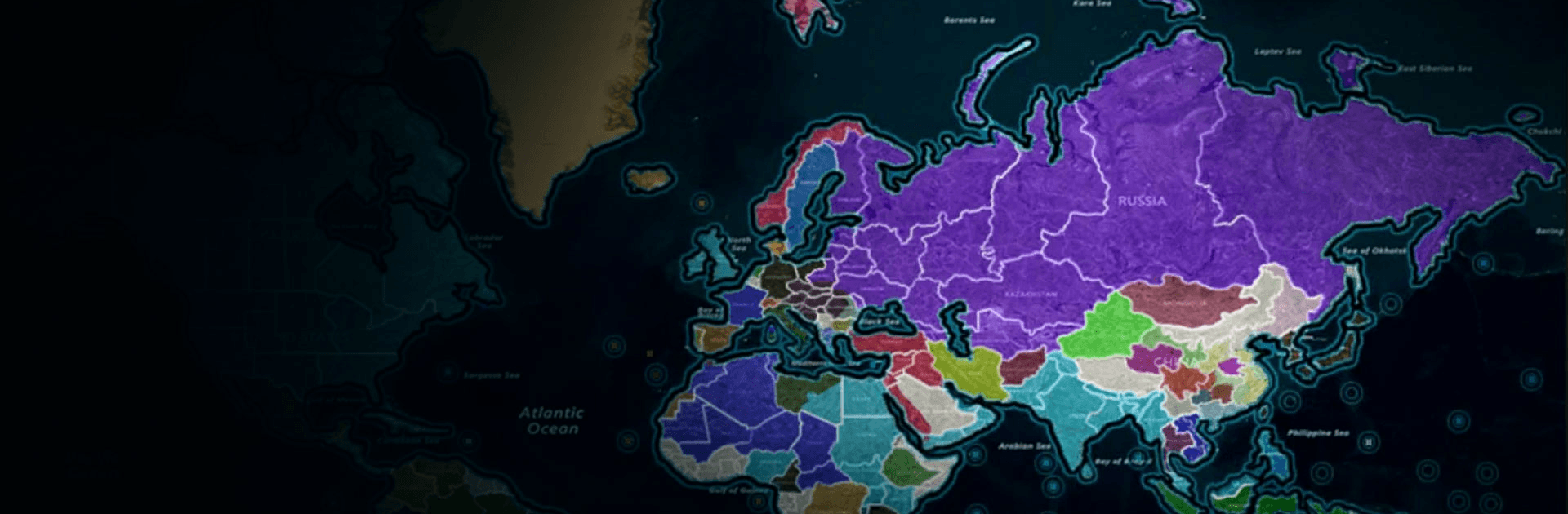
World War throws players into the 1914 to 1918 chaos and says, here is a whole continent to manage. It feels like a thoughtful strategy game where the front line creeps forward inch by inch, not a quick rush fest. Big map, lots of borders, constant choices about where to push and where to dig in. Early on it is infantry and cavalry and long guns, then tanks and planes show up as the years roll on. Battles feel weighty, because supply and positioning matter more than flashy moves. Artillery softens a sector, trenches hold it, and if morale cracks, that line is gone. The camera and UI make it simple to zoom from Europe to the Middle East or Africa and check who needs ammo, food, or fresh units, and the whole thing has that slow grind that fits the theme.

What stands out is how it treats victory. Charging everywhere does not work. Players balance politics, trade, and treaties with raw force, and sometimes a ceasefire or a swap of resources buys more time than another bombardment. It is not preachy about peace, it just shows the cost of a bad plan. On PC with BlueStacks, it is easy to drag across fronts, set rally points, and tap through pop ups without finger slips, and the larger screen helps a lot when watching several fronts breathe at once. It is a calm, almost stubborn game, and that is exactly the pull.

Start your journey now. Download the game on BlueStacks, invite your friends, and march on a new adventure.


Game Features

Enhancements

  • Macros
  • Multi Instance
  • Multi Instance Sync
  • Eco Mode
  • Enhancements
Macros

Macros

Skip the boring parts of a game. Play World War with Macros and get the edge. Simply record a sequence of commands and execute them at any moment.
Multi Instance

Multi Instance

Why limit to one game on your phone when you can play many on your PC? Open multiple instances of World War at once with Multi-Instance. Leverage the power of different accounts by doing more.
Multi Instance Sync

Multi Instance Sync

Get the best out of World War with Multi-Instance Sync. Play the game from different accounts and build your own empire. Use Multi-instance sync to repeat the action in the main BlueStacks instance on all other instances.
Eco Mode

Eco Mode

Find the rarest heroes by making multiple summons in World War. And while you are at it, reduce your PC’s resource consumption with the Eco Mode. Farm efficiently. Get the best results.
Read More

How to Download and Play World War on PC or Mac

  • Download and install BlueStacks on your PC or Mac

  • Complete Google sign-in to access the Play Store, or do it later

  • Look for World War in the search bar at the top right corner

  • Click to install World War from the search results

  • Complete Google sign-in (if you skipped step 2) to install World War

  • Click the World War icon on the home screen to start playing

video
Watch Video

Minimum System Requirements

With BlueStacks 5, you can get started on a PC that fulfills the following requirements.

  • Operating System

    Microsoft Windows 7 or above, macOS 11 (Big Sur) or above

  • Processor

    Intel, AMD or Apple Silicon Processor

  • RAM

    at least 4GB

  • HDD

    10GB Free Disk Space

Note:

* You must be an Administrator on your PC. Up to date graphics drivers from Microsoft or the chipset vendor.

World War - FAQs

  • How to play World War on Windows PC & Mac?

    Play World War on your PC or Mac by following these simple steps.

    • Click on 'Play World War on PC’ to download BlueStacks
    • Install it and log-in to Google Play Store
    • Launch and play the game.
  • Why is BlueStacks the fastest and safest platform to play games on PC?

    BlueStacks respects your privacy and is always safe and secure to use. It does not carry any malware, spyware, or any sort of additional software that could harm your PC.

    It is engineered to optimize speed and performance for a seamless gaming experience.

  • What are World War PC requirements?

    Minimum requirement to run World War on your PC

    • OS: Microsoft Windows 7 or above MacOS 11 (Big Sur) or above
    • Processor: Intel, AMD or Apple Silicon Processor
    • RAM: Your PC must have at least 4GB of RAM. (Note that having 4GB or more disk space is not a substitute for RAM)
    • HDD: 10GB Free Disk Space.
    • You must be an Administrator on your PC.