Sphere TD
Sphere TD

Sphere TD

Strategy

| Standard Issue Games

Play on PC with BlueStacks or from our cloud

  • Overview
  • Game Features
  • How to Play

Page Modified On: April 13, 2026

Play Sphere TD on PC or Mac

Explore a whole new adventure with Sphere TD, a Strategy game created by Standard Issue Games. Experience great gameplay with BlueStacks, the most popular gaming platform to play Android games on your PC or Mac.

About the Game

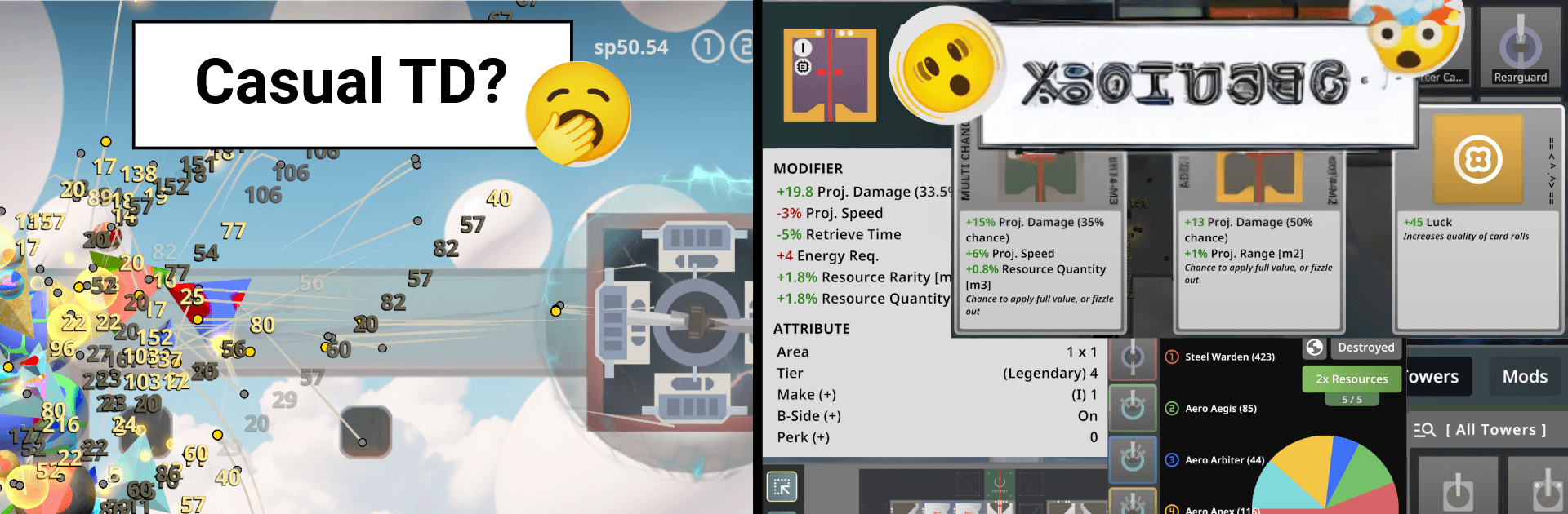
Sphere TD is a Strategy tower defense game that rewards smart planning and bold experiments. Waves of relentless spheres roll in, and you’ll counter them with towers you design, tune, and supercharge over time. It’s part brainy sandbox, part resource puzzle, with a pinch of RPG and roguelike-style choices to keep every run fresh.

Game Features

  • Build it your way: Mix and match tower behaviors and projectiles to craft lethal setups that fit your style, from rapid-fire shredders to precision snipers.
  • A huge toolbox: Start with 30 base towers and tweak dozens of stats to squeeze out every bit of performance.
  • Mod mastery: Slot in 33 distinct mods, each with multiple parameters, opening up well over a million potential loadouts and wild synergies.
  • Research and crafting: Mine resources, unlock tech, and craft parts to push your meta-progression forward between sessions.
  • Energy economy: Power isn’t infinite—balance energy usage, tower inventory, and uptime so your defense doesn’t stall at the worst moment.
  • ModCards and min-maxing: Draft ModCards, chase edge-case builds, and fine-tune numbers until your setup hums.
  • 50 levels plus endless: Tackle hand-built challenges, then stress-test your design in an endless mode that gets nastier by the minute.
  • Automation options: Set up smart automation and efficient farming so your late-game engine runs smoothly.
  • Play anywhere: Go offline without worry, or hop online for cloud sync and leaderboards to compare strategies.
  • Fair and player-first: No pay-to-win tricks, no time-gates, no loot boxes, and no ad spam—your success comes from your build.
  • Cross-platform comfort: Jump between mobile and desktop; on PC, it plays great with BlueStacks if you want a bigger view and precise control.
  • Community-shaped updates: Developed by Alex at Standard Issue Games with active player feedback guiding new features and long-term support.
  • Academy vibes: Enroll in the Galatium Academy, test experimental tech, and prove you’ve got what it takes to graduate under pressure.

Get ready for a buttery smooth, high-performance gaming action only on BlueStacks.

Game Features

Enhancements

  • Macros
  • Multi Instance
  • Multi Instance Sync
  • Eco Mode
  • Enhancements
Macros

Macros

Skip the boring parts of a game. Play Sphere TD with Macros and get the edge. Simply record a sequence of commands and execute them at any moment.
Multi Instance

Multi Instance

Why limit to one game on your phone when you can play many on your PC? Open multiple instances of Sphere TD at once with Multi-Instance. Leverage the power of different accounts by doing more.
Multi Instance Sync

Multi Instance Sync

Get the best out of Sphere TD with Multi-Instance Sync. Play the game from different accounts and build your own empire. Use Multi-instance sync to repeat the action in the main BlueStacks instance on all other instances.
Eco Mode

Eco Mode

Find the rarest heroes by making multiple summons in Sphere TD. And while you are at it, reduce your PC’s resource consumption with the Eco Mode. Farm efficiently. Get the best results.
Read More

How to Download and Play Sphere TD on PC or Mac

  • Download and install BlueStacks on your PC or Mac

  • Complete Google sign-in to access the Play Store, or do it later

  • Look for Sphere TD in the search bar at the top right corner

  • Click to install Sphere TD from the search results

  • Complete Google sign-in (if you skipped step 2) to install Sphere TD

  • Click the Sphere TD icon on the home screen to start playing

video
Watch Video

Minimum System Requirements

With BlueStacks 5, you can get started on a PC that fulfills the following requirements.

  • Operating System

    Microsoft Windows 7 or above, macOS 11 (Big Sur) or above

  • Processor

    Intel, AMD or Apple Silicon Processor

  • RAM

    at least 4GB

  • HDD

    10GB Free Disk Space

Note:

* You must be an Administrator on your PC. Up to date graphics drivers from Microsoft or the chipset vendor.

Sphere TD - FAQs

  • How to play Sphere TD on Windows PC & Mac?

    Play Sphere TD on your PC or Mac by following these simple steps.

    • Click on 'Play Sphere TD on PC’ to download BlueStacks
    • Install it and log-in to Google Play Store
    • Launch and play the game.
  • Why is BlueStacks the fastest and safest platform to play games on PC?

    BlueStacks respects your privacy and is always safe and secure to use. It does not carry any malware, spyware, or any sort of additional software that could harm your PC.

    It is engineered to optimize speed and performance for a seamless gaming experience.

  • What are Sphere TD PC requirements?

    Minimum requirement to run Sphere TD on your PC

    • OS: Microsoft Windows 7 or above MacOS 11 (Big Sur) or above
    • Processor: Intel, AMD or Apple Silicon Processor
    • RAM: Your PC must have at least 4GB of RAM. (Note that having 4GB or more disk space is not a substitute for RAM)
    • HDD: 10GB Free Disk Space.
    • You must be an Administrator on your PC.