Superhero Car Stunt Mega Ramps

Superhero Car Stunt Mega Ramps

Strategy

| Alphatron Studio

Play on PC with BlueStacks or from our cloud

  • Overview
  • Game Features
  • How to Play

Page Modified On: December 26, 2025

Play Superhero Car Stunt Mega Ramps on PC or Mac

Join millions to experience Superhero Car Stunt Mega Ramps, an exciting Strategy game from Alphatron Studio. With BlueStacks App Player, you are always a step ahead of your opponent, ready to outplay them with faster gameplay and better control with the mouse and keyboard on your PC or Mac.

About the Game

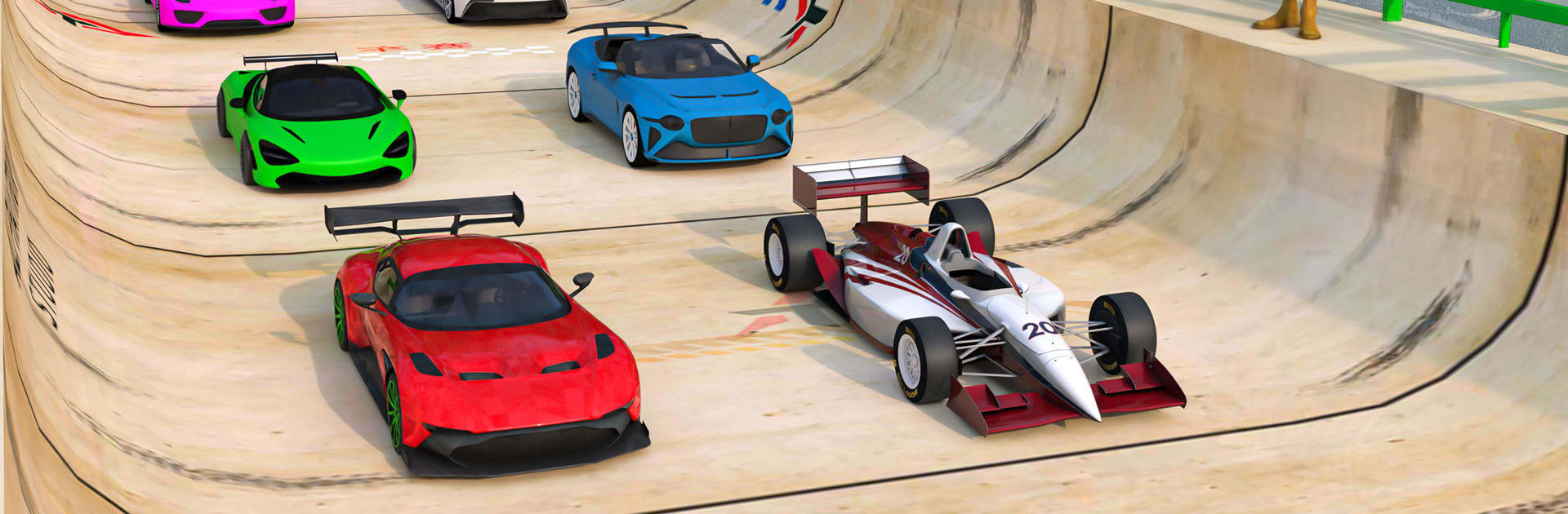
Superhero Car Stunt Mega Ramps is a fast, stunt-first Strategy game from Alphatron Studio where planning your line matters as much as hitting the gas. You’ll launch hero-styled rides across massive sky ramps, twist through loops, and thread tight gaps while keeping calm under pressure. It’s all about timing, clean landings, and that sweet moment when a wild route finally clicks.

Game Features

  • Hero-grade garage — Drive superhero-inspired cars, each with its own feel. Pick the ride that suits the ramp and the run you’re chasing.
  • Colossal ramps and sky tracks — Vertical drops, floating bridges, spirals, and loop-the-loops give you plenty of “no way that’s possible” moments to figure out.
  • Feel-the-grip physics — Responsive controls and grounded physics let you sense the weight, adjust midair, and save sketchy landings.
  • Modes for every mood — Jump into quick races, pure stunt sessions, or full mega ramp challenges with escalating difficulty.
  • Big rigs and wild matchups — Swap to heavy machines and square off on special tracks where monster trucks muscle their way through the course.
  • Crisp 3D look — Bright visuals, clear track layouts, and sweeping views make every launch and landing feel cinematic.
  • Strategy at speed — Choose your approach, manage throttle and boost, and set up smarter lines. Small decisions add up.
  • Offline, on your schedule — Play anywhere without Wi‑Fi, perfect for practicing a tricky route until it’s second nature.
  • Subtle PC boost with BlueStacks — Prefer a keyboard or gamepad and steadier frames? Running it on BlueStacks can make precision steering feel even tighter.

Slay your opponents with your epic moves. Play it your way on BlueStacks and dominate the battlefield.


Game Features

Enhancements

  • Macros
  • Multi Instance
  • Multi Instance Sync
  • Eco Mode
  • Enhancements
Macros

Macros

Skip the boring parts of a game. Play Superhero Car Stunt Mega Ramps with Macros and get the edge. Simply record a sequence of commands and execute them at any moment.
Multi Instance

Multi Instance

Why limit to one game on your phone when you can play many on your PC? Open multiple instances of Superhero Car Stunt Mega Ramps at once with Multi-Instance. Leverage the power of different accounts by doing more.
Multi Instance Sync

Multi Instance Sync

Get the best out of Superhero Car Stunt Mega Ramps with Multi-Instance Sync. Play the game from different accounts and build your own empire. Use Multi-instance sync to repeat the action in the main BlueStacks instance on all other instances.
Eco Mode

Eco Mode

Find the rarest heroes by making multiple summons in Superhero Car Stunt Mega Ramps. And while you are at it, reduce your PC’s resource consumption with the Eco Mode. Farm efficiently. Get the best results.
Read More

How to Download and Play Superhero Car Stunt Mega Ramps on PC or Mac

  • Download and install BlueStacks on your PC or Mac

  • Complete Google sign-in to access the Play Store, or do it later

  • Look for Superhero Car Stunt Mega Ramps in the search bar at the top right corner

  • Click to install Superhero Car Stunt Mega Ramps from the search results

  • Complete Google sign-in (if you skipped step 2) to install Superhero Car Stunt Mega Ramps

  • Click the Superhero Car Stunt Mega Ramps icon on the home screen to start playing

video
Watch Video

Minimum System Requirements

With BlueStacks 5, you can get started on a PC that fulfills the following requirements.

  • Operating System

    Microsoft Windows 7 or above, macOS 11 (Big Sur) or above

  • Processor

    Intel, AMD or Apple Silicon Processor

  • RAM

    at least 4GB

  • HDD

    10GB Free Disk Space

Note:

* You must be an Administrator on your PC. Up to date graphics drivers from Microsoft or the chipset vendor.

Superhero Car Stunt Mega Ramps - FAQs

  • How to play Superhero Car Stunt Mega Ramps on Windows PC & Mac?

    Play Superhero Car Stunt Mega Ramps on your PC or Mac by following these simple steps.

    • Click on 'Play Superhero Car Stunt Mega Ramps on PC’ to download BlueStacks
    • Install it and log-in to Google Play Store
    • Launch and play the game.
  • Why is BlueStacks the fastest and safest platform to play games on PC?

    BlueStacks respects your privacy and is always safe and secure to use. It does not carry any malware, spyware, or any sort of additional software that could harm your PC.

    It is engineered to optimize speed and performance for a seamless gaming experience.

  • What are Superhero Car Stunt Mega Ramps PC requirements?

    Minimum requirement to run Superhero Car Stunt Mega Ramps on your PC

    • OS: Microsoft Windows 7 or above MacOS 11 (Big Sur) or above
    • Processor: Intel, AMD or Apple Silicon Processor
    • RAM: Your PC must have at least 4GB of RAM. (Note that having 4GB or more disk space is not a substitute for RAM)
    • HDD: 10GB Free Disk Space.
    • You must be an Administrator on your PC.