The Gauntlet: Arcade Roguelike

The Gauntlet: Arcade Roguelike

Strategy

| ForsofiA Studio

Play on PC with BlueStacks or from our cloud

  • Overview
  • Game Features
  • How to Play

Page Modified On: June 29, 2026

Play The Gauntlet: Arcade Roguelike on PC or Mac

Play The Gauntlet: Arcade Roguelike by ForsofiA Studio on PC or Mac with BlueStacks. Use a bigger screen, mouse and keyboard controls, and smoother performance while you play.

About the Game

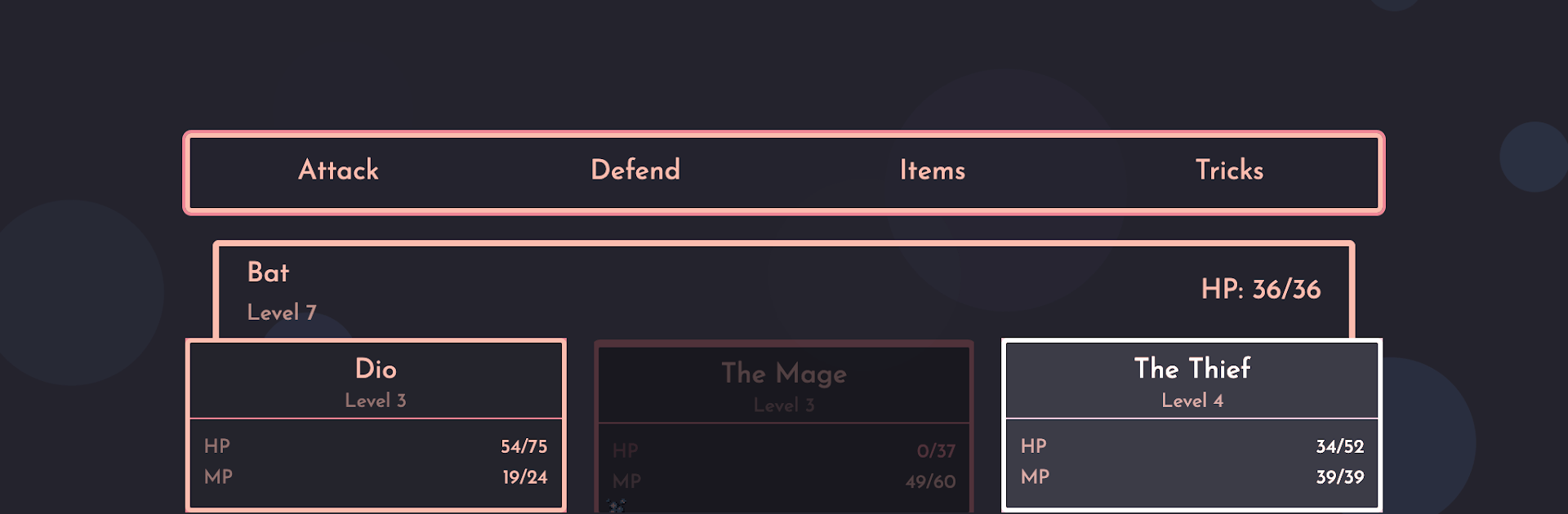
The Gauntlet: Arcade Roguelike throws you and your three-hero squad into compact, turn-based battles that stack floor after floor. It’s all about clever moves, scrappy survival, and that “one more run” pull as you push deeper into a monster-packed dungeon. Expect punchy Strategy gameplay, stylish pixel art, and a clean, ad-free ride.

Game Features

  • Genre: Strategy: Every turn counts. Plan your order of attacks, set up combos, and squeeze value from each skill to outthink whatever’s waiting on the next floor.
  • Party of three: Build a balanced team and swap tactics on the fly—shield the glass cannon, silence a caster, or chain abilities for big swings when it matters.
  • Roguelike twist: If your run ends, experience doesn’t carry over—but unlocked abilities and certain attributes stick, nudging your crew forward between attempts.
  • Floor-based challenge: Pick the 50-floor route for a lighter session or tackle a 150-floor marathon if you’re feeling bold. One sitting, no fuss.
  • Turn-based combat: Snappy rounds with clear choices. Read enemy types, manage cooldowns, and time your magic to control the pace of each fight.
  • Memorable foes: Dragons, ruthless knights, nasty wizards, and other troublemakers make each floor feel different—learn their tricks and counter them.
  • Lo-fi pixel style: Classic sprites with a slick, modern palette that keeps the action readable and the vibe cool.
  • No ads, just play: Focus on the run. No pop-ups, no interruptions.
  • BlueStacks support: Prefer a bigger screen and keyboard controls? The game feels right at home on PC with BlueStacks.

BlueStacks gives you more room to focus on the game and less time adjusting around mobile limitations.


Game Features

Enhancements

  • Macros
  • Multi Instance
  • Multi Instance Sync
  • Eco Mode
  • Enhancements
Macros

Macros

Skip the boring parts of a game. Play The Gauntlet: Arcade Roguelike with Macros and get the edge. Simply record a sequence of commands and execute them at any moment.
Multi Instance

Multi Instance

Why limit to one game on your phone when you can play many on your PC? Open multiple instances of The Gauntlet: Arcade Roguelike at once with Multi-Instance. Leverage the power of different accounts by doing more.
Multi Instance Sync

Multi Instance Sync

Get the best out of The Gauntlet: Arcade Roguelike with Multi-Instance Sync. Play the game from different accounts and build your own empire. Use Multi-instance sync to repeat the action in the main BlueStacks instance on all other instances.
Eco Mode

Eco Mode

Find the rarest heroes by making multiple summons in The Gauntlet: Arcade Roguelike. And while you are at it, reduce your PC’s resource consumption with the Eco Mode. Farm efficiently. Get the best results.
Read More

How to Download and Play The Gauntlet: Arcade Roguelike on PC or Mac

  • Download and install BlueStacks on your PC or Mac

  • Complete Google sign-in to access the Play Store, or do it later

  • Look for The Gauntlet: Arcade Roguelike in the search bar at the top right corner

  • Click to install The Gauntlet: Arcade Roguelike from the search results

  • Complete Google sign-in (if you skipped step 2) to install The Gauntlet: Arcade Roguelike

  • Click the The Gauntlet: Arcade Roguelike icon on the home screen to start playing

video
Watch Video

Minimum System Requirements

With BlueStacks 5, you can get started on a PC that fulfills the following requirements.

  • Operating System

    Microsoft Windows 7 or above, macOS 11 (Big Sur) or above

  • Processor

    Intel, AMD or Apple Silicon Processor

  • RAM

    at least 4GB

  • HDD

    10GB Free Disk Space

Note:

* You must be an Administrator on your PC. Up to date graphics drivers from Microsoft or the chipset vendor.

The Gauntlet: Arcade Roguelike - FAQs

  • How to play The Gauntlet: Arcade Roguelike on Windows PC & Mac?

    Play The Gauntlet: Arcade Roguelike on your PC or Mac by following these simple steps.

    • Click on 'Play The Gauntlet: Arcade Roguelike on PC’ to download BlueStacks
    • Install it and log-in to Google Play Store
    • Launch and play the game.
  • Why is BlueStacks the fastest and safest platform to play games on PC?

    BlueStacks respects your privacy and is always safe and secure to use. It does not carry any malware, spyware, or any sort of additional software that could harm your PC.

    It is engineered to optimize speed and performance for a seamless gaming experience.

  • What are The Gauntlet: Arcade Roguelike PC requirements?

    Minimum requirement to run The Gauntlet: Arcade Roguelike on your PC

    • OS: Microsoft Windows 7 or above MacOS 11 (Big Sur) or above
    • Processor: Intel, AMD or Apple Silicon Processor
    • RAM: Your PC must have at least 4GB of RAM. (Note that having 4GB or more disk space is not a substitute for RAM)
    • HDD: 10GB Free Disk Space.
    • You must be an Administrator on your PC.