Tower Dominion GO
Tower Dominion GO

Tower Dominion GO

Strategy

| Nvizzio Creations, Inc.

Play on PC with BlueStacks or from our cloud

  • Overview
  • Game Features
  • How to Play

Page Modified On: December 22, 2025

Play Tower Dominion GO on PC or Mac

Bring your A-game to Tower Dominion GO, the Strategy game sensation from Nvizzio Creations, Inc.. Give your gameplay the much-needed boost with precise game controls, high FPS graphics, and top-tier features on your PC or Mac with BlueStacks.

Tower Dominion GO plays like tower defense mixed with a tile-laying puzzle, where the coolest trick is that the player actually builds the path enemies take. Those Artronids keep pouring in, and the map grows one tile at a time, so creating choke points, bending routes into crossfire, and stacking height for range and damage becomes the whole game. Height matters alot more than expected. Place a hill, drop artillery, then bait the swarm into a trap corner, and suddenly a messy wave turns manageable. After each wave there is a small set of upgrades or rewards to pick from, so tactics shift on the fly depending on what shows up and which enemy combos appear next. It pushes planning a step or two ahead without feeling slow.

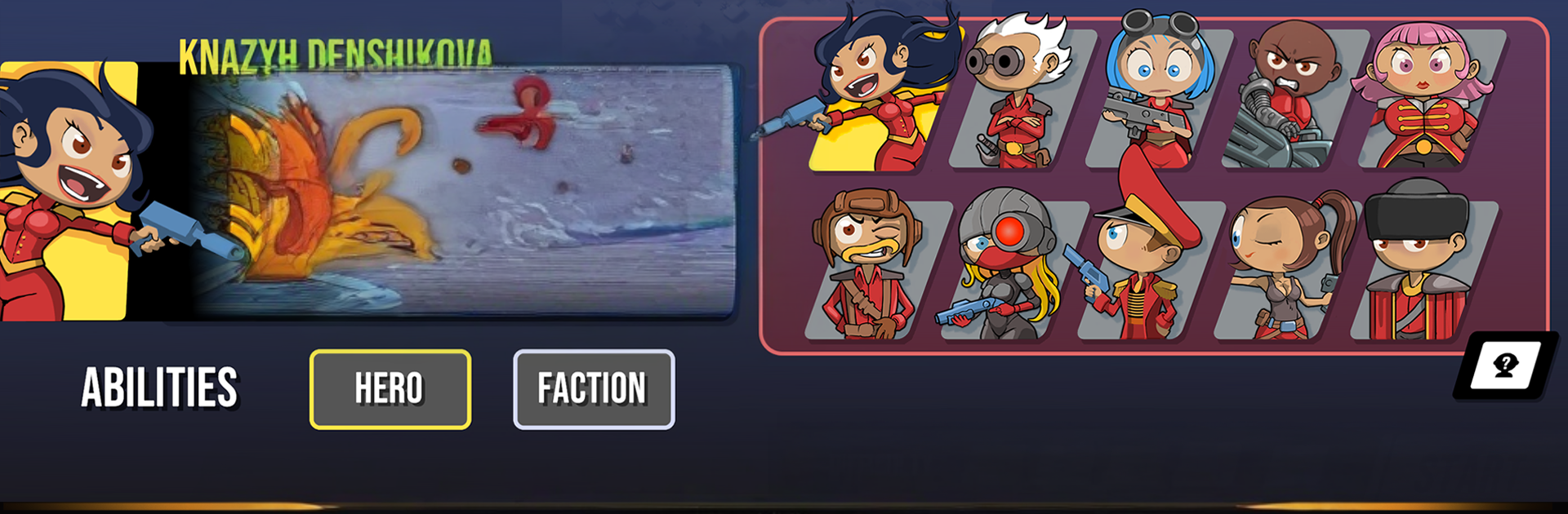
There are different factions with their own biomes and tower kits, and they play pretty differently. Some lean on heavy guns, others on status effects or weird terrain control. Each one also comes with a roster of heroes, about ten per faction, each with an ability set that nudges builds in new directions. Unlocks happen through achievements and play, and there is a Codex full of little secrets and stats that helps tune strategies. Four difficulty settings keep the pressure honest, and an endless Frontier Mode is there for runs that turn into wild experiments. On PC with BlueStacks, dragging tiles and snapping paths with a mouse feels natural, and the hotkey access makes juggling upgrades quicker. It runs without ads, the base game is free, and the full content opens with a single one-time purchase, no timers or funny currencies getting in the way

Slay your opponents with your epic moves. Play it your way on BlueStacks and dominate the battlefield.


Game Features

Enhancements

  • Macros
  • Multi Instance
  • Multi Instance Sync
  • Eco Mode
  • Enhancements
Macros

Macros

Skip the boring parts of a game. Play Tower Dominion GO with Macros and get the edge. Simply record a sequence of commands and execute them at any moment.
Multi Instance

Multi Instance

Why limit to one game on your phone when you can play many on your PC? Open multiple instances of Tower Dominion GO at once with Multi-Instance. Leverage the power of different accounts by doing more.
Multi Instance Sync

Multi Instance Sync

Get the best out of Tower Dominion GO with Multi-Instance Sync. Play the game from different accounts and build your own empire. Use Multi-instance sync to repeat the action in the main BlueStacks instance on all other instances.
Eco Mode

Eco Mode

Find the rarest heroes by making multiple summons in Tower Dominion GO. And while you are at it, reduce your PC’s resource consumption with the Eco Mode. Farm efficiently. Get the best results.
Read More

How to Download and Play Tower Dominion GO on PC or Mac

  • Download and install BlueStacks on your PC or Mac

  • Complete Google sign-in to access the Play Store, or do it later

  • Look for Tower Dominion GO in the search bar at the top right corner

  • Click to install Tower Dominion GO from the search results

  • Complete Google sign-in (if you skipped step 2) to install Tower Dominion GO

  • Click the Tower Dominion GO icon on the home screen to start playing

video
Watch Video

Minimum System Requirements

With BlueStacks 5, you can get started on a PC that fulfills the following requirements.

  • Operating System

    Microsoft Windows 7 or above, macOS 11 (Big Sur) or above

  • Processor

    Intel, AMD or Apple Silicon Processor

  • RAM

    at least 4GB

  • HDD

    10GB Free Disk Space

Note:

* You must be an Administrator on your PC. Up to date graphics drivers from Microsoft or the chipset vendor.

Tower Dominion GO - FAQs

  • How to play Tower Dominion GO on Windows PC & Mac?

    Play Tower Dominion GO on your PC or Mac by following these simple steps.

    • Click on 'Play Tower Dominion GO on PC’ to download BlueStacks
    • Install it and log-in to Google Play Store
    • Launch and play the game.
  • Why is BlueStacks the fastest and safest platform to play games on PC?

    BlueStacks respects your privacy and is always safe and secure to use. It does not carry any malware, spyware, or any sort of additional software that could harm your PC.

    It is engineered to optimize speed and performance for a seamless gaming experience.

  • What are Tower Dominion GO PC requirements?

    Minimum requirement to run Tower Dominion GO on your PC

    • OS: Microsoft Windows 7 or above MacOS 11 (Big Sur) or above
    • Processor: Intel, AMD or Apple Silicon Processor
    • RAM: Your PC must have at least 4GB of RAM. (Note that having 4GB or more disk space is not a substitute for RAM)
    • HDD: 10GB Free Disk Space.
    • You must be an Administrator on your PC.