Tractor Games: Tractor Farming

Tractor Games: Tractor Farming

Strategy

| ZX Creations

Play on PC with BlueStacks or from our cloud

  • Overview
  • Game Features
  • How to Play

Page Modified On: January 06, 2026

Play Tractor Games: Tractor Farming on PC or Mac

Tractor Games: Tractor Farming brings the Strategy genre to life, and throws up exciting challenges for gamers. Developed by ZX Creations, this Android game is best experienced on BlueStacks, the World’s #1 app player for PC and Mac users.

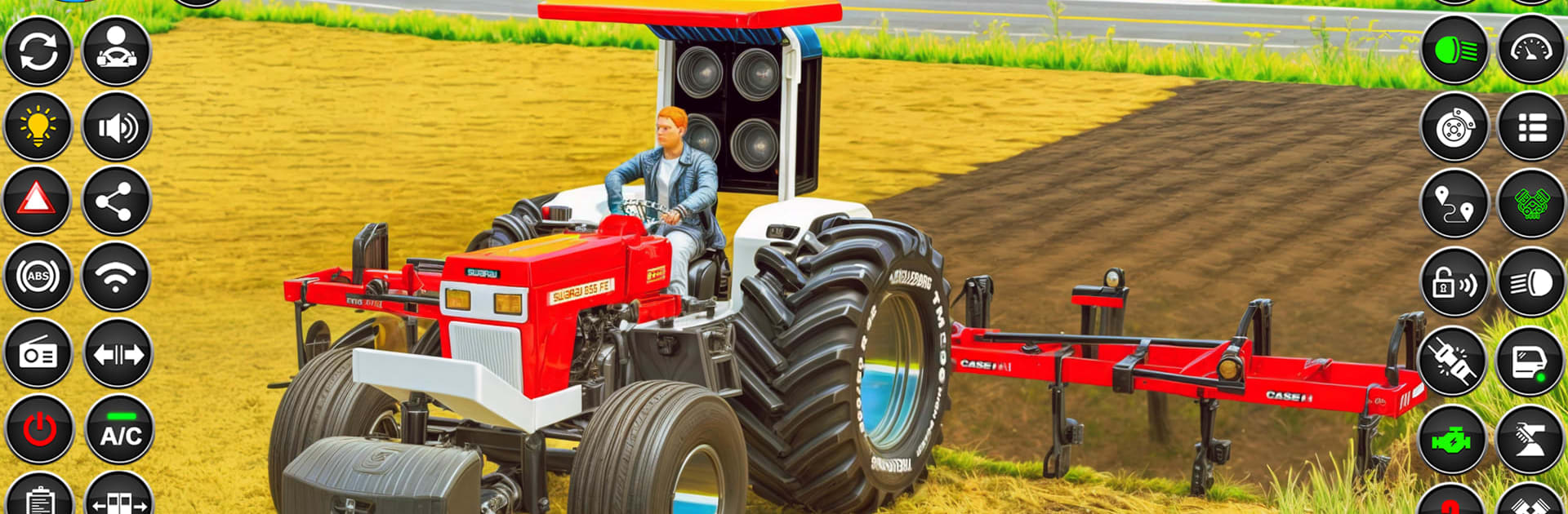
Tractor Games: Tractor Farming is a simple, mission based farm sim where village fields and modern machines meet. It runs like a set of short tasks rather than a long management grind. There is a mode with five stages, and each step hands over a clear job to do. Plow a patch, plant seeds, water rows, spray to keep pests off, then bring in the harvest. After one job wraps up, the game moves to the next without fuss. The roads and fields are open and bright, with views that make the time feel calm instead of stressful. Arrow lines show where to hitch the trolley, where to park, and where to drop cargo, so players are rarely lost. Wheat, sunflower, and a few other crops keep the routine varied enough that it does not feel like repeating the same button press forever.

Tractors are the star, and the game lets players swap between a few models and hook up different tools for plowing and harvesting. The handling is smooth and forgiving, more relaxing ride than strict simulation. It is about lining things up, following the route, and getting the job done cleanly. Cargo runs break up the field work, so it is not only dirt and seeds. On PC with BlueStacks, keyboard steering feels steady and the camera is easier to nudge into place, which helps on tight turns with a loaded trolley. Sessions are quick, goals are clear, and the farm setting stays fresh without overloading the screen or the player.

Slay your opponents with your epic moves. Play it your way on BlueStacks and dominate the battlefield.


Game Features

Enhancements

  • Macros
  • Multi Instance
  • Multi Instance Sync
  • Eco Mode
  • Enhancements
Macros

Macros

Skip the boring parts of a game. Play Tractor Games: Tractor Farming with Macros and get the edge. Simply record a sequence of commands and execute them at any moment.
Multi Instance

Multi Instance

Why limit to one game on your phone when you can play many on your PC? Open multiple instances of Tractor Games: Tractor Farming at once with Multi-Instance. Leverage the power of different accounts by doing more.
Multi Instance Sync

Multi Instance Sync

Get the best out of Tractor Games: Tractor Farming with Multi-Instance Sync. Play the game from different accounts and build your own empire. Use Multi-instance sync to repeat the action in the main BlueStacks instance on all other instances.
Eco Mode

Eco Mode

Find the rarest heroes by making multiple summons in Tractor Games: Tractor Farming. And while you are at it, reduce your PC’s resource consumption with the Eco Mode. Farm efficiently. Get the best results.
Read More

How to Download and Play Tractor Games: Tractor Farming on PC or Mac

  • Download and install BlueStacks on your PC or Mac

  • Complete Google sign-in to access the Play Store, or do it later

  • Look for Tractor Games: Tractor Farming in the search bar at the top right corner

  • Click to install Tractor Games: Tractor Farming from the search results

  • Complete Google sign-in (if you skipped step 2) to install Tractor Games: Tractor Farming

  • Click the Tractor Games: Tractor Farming icon on the home screen to start playing

video
Watch Video

Minimum System Requirements

With BlueStacks 5, you can get started on a PC that fulfills the following requirements.

  • Operating System

    Microsoft Windows 7 or above, macOS 11 (Big Sur) or above

  • Processor

    Intel, AMD or Apple Silicon Processor

  • RAM

    at least 4GB

  • HDD

    10GB Free Disk Space

Note:

* You must be an Administrator on your PC. Up to date graphics drivers from Microsoft or the chipset vendor.

Tractor Games: Tractor Farming - FAQs

  • How to play Tractor Games: Tractor Farming on Windows PC & Mac?

    Play Tractor Games: Tractor Farming on your PC or Mac by following these simple steps.

    • Click on 'Play Tractor Games: Tractor Farming on PC’ to download BlueStacks
    • Install it and log-in to Google Play Store
    • Launch and play the game.
  • Why is BlueStacks the fastest and safest platform to play games on PC?

    BlueStacks respects your privacy and is always safe and secure to use. It does not carry any malware, spyware, or any sort of additional software that could harm your PC.

    It is engineered to optimize speed and performance for a seamless gaming experience.

  • What are Tractor Games: Tractor Farming PC requirements?

    Minimum requirement to run Tractor Games: Tractor Farming on your PC

    • OS: Microsoft Windows 7 or above MacOS 11 (Big Sur) or above
    • Processor: Intel, AMD or Apple Silicon Processor
    • RAM: Your PC must have at least 4GB of RAM. (Note that having 4GB or more disk space is not a substitute for RAM)
    • HDD: 10GB Free Disk Space.
    • You must be an Administrator on your PC.