War Day: Survival
War Day: Survival

War Day: Survival

Strategy

| sparkstudio

Play on PC with BlueStacks or from our cloud

  • Overview
  • Game Features
  • How to Play

Page Modified On: September 25, 2026

Play War Day: Survival on PC or Mac

Explore a whole new adventure with War Day: Survival, a Strategy game created by sparkstudio. Experience great gameplay with BlueStacks, the most popular gaming platform to play Android games on your PC or Mac.

About the Game

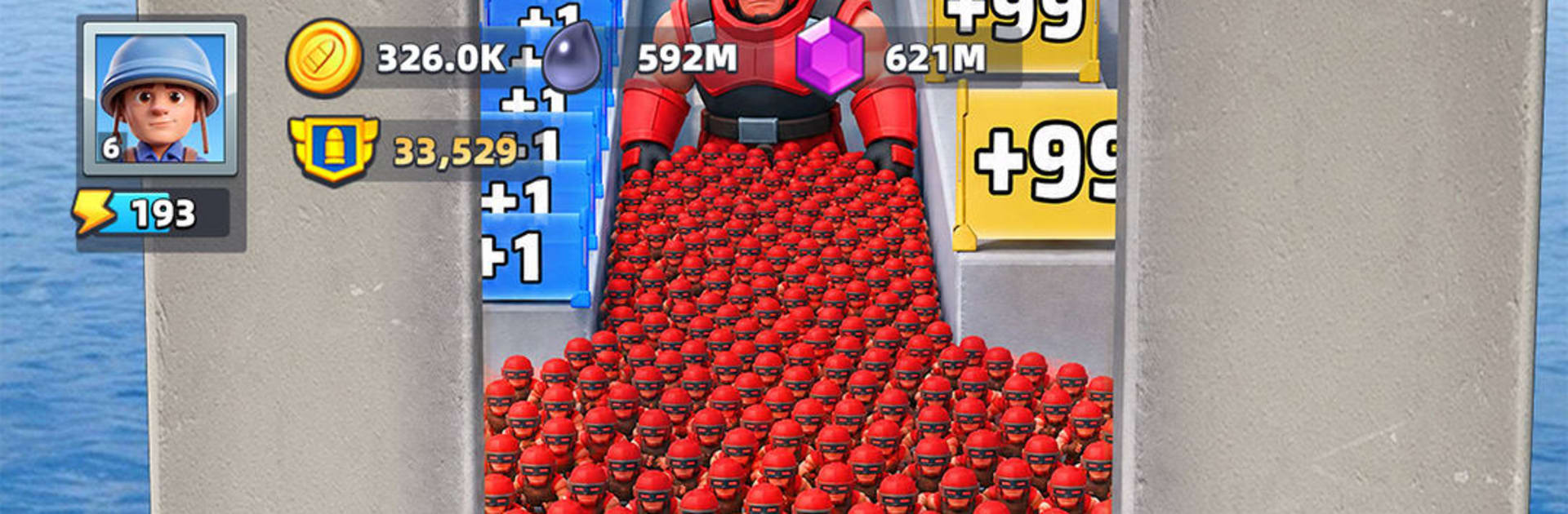
War Day: Survival drops you into a crumbling world and hands you the commander’s baton. It’s a Strategy experience that mixes quick, on-the-spot decisions with long-term planning—one moment you’re charging through gates to swell your ranks, the next you’re tuning a squad and strengthening your base. Prefer a bigger screen? It runs smoothly on BlueStacks.

Game Features

  • Number Gates Tactics: Kick off each clash by threading your troops through shifting gates that can massively boost your headcount—smart picks snowball into overwhelming force, while a bad call can sting.
  • Heroes With Real Synergy: Collect distinctive heroes, pair complementary skills, and gear them up to turn a good lineup into a go-to war machine.
  • A Base That Means Business: Upgrade your HQ, stack layered defenses, train fresh units, and research tech that keeps your army tougher, faster, and better supplied.
  • Fast Clashes, Big Payoffs: Short, punchy engagements reward quick thinking—choose your route, read the battlefield, and let momentum carry your side.
  • Build the Ultimate Squad: Experiment with formations and role balance to craft a lineup that fits your style, from hardy front-liners to high-impact specialists.
  • Global Alliances: Team up with players worldwide, plan joint strikes, share intel, and hold territory together—just keep your guard up, because yesterday’s partner might be tomorrow’s rival.

BlueStacks gives you more room to focus on the game and less time adjusting around mobile limitations.


Game Features

Enhancements

  • Macros
  • Multi Instance
  • Multi Instance Sync
  • Eco Mode
  • Enhancements
Macros

Macros

Skip the boring parts of a game. Play War Day: Survival with Macros and get the edge. Simply record a sequence of commands and execute them at any moment.
Multi Instance

Multi Instance

Why limit to one game on your phone when you can play many on your PC? Open multiple instances of War Day: Survival at once with Multi-Instance. Leverage the power of different accounts by doing more.
Multi Instance Sync

Multi Instance Sync

Get the best out of War Day: Survival with Multi-Instance Sync. Play the game from different accounts and build your own empire. Use Multi-instance sync to repeat the action in the main BlueStacks instance on all other instances.
Eco Mode

Eco Mode

Find the rarest heroes by making multiple summons in War Day: Survival. And while you are at it, reduce your PC’s resource consumption with the Eco Mode. Farm efficiently. Get the best results.
Read More

How to Download and Play War Day: Survival on PC or Mac

  • Download and install BlueStacks on your PC or Mac

  • Complete Google sign-in to access the Play Store, or do it later

  • Look for War Day: Survival in the search bar at the top right corner

  • Click to install War Day: Survival from the search results

  • Complete Google sign-in (if you skipped step 2) to install War Day: Survival

  • Click the War Day: Survival icon on the home screen to start playing

video
Watch Video

Minimum System Requirements

With BlueStacks 5, you can get started on a PC that fulfills the following requirements.

  • Operating System

    Microsoft Windows 7 or above, macOS 11 (Big Sur) or above

  • Processor

    Intel, AMD or Apple Silicon Processor

  • RAM

    at least 4GB

  • HDD

    10GB Free Disk Space

Note:

* You must be an Administrator on your PC. Up to date graphics drivers from Microsoft or the chipset vendor.

War Day: Survival - FAQs

  • How to play War Day: Survival on Windows PC & Mac?

    Play War Day: Survival on your PC or Mac by following these simple steps.

    • Click on 'Play War Day: Survival on PC’ to download BlueStacks
    • Install it and log-in to Google Play Store
    • Launch and play the game.
  • Why is BlueStacks the fastest and safest platform to play games on PC?

    BlueStacks respects your privacy and is always safe and secure to use. It does not carry any malware, spyware, or any sort of additional software that could harm your PC.

    It is engineered to optimize speed and performance for a seamless gaming experience.

  • What are War Day: Survival PC requirements?

    Minimum requirement to run War Day: Survival on your PC

    • OS: Microsoft Windows 7 or above MacOS 11 (Big Sur) or above
    • Processor: Intel, AMD or Apple Silicon Processor
    • RAM: Your PC must have at least 4GB of RAM. (Note that having 4GB or more disk space is not a substitute for RAM)
    • HDD: 10GB Free Disk Space.
    • You must be an Administrator on your PC.