
Bubble Cloud Premium Key

Bubble Cloud Premium Key

Tools

| DYNA Logix

Play on PC with BlueStacks or from our cloud

  • Overview
  • How to Download

Page Modified On: January 09, 2026

Run Bubble Cloud Premium Key on PC or Mac

What’s better than using Bubble Cloud Premium Key by DYNA Logix? Well, try it on a big screen, on your PC or Mac, with BlueStacks to see the difference.

This is not a standalone app to mess with, it is a premium key that unlocks the full features inside the main Bubble Cloud Widgets + Wear Launcher. Think of it like a license that removes limits and adds a few smart tricks. The key is mainly for people who cannot use the in app purchase in the main app, and it unlocks the same features for the same price. Install the main app first, then add this key and the premium stuff follows your Google account across devices. If the main app gets updated, the key should be kept updated too so everything keeps working smoothly.

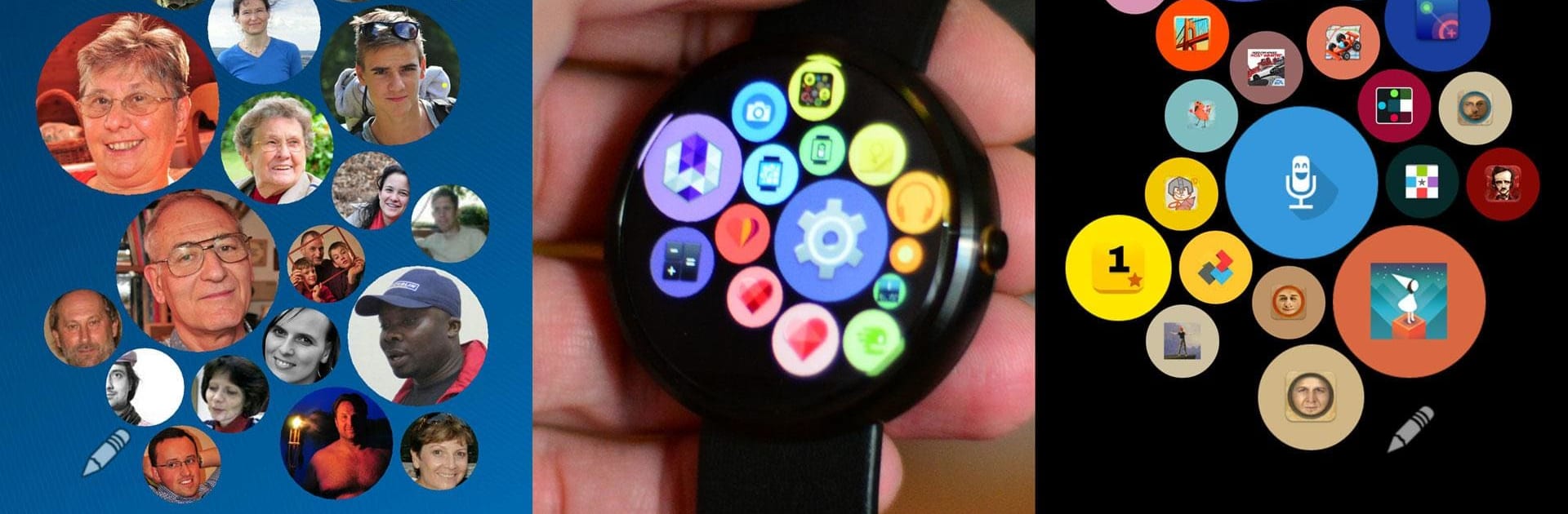
What stands out is how the launcher organizes apps and contacts into round bubbles that feel playful but still tidy. Premium cuts the upgrade popups, lets bubbles get auto added without manual work, and adds special bubbles like contacts and Tasker shortcuts. The free version limits you to one app bubble widget, while premium lifts that limit, so multiple pages or layouts become possible. There is also better control and automation, which is great if someone likes to fine tune how the phone and watch behave. It works with most phone launchers and most Wear OS and older Android Wear watches, so no brand lock in.

Using BlueStacks on a PC is handy for tweaking layouts and settings on a bigger screen, the mouse makes arranging bubbles less fiddly. The smartwatch features still live on the watch of course, but planning and organizing from the desktop is comfortable. The best part is how practical it feels once set up, small touches that reduce friction and give control back to the user.

Big screen. Bigger performance. Use BlueStacks on your PC or Mac to run your favorite apps.

How to Download and Run Bubble Cloud Premium Key on PC or Mac

  • Download and install BlueStacks on your PC or Mac

  • Complete Google sign-in to access the Play Store, or do it later

  • Look for Bubble Cloud Premium Key in the search bar at the top right corner

  • Click to install Bubble Cloud Premium Key from the search results

  • Complete Google sign-in (if you skipped step 2) to install Bubble Cloud Premium Key

  • Click the Bubble Cloud Premium Key icon on the home screen to start playing

video
Watch Video

Minimum System Requirements

With BlueStacks 5, you can get started on a PC that fulfills the following requirements.

  • Operating System

    Microsoft Windows 7 or above, macOS 11 (Big Sur) or above

  • Processor

    Intel, AMD or Apple Silicon Processor

  • RAM

    at least 4GB

  • HDD

    10GB Free Disk Space

Note:

* You must be an Administrator on your PC. Up to date graphics drivers from Microsoft or the chipset vendor.

Bubble Cloud Premium Key - FAQs

  • How to Run Bubble Cloud Premium Key on Windows PC & Mac?

    Run Bubble Cloud Premium Key on your PC or Mac by following these simple steps.

    • Click on ‘Download Bubble Cloud Premium Key on PC’ to download BlueStacks
    • Install it and log-in to Google Play Store
    • Launch and run the app.
  • Why is BlueStacks the fastest and safest platform to play games on PC?

    BlueStacks respects your privacy and is always safe and secure to use. It does not carry any malware, spyware, or any sort of additional software that could harm your PC.

    It is engineered to optimize speed and performance for a seamless gaming experience.

  • What are Bubble Cloud Premium Key PC requirements?

    Minimum requirement to run Bubble Cloud Premium Key on your PC

    • OS: Microsoft Windows 7 and above:
    • Processor: Intel or AMD Processor:
    • RAM: Your PC must have at least 2GB of RAM. (Note that having 2GB or more disk space is not a substitute for RAM):
    • HDD: 5GB Free Disk Space.
    • You must be an Administrator on your PC.




