
CartoDruid - GIS offline tool

CartoDruid - GIS offline tool

Tools

| Instituto Tecnológico Agrario de Castilla y León

Play on PC with BlueStacks or from our cloud

  • Overview
  • How to Download

Page Modified On: November 20, 2025

Run CartoDruid - GIS offline tool on PC or Mac

Why limit yourself to your small screen on the phone? Run CartoDruid – GIS offline tool, an app by Instituto Tecnológico Agrario de Castilla y León, best experienced on your PC or Mac with BlueStacks, the world’s #1 Android emulator.

About the App

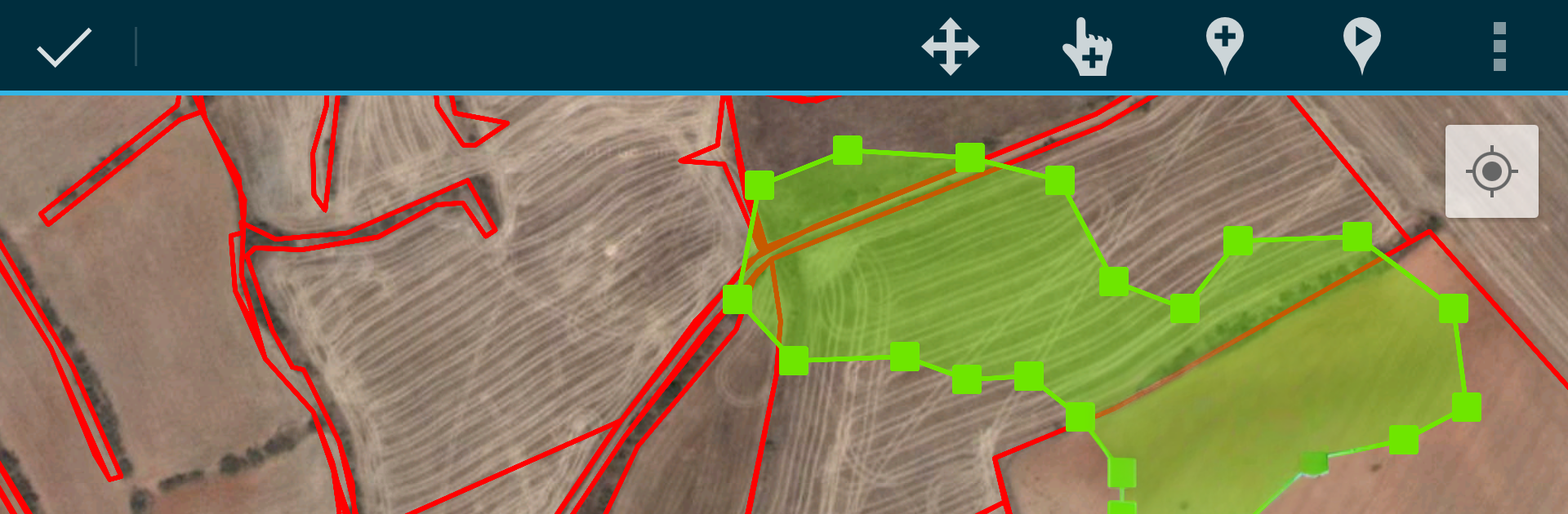
CartoDruid – GIS offline tool makes field mapping feel straightforward, even miles from a cell tower. Built by Instituto Tecnológico Agrario de Castilla y León, it’s a practical way to view maps, capture features, and edit georeferenced data right on-site—no advanced GIS background required. Prefer a bigger screen while you work? You can run it on BlueStacks as well.

App Features

  • Work offline with confidence – Load raster and vector layers stored on your device and keep editing when coverage drops or disappears.
  • Multiple map sources – Use Google basemaps when you’re online and bring in WMS layers for up-to-date contextual info.
  • Vector and raster support – Handle vector cartography in SpatiaLite and imagery in RasterLite, so your projects stay fast and organized.
  • Create and manage layers – Spin up new layers on the device, tweak their settings, and keep your table of contents tidy with clear layer controls.
  • Draw your data your way – Sketch points, lines, and polygons by hand, or capture vertices with the built-in GPS or an external receiver.
  • Advanced geometry tools – Clean up shapes, adjust vertices, and refine features with editing options designed for real field use.
  • Smart styling and queries – Apply symbology, labeling, and filters; build searches and forms powered by SQL to focus on exactly what you need.
  • Attributes and photos – Edit field values on the spot and attach pictures to your features for better context later.
  • Helpful utilities – Use SIGPAC search, measure distances and areas, set bookmarks, and tap navigation aids to move around faster.
  • Import and export made easy – Exchange data in common formats; SHP support is available as an experimental option.
  • Privacy and control – Location is used solely to position you on the map or add geometry vertices. Everything’s stored locally; removing the project folder clears your data.

BlueStacks gives you the much-needed freedom to experience your favorite apps on a bigger screen. Get it now.


How to Download and Run CartoDruid - GIS offline tool on PC or Mac

  • Download and install BlueStacks on your PC or Mac

  • Complete Google sign-in to access the Play Store, or do it later

  • Look for CartoDruid - GIS offline tool in the search bar at the top right corner

  • Click to install CartoDruid - GIS offline tool from the search results

  • Complete Google sign-in (if you skipped step 2) to install CartoDruid - GIS offline tool

  • Click the CartoDruid - GIS offline tool icon on the home screen to start playing

video
Watch Video

Minimum System Requirements

With BlueStacks 5, you can get started on a PC that fulfills the following requirements.

  • Operating System

    Microsoft Windows 7 or above, macOS 11 (Big Sur) or above

  • Processor

    Intel, AMD or Apple Silicon Processor

  • RAM

    at least 4GB

  • HDD

    10GB Free Disk Space

Note:

* You must be an Administrator on your PC. Up to date graphics drivers from Microsoft or the chipset vendor.

CartoDruid - GIS offline tool - FAQs

  • How to Run CartoDruid - GIS offline tool on Windows PC & Mac?

    Run CartoDruid - GIS offline tool on your PC or Mac by following these simple steps.

    • Click on ‘Download CartoDruid - GIS offline tool on PC’ to download BlueStacks
    • Install it and log-in to Google Play Store
    • Launch and run the app.
  • Why is BlueStacks the fastest and safest platform to play games on PC?

    BlueStacks respects your privacy and is always safe and secure to use. It does not carry any malware, spyware, or any sort of additional software that could harm your PC.

    It is engineered to optimize speed and performance for a seamless gaming experience.

  • What are CartoDruid - GIS offline tool PC requirements?

    Minimum requirement to run CartoDruid - GIS offline tool on your PC

    • OS: Microsoft Windows 7 and above:
    • Processor: Intel or AMD Processor:
    • RAM: Your PC must have at least 2GB of RAM. (Note that having 2GB or more disk space is not a substitute for RAM):
    • HDD: 5GB Free Disk Space.
    • You must be an Administrator on your PC.



