
Cash Flow
Cash Flow

Cash Flow

Tools

| SPD HRD

Play on PC with BlueStacks or from our cloud

  • Overview
  • How to Download

Page Modified On: December 24, 2025

Run Cash Flow on PC or Mac

Cash Flow is a Tools app developed by SPD HRD. BlueStacks app player is the best platform (emulator) to run this Android app on your PC or Mac for an immersive user experience!

Enhance your business operations and manage your finances smartly with this app. Track both personal expenses and business transactions to determine how much money you’re making, saving, and spending in the long run. 

About the App

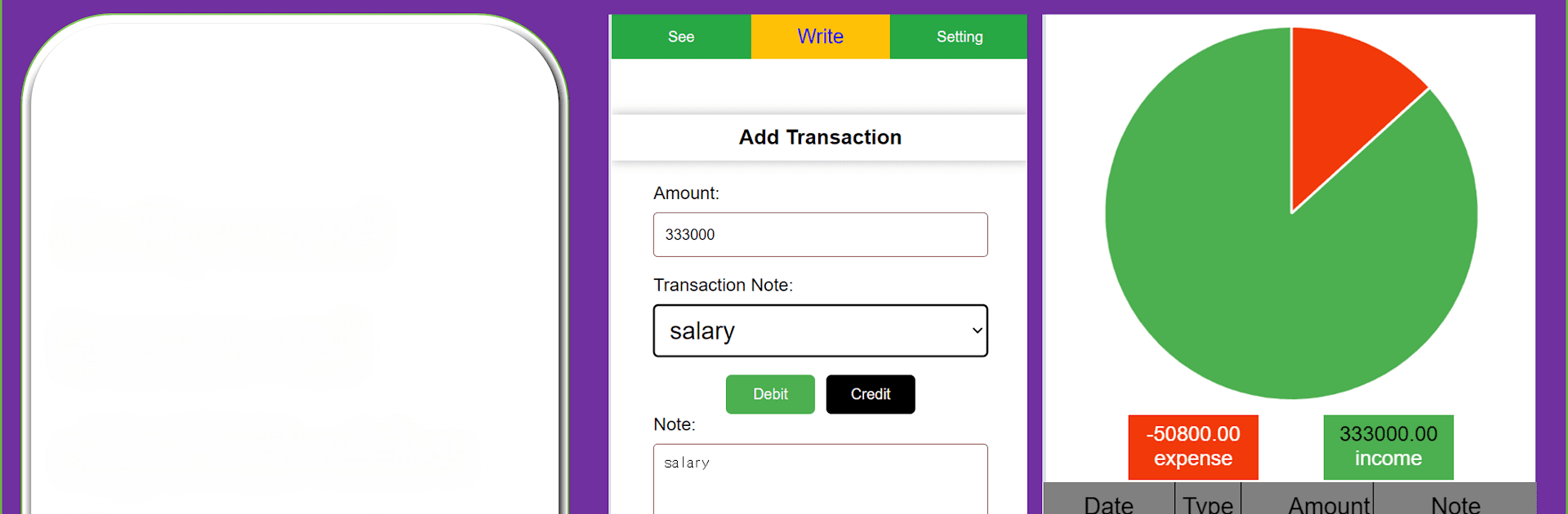
Cash Flow gives you access to a set of tools that can help you stay organized, informed, and in control of your financial activities. The app lets you record every income and expense, and categorize them according to their descriptions. It also allows you to set up personalized budgets to help you spend wisely.

Cash Flow offers detailed visual analytics to give you a closer look at where your money is going. You can even customize your dashboard to display details that are relevant to you and your finances. And you do not have to worry about safety. The app uses encrypted storage and other advanced measures to protect your financial data.

App Features

  • Smooth user interface 
  • Frequent financial reports
  • Intuitive charts and graphs

How to Get? 

Download Cash Flow for free from the Google Play Store using the BlueStacks app player.

How to Download and Run Cash Flow on PC or Mac

  • Download and install BlueStacks on your PC or Mac

  • Complete Google sign-in to access the Play Store, or do it later

  • Look for Cash Flow in the search bar at the top right corner

  • Click to install Cash Flow from the search results

  • Complete Google sign-in (if you skipped step 2) to install Cash Flow

  • Click the Cash Flow icon on the home screen to start playing

video
Watch Video

Minimum System Requirements

With BlueStacks 5, you can get started on a PC that fulfills the following requirements.

  • Operating System

    Microsoft Windows 7 or above, macOS 11 (Big Sur) or above

  • Processor

    Intel, AMD or Apple Silicon Processor

  • RAM

    at least 4GB

  • HDD

    10GB Free Disk Space

Note:

* You must be an Administrator on your PC. Up to date graphics drivers from Microsoft or the chipset vendor.

Cash Flow - FAQs

  • How to Run Cash Flow on Windows PC & Mac?

    Run Cash Flow on your PC or Mac by following these simple steps.

    • Click on ‘Download Cash Flow on PC’ to download BlueStacks
    • Install it and log-in to Google Play Store
    • Launch and run the app.
  • Why is BlueStacks the fastest and safest platform to play games on PC?

    BlueStacks respects your privacy and is always safe and secure to use. It does not carry any malware, spyware, or any sort of additional software that could harm your PC.

    It is engineered to optimize speed and performance for a seamless gaming experience.

  • What are Cash Flow PC requirements?

    Minimum requirement to run Cash Flow on your PC

    • OS: Microsoft Windows 7 and above:
    • Processor: Intel or AMD Processor:
    • RAM: Your PC must have at least 2GB of RAM. (Note that having 2GB or more disk space is not a substitute for RAM):
    • HDD: 5GB Free Disk Space.
    • You must be an Administrator on your PC.




