
Level with voice /Spirit level

Level with voice /Spirit level

Tools

| Lazy Smart Studio

Play on PC with BlueStacks or from our cloud

  • Overview
  • How to Download

Page Modified On: January 09, 2026

Run Level with voice /Spirit level on PC or Mac

Get freedom from your phone’s obvious limitations. Use Level with voice /Spirit level, made by Lazy Smart Studio, a Tools app on your PC or Mac with BlueStacks, and level up your experience.

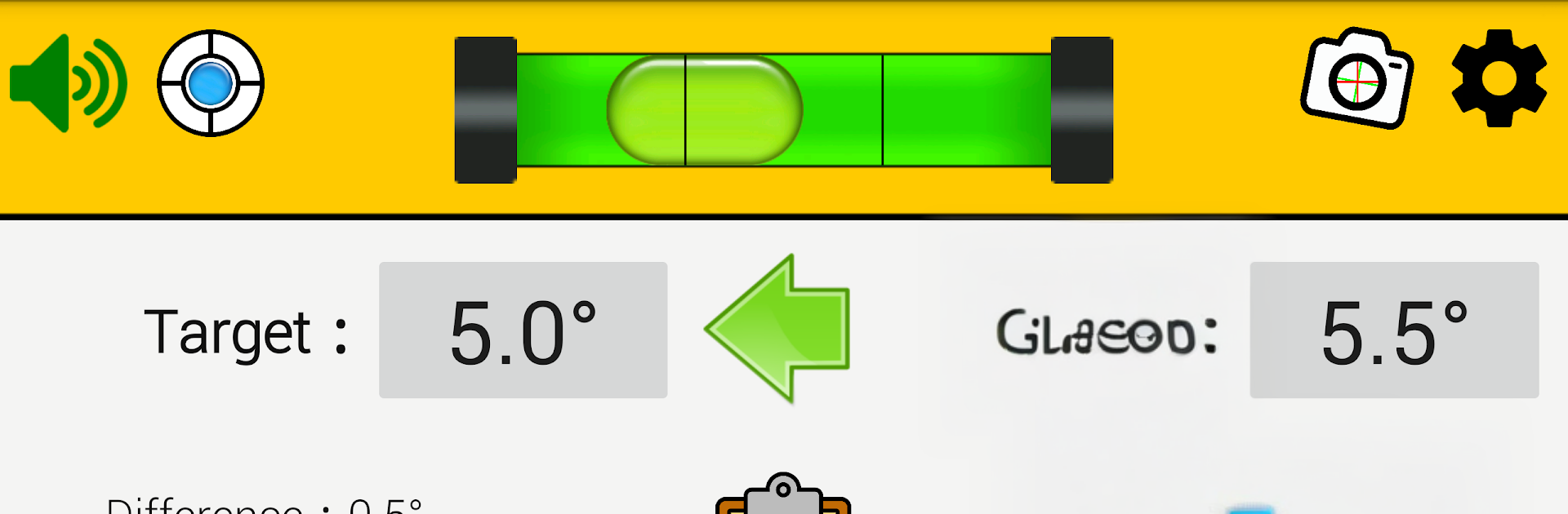
Level with voice is basically a no-fuss digital spirit level that talks, so eyes do not need to stay glued to the screen while lining things up. It calls out three states, close, very close, or perfect, and that little voice cue is what stands out. The app shows the exact tilt in numbers and even the difference from a target angle. Users can lock the current angle as the goal with an on-screen button or the device volume up, then save a reading with volume down, and it keeps a small history of up to 20 records for later. If a phone has a chunky camera bump, it still works with the screen face down. There is calibration, adjustable beep volume, a mute option, and settings for how strict the error tolerance should be, plus how frequently it samples from 1 to 3 seconds.

There is also a camera-based Laser Leveling mode that puts alignment guides over the view, handy for checking vertical or horizontal, and it can snap photos if camera and storage permissions are allowed. On a PC with BlueStacks it feels simple to use, the big screen makes the guides easier to read, and mapping a key to the on-screen lock or save buttons works fine. It functions like a solid stand-in for a bubble level, angle finder, or clinometer, useful for carpentry or just hanging shelves straighter. Language support is wide too, with English, French, German, Portuguese, Russian, Spanish, Japanese, Korean, Traditional Chinese, and Simplified Chinese.

Eager to take your app experience to the next level? Start right away by downloading BlueStacks on your PC or Mac.


How to Download and Run Level with voice /Spirit level on PC or Mac

  • Download and install BlueStacks on your PC or Mac

  • Complete Google sign-in to access the Play Store, or do it later

  • Look for Level with voice /Spirit level in the search bar at the top right corner

  • Click to install Level with voice /Spirit level from the search results

  • Complete Google sign-in (if you skipped step 2) to install Level with voice /Spirit level

  • Click the Level with voice /Spirit level icon on the home screen to start playing

video
Watch Video

Minimum System Requirements

With BlueStacks 5, you can get started on a PC that fulfills the following requirements.

  • Operating System

    Microsoft Windows 7 or above, macOS 11 (Big Sur) or above

  • Processor

    Intel, AMD or Apple Silicon Processor

  • RAM

    at least 4GB

  • HDD

    10GB Free Disk Space

Note:

* You must be an Administrator on your PC. Up to date graphics drivers from Microsoft or the chipset vendor.

Level with voice /Spirit level - FAQs

  • How to Run Level with voice /Spirit level on Windows PC & Mac?

    Run Level with voice /Spirit level on your PC or Mac by following these simple steps.

    • Click on ‘Download Level with voice /Spirit level on PC’ to download BlueStacks
    • Install it and log-in to Google Play Store
    • Launch and run the app.
  • Why is BlueStacks the fastest and safest platform to play games on PC?

    BlueStacks respects your privacy and is always safe and secure to use. It does not carry any malware, spyware, or any sort of additional software that could harm your PC.

    It is engineered to optimize speed and performance for a seamless gaming experience.

  • What are Level with voice /Spirit level PC requirements?

    Minimum requirement to run Level with voice /Spirit level on your PC

    • OS: Microsoft Windows 7 and above:
    • Processor: Intel or AMD Processor:
    • RAM: Your PC must have at least 2GB of RAM. (Note that having 2GB or more disk space is not a substitute for RAM):
    • HDD: 5GB Free Disk Space.
    • You must be an Administrator on your PC.



