
Miqat: Prayer Times, Qibla

Miqat: Prayer Times, Qibla

Tools

| Samer Joudi

Play on PC with BlueStacks or from our cloud

  • Overview
  • How to Download

Page Modified On: January 05, 2026

Run Miqat: Prayer Times, Qibla on PC or Mac

What’s better than using Miqat: Prayer Times, Qibla by Samer Joudi? Well, try it on a big screen, on your PC or Mac, with BlueStacks to see the difference.

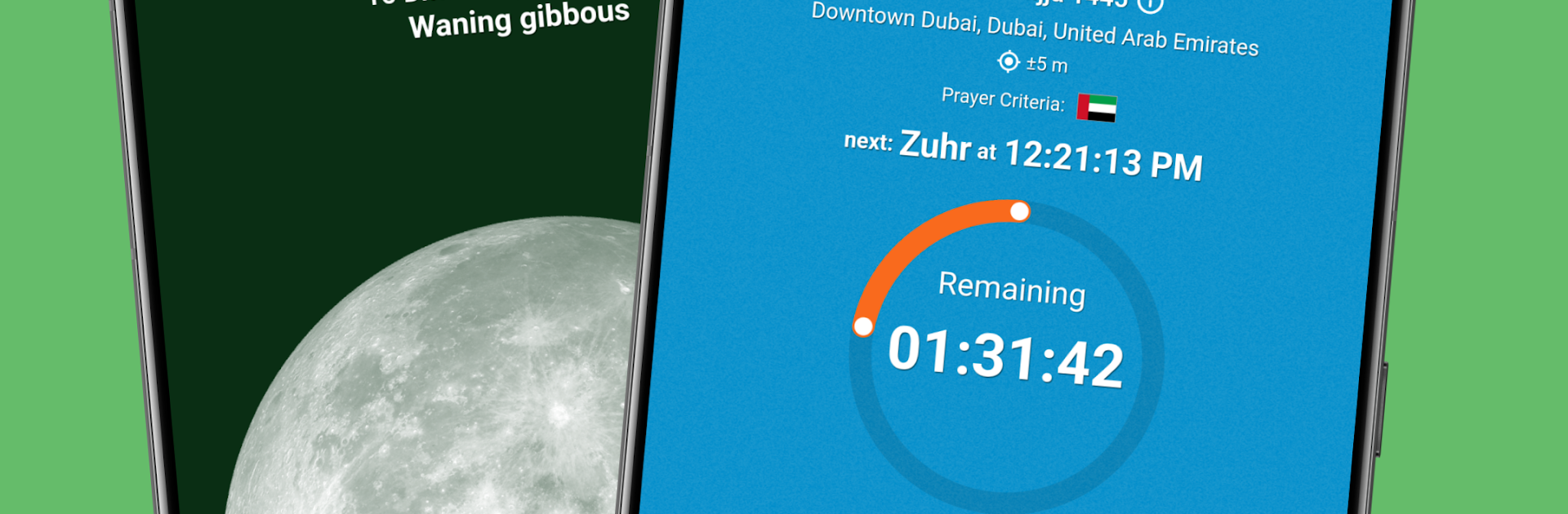
Miqat feels like a calm, precise toolbox for prayer times and Qibla that does not waste time. It focuses on accuracy in a way that actually shows, from millisecond-level prayer times to options that account for altitude, temperature, and air pressure. People living on high floors or up in mountain towns will appreciate that it can adjust calculations so results do not drift. It even has methods for extreme latitudes where usual dawn or dusk signs go missing. Running it on BlueStacks gives the maps and timelines more room to breathe, so checking things on a bigger screen is just easier.

The Qibla features stand out. It does the direction based on the real shape of Earth, then lets users see it on an interactive map to line it up with nearby streets and buildings. There is a 3D view with augmented reality and a 360 walk-through of the Grand Mosque for context, and it can show Qibla relative to the Sun, Moon, stars, and planets. If the phone’s compass is being weird, the app flags abnormal magnetic fields so people do not trust a bad reading. On the lunar side, it shows real time Moon data with age, illumination, and phases, and can simulate the first visibility of the hilal to help with the start and end of months like Ramadan or Eid days. The Hijri calendar is baked in with quick conversion between dates. The whole thing feels technical but not fussy, clear labels, no clutter, just the right tools in reach. On PC through BlueStacks, the larger view makes the Qibla map and hilal simulations feel extra practical, even if sensor-heavy AR bits depend on the hardware.

BlueStacks gives you the much-needed freedom to experience your favorite apps on a bigger screen. Get it now.


How to Download and Run Miqat: Prayer Times, Qibla on PC or Mac

  • Download and install BlueStacks on your PC or Mac

  • Complete Google sign-in to access the Play Store, or do it later

  • Look for Miqat: Prayer Times, Qibla in the search bar at the top right corner

  • Click to install Miqat: Prayer Times, Qibla from the search results

  • Complete Google sign-in (if you skipped step 2) to install Miqat: Prayer Times, Qibla

  • Click the Miqat: Prayer Times, Qibla icon on the home screen to start playing

video
Watch Video

Minimum System Requirements

With BlueStacks 5, you can get started on a PC that fulfills the following requirements.

  • Operating System

    Microsoft Windows 7 or above, macOS 11 (Big Sur) or above

  • Processor

    Intel, AMD or Apple Silicon Processor

  • RAM

    at least 4GB

  • HDD

    10GB Free Disk Space

Note:

* You must be an Administrator on your PC. Up to date graphics drivers from Microsoft or the chipset vendor.

Miqat: Prayer Times, Qibla - FAQs

  • How to Run Miqat: Prayer Times, Qibla on Windows PC & Mac?

    Run Miqat: Prayer Times, Qibla on your PC or Mac by following these simple steps.

    • Click on ‘Download Miqat: Prayer Times, Qibla on PC’ to download BlueStacks
    • Install it and log-in to Google Play Store
    • Launch and run the app.
  • Why is BlueStacks the fastest and safest platform to play games on PC?

    BlueStacks respects your privacy and is always safe and secure to use. It does not carry any malware, spyware, or any sort of additional software that could harm your PC.

    It is engineered to optimize speed and performance for a seamless gaming experience.

  • What are Miqat: Prayer Times, Qibla PC requirements?

    Minimum requirement to run Miqat: Prayer Times, Qibla on your PC

    • OS: Microsoft Windows 7 and above:
    • Processor: Intel or AMD Processor:
    • RAM: Your PC must have at least 2GB of RAM. (Note that having 2GB or more disk space is not a substitute for RAM):
    • HDD: 5GB Free Disk Space.
    • You must be an Administrator on your PC.



