


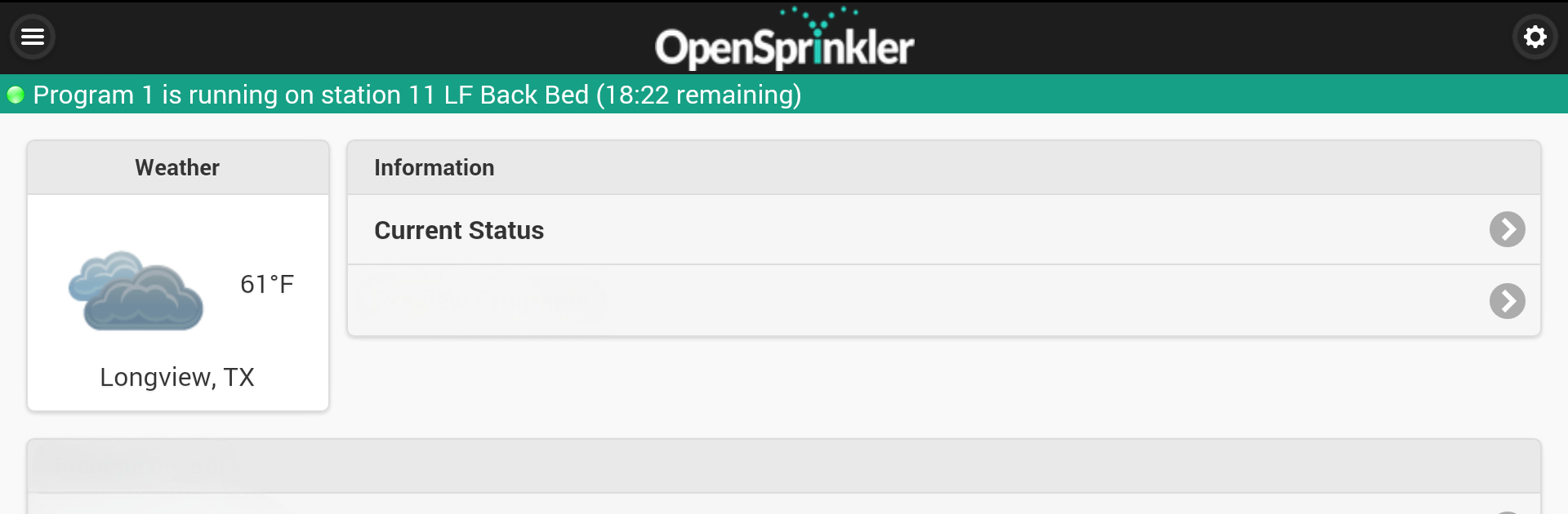


What’s better than using OpenSprinkler by OpenThings? Well, try it on a big screen, on your PC or Mac, with BlueStacks to see the difference.
About the App
Managing your yard’s sprinklers just got a whole lot easier with OpenSprinkler. Whether you’ve got one system or several, this handy app from OpenThings puts control of your irrigation right in your pocket. Want to adjust watering times, check your current schedule, or just keep tabs on what your system’s up to? OpenSprinkler makes it all surprisingly simple, giving you peace of mind and a bit more spare time.
App Features
-
Instant Device Discovery
The app automatically locates your OpenSprinkler systems on your network—no hunting for IP addresses or dealing with confusing setup steps. -
Quick-Change Programs
Need to tweak your watering schedule? Edit your settings and programs on the fly, whether you’re at home or away (and yes, it works great with BlueStacks too). -
Manual and Scheduled Control
Jump in to run a zone manually if you’re testing or let your predefined routines do the work for you. It’s up to you. -
Multi-Device Management
If you’ve got more than one OpenSprinkler controller, you can keep them all organized and accessible from a single app. -
At-a-Glance Device Status
Instantly see what’s running, what’s paused, and what’s coming up next, all in a clean, visual layout. -
Visual Schedules & Logs
Get a look at your upcoming watering plans with helpful visuals, plus dive into detailed logs—both graph and table views are available if you want to geek out a bit. -
Live Weather Updates
The app checks the current weather and forecasts for your device’s location, so you’re always watering smart—not just on autopilot. -
Rain Delay Controls
Change or disable rain delays when you need to, right from your phone or desktop. -
Languages Galore
OpenSprinkler’s interface is friendly to speakers of all kinds of languages—from Spanish and German to Chinese and many more.
OpenSprinkler by OpenThings brings thoughtful, flexible control to your irrigation setup. However you use it—on your phone, tablet, or while you’re running BlueStacks—it keeps lawn and garden care hassle-free.
Switch to BlueStacks and make the most of your apps on your PC or Mac.





