
SKF Machine train alignment

SKF Machine train alignment

Tools

| SKF Group

Play on PC with BlueStacks or from our cloud

  • Overview
  • How to Download

Page Modified On: January 09, 2026

Run SKF Machine train alignment on PC or Mac

Let BlueStacks turn your PC, Mac, or laptop into the perfect home for SKF Machine train alignment, a fun Tools app from SKF Group.

About the App

SKF Machine train alignment is a Tools app from SKF Group that helps you align multi-machine setups without the guesswork. Pair it with the TKSA 71 alignment tool to get real-time guidance, or hop into the built-in demo to practice the full workflow before you touch a bolt. It’s clear, visual, and designed for folks who want accurate results without wrestling with spreadsheets and rough estimates.

App Features

  • Works with TKSA 71: Connect via Bluetooth for live measurements using laser and detector technology designed for high precision on real machines.

  • Guided measurements: Follow on-screen prompts to run a classic 9-12-3 three-point measurement or use a limited rotation method when you only have about 40° of turning room.

  • Select stationary feet: Lock in two pairs of stationary feet and let the software calculate moves for the rest. Try different combinations to pick the correction plan that makes the most sense.

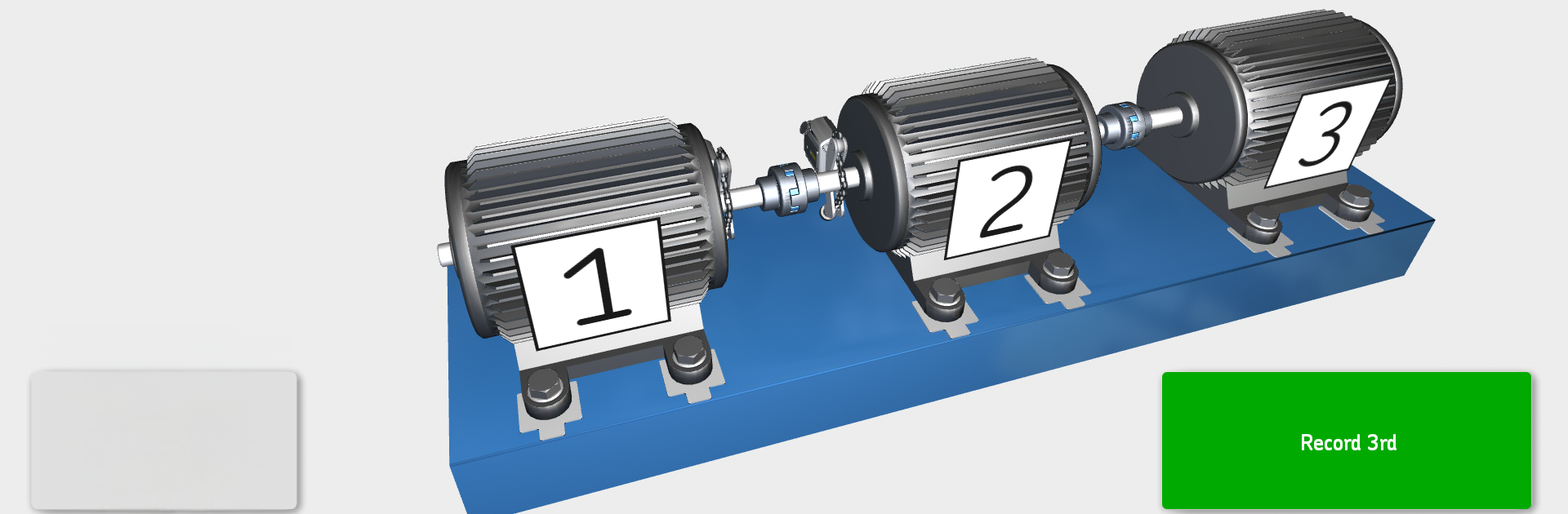
  • Built for three-machine trains: Tackle common motor–gearbox–driven unit setups with alignment across multiple couplings handled in one streamlined flow.

  • Full demo mode: No hardware yet? Walk through the entire process, end to end. It’s great for training or planning, and it runs nicely on a bigger screen with BlueStacks if you prefer.

  • Automatic reports: Generate a clean, shareable report of your alignment job with notes, a machine photo, and a signature field—ready for email or your cloud workflow.

  • Help videos: Short, straight-to-the-point clips in the help section show setup steps and measurement tips so you’re never stuck.

  • 3D guidance: Intuitive 3D animations keep each step clear, making complex alignment tasks feel straightforward.

BlueStacks gives you the much-needed freedom to experience your favorite apps on a bigger screen. Get it now.


How to Download and Run SKF Machine train alignment on PC or Mac

  • Download and install BlueStacks on your PC or Mac

  • Complete Google sign-in to access the Play Store, or do it later

  • Look for SKF Machine train alignment in the search bar at the top right corner

  • Click to install SKF Machine train alignment from the search results

  • Complete Google sign-in (if you skipped step 2) to install SKF Machine train alignment

  • Click the SKF Machine train alignment icon on the home screen to start playing

video
Watch Video

Minimum System Requirements

With BlueStacks 5, you can get started on a PC that fulfills the following requirements.

  • Operating System

    Microsoft Windows 7 or above, macOS 11 (Big Sur) or above

  • Processor

    Intel, AMD or Apple Silicon Processor

  • RAM

    at least 4GB

  • HDD

    10GB Free Disk Space

Note:

* You must be an Administrator on your PC. Up to date graphics drivers from Microsoft or the chipset vendor.

SKF Machine train alignment - FAQs

  • How to Run SKF Machine train alignment on Windows PC & Mac?

    Run SKF Machine train alignment on your PC or Mac by following these simple steps.

    • Click on ‘Download SKF Machine train alignment on PC’ to download BlueStacks
    • Install it and log-in to Google Play Store
    • Launch and run the app.
  • Why is BlueStacks the fastest and safest platform to play games on PC?

    BlueStacks respects your privacy and is always safe and secure to use. It does not carry any malware, spyware, or any sort of additional software that could harm your PC.

    It is engineered to optimize speed and performance for a seamless gaming experience.

  • What are SKF Machine train alignment PC requirements?

    Minimum requirement to run SKF Machine train alignment on your PC

    • OS: Microsoft Windows 7 and above:
    • Processor: Intel or AMD Processor:
    • RAM: Your PC must have at least 2GB of RAM. (Note that having 2GB or more disk space is not a substitute for RAM):
    • HDD: 5GB Free Disk Space.
    • You must be an Administrator on your PC.



