
Stopwatch Pro
Stopwatch Pro

Stopwatch Pro

Tools

| Monter Apps

Play on PC with BlueStacks or from our cloud

  • Overview
  • How to Download

Page Modified On: October 24, 2025

Run Stopwatch Pro on PC or Mac

What’s better than using Stopwatch Pro by Monter Apps? Well, try it on a big screen, on your PC or Mac, with BlueStacks to see the difference.

About the App

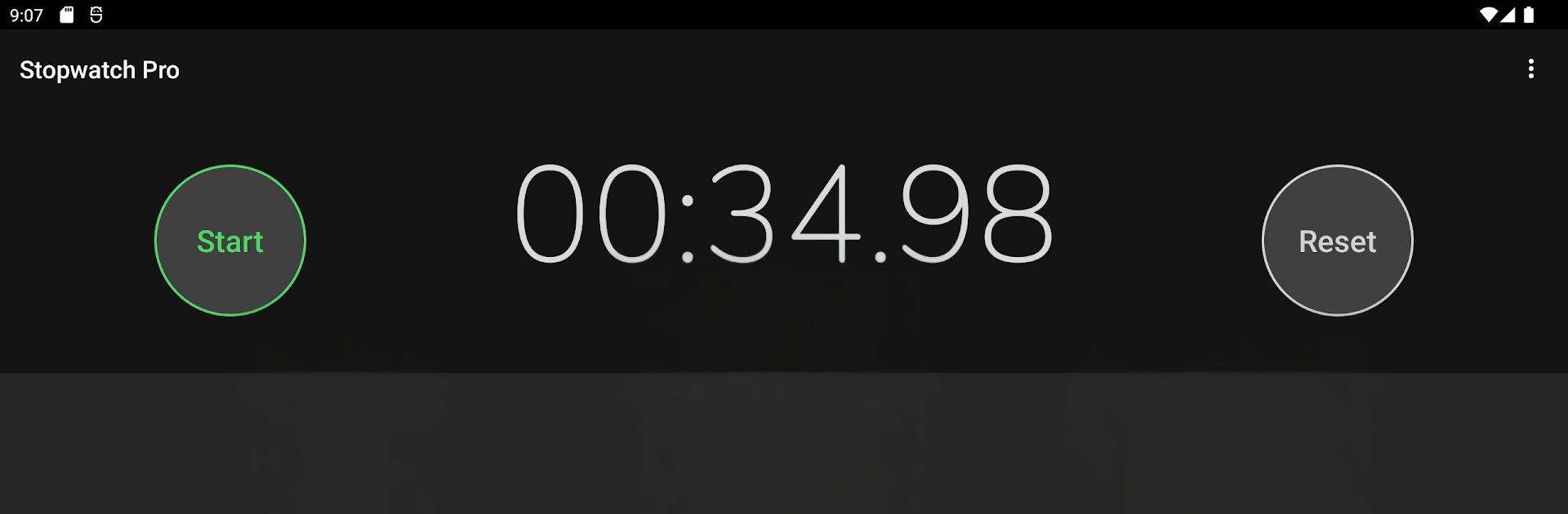
Stopwatch Pro is a clean, fast, no-fuss way to track time—whether you’re crushing intervals, timing a recipe, or keeping focus during a study sprint. Built by Monter Apps, this Tools essential is all about clarity and control: big digits, easy buttons, and lap details that actually make sense. Prefer a bigger screen? You can keep it open on your PC with BlueStacks for a desk-friendly view.

App Features

  • Big digital readout — Oversized, high-contrast numbers you can read at a glance, even mid-workout.
  • Hundredths precision — See time down to two decimal places for accurate splits and results.
  • Background ready — The stopwatch keeps running even if you switch apps or turn off the screen.
  • Laps and splits — Track total time and each lap separately, with unlimited laps for long sessions.
  • One-handed layout — Large buttons placed at the bottom for easy reach on big phones.
  • Left-handed mode — Swap button positions so the controls match how you hold your device.
  • Hardware key control — Use your volume buttons: volume up to start/stop, volume down to add a lap.
  • Press-and-hold reset — Clear the watch quickly and get set for the next round.
  • Save and share — Export results as TXT or CSV, or share to your favorite apps in a couple of taps.
  • Last-lap on stop — Optionally record a final lap automatically when you hit stop.
  • Light or dark theme — Pick the look that fits your space and eyes.
  • Stay awake — The screen won’t lock while you’re timing, so you won’t miss a split.
  • Tablet-friendly — Optimized layouts look great on larger displays.
  • Minimal permissions — Lightweight, reliable, and respectful of your device.
  • Optional ad removal — Keep it free or remove ads with a simple in-app purchase.
  • Coming soon — A dedicated timer mode is in development for countdowns.

BlueStacks gives you the much-needed freedom to experience your favorite apps on a bigger screen. Get it now.


How to Download and Run Stopwatch Pro on PC or Mac

  • Download and install BlueStacks on your PC or Mac

  • Complete Google sign-in to access the Play Store, or do it later

  • Look for Stopwatch Pro in the search bar at the top right corner

  • Click to install Stopwatch Pro from the search results

  • Complete Google sign-in (if you skipped step 2) to install Stopwatch Pro

  • Click the Stopwatch Pro icon on the home screen to start playing

video
Watch Video

Minimum System Requirements

With BlueStacks 5, you can get started on a PC that fulfills the following requirements.

  • Operating System

    Microsoft Windows 7 or above, macOS 11 (Big Sur) or above

  • Processor

    Intel, AMD or Apple Silicon Processor

  • RAM

    at least 4GB

  • HDD

    10GB Free Disk Space

Note:

* You must be an Administrator on your PC. Up to date graphics drivers from Microsoft or the chipset vendor.

Stopwatch Pro - FAQs

  • How to Run Stopwatch Pro on Windows PC & Mac?

    Run Stopwatch Pro on your PC or Mac by following these simple steps.

    • Click on ‘Download Stopwatch Pro on PC’ to download BlueStacks
    • Install it and log-in to Google Play Store
    • Launch and run the app.
  • Why is BlueStacks the fastest and safest platform to play games on PC?

    BlueStacks respects your privacy and is always safe and secure to use. It does not carry any malware, spyware, or any sort of additional software that could harm your PC.

    It is engineered to optimize speed and performance for a seamless gaming experience.

  • What are Stopwatch Pro PC requirements?

    Minimum requirement to run Stopwatch Pro on your PC

    • OS: Microsoft Windows 7 and above:
    • Processor: Intel or AMD Processor:
    • RAM: Your PC must have at least 2GB of RAM. (Note that having 2GB or more disk space is not a substitute for RAM):
    • HDD: 5GB Free Disk Space.
    • You must be an Administrator on your PC.



