Coffee cafe Tycoon simulator

Coffee cafe Tycoon simulator

Trivia

| Secret Dragon Games

Play on PC with BlueStacks or from our cloud

  • Overview
  • Game Features
  • How to Play

Page Modified On: July 06, 2026

Play Coffee cafe Tycoon simulator on PC or Mac

Explore a whole new adventure with Coffee cafe Tycoon simulator, a Trivia game created by Secret Dragon Games. Experience great gameplay with BlueStacks, the most popular gaming platform to play Android games on your PC or Mac.

About the Game

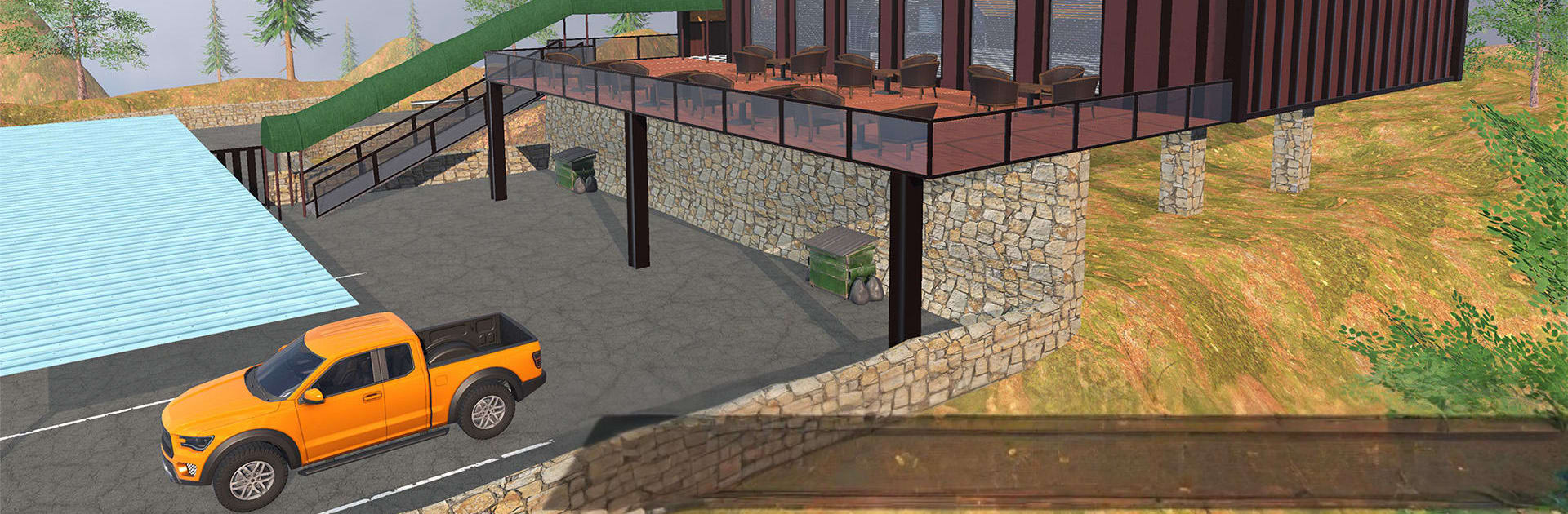
Coffee cafe Tycoon simulator puts you behind the counter of your very own coffee spot perched high above the city. You’re not just tapping menus—you’re brewing, serving, cleaning up, and watching the register in a hands-on, first-person view. It starts small and scrappy, then grows into the kind of cozy, buzzing place regulars can’t stop visiting. Prefer a bigger screen? It also plays great on PC with BlueStacks.

Game Features

  • First-person barista view: Walk the floor, pull espresso shots, steam milk, and ring up customers yourself. It feels like you’re actually in the shop.
  • Scenic hilltop setting: Run a café with a view—wide windows, fresh air, and a chill vibe that makes the daily grind go down easy.
  • Build and upgrade: Add new coffee machines, stoves, fridges, and more. Rearrange furniture, spruce up the décor, and keep unlocking gear as your shop grows.
  • Flexible payments: Take cash or card at the counter and keep the line moving during those frantic morning rushes.
  • Hire and automate: Bring on baristas, cashiers, and cleaners. Assign jobs and watch the team keep things humming while you plan the next upgrade.
  • Relaxing yet satisfying: Slow moments to tidy and prep, then busy spikes that test your timing and layout. Progress feels steady and earned.
  • Town supply runs: Hop into a rugged 4×4, cruise down to the shops, and stock up on beans, syrups, and equipment before the next rush hits.

Start playing Coffee cafe Tycoon simulator on BlueStacks and get a smoother, more comfortable PC or Mac setup.


Game Features

Enhancements

  • Macros
  • Multi Instance
  • Multi Instance Sync
  • Script
  • Enhancements
Macros

Macros

Automate the predictable in Coffee cafe Tycoon simulator and transform your gameplay with Macros. Get access to inventive Macros in the BlueStacks Macro Community
Multi Instance

Multi Instance

Play Coffee cafe Tycoon simulator on one window. And chat with your friend on the other. Press CTRL + Shift + 8 to open the Multi-Instance Manager. And start creating fresh instances or clone an existing one.
Multi Instance Sync

Multi Instance Sync

Play Coffee cafe Tycoon simulator with the power of Multi-Instance Sync. Replicate what you are doing on the main instance on all other instances. Level up faster, play more.
Script

Script

Script your way to gaming glory in Coffee cafe Tycoon simulator with BlueStacks Script. Write and run a set of commands to automate repeated tasks. Trigger the command by assigning it to any key.
Read More

How to Download and Play Coffee cafe Tycoon simulator on PC or Mac

  • Download and install BlueStacks on your PC or Mac

  • Complete Google sign-in to access the Play Store, or do it later

  • Look for Coffee cafe Tycoon simulator in the search bar at the top right corner

  • Click to install Coffee cafe Tycoon simulator from the search results

  • Complete Google sign-in (if you skipped step 2) to install Coffee cafe Tycoon simulator

  • Click the Coffee cafe Tycoon simulator icon on the home screen to start playing

video
Watch Video

Minimum System Requirements

With BlueStacks 5, you can get started on a PC that fulfills the following requirements.

  • Operating System

    Microsoft Windows 7 or above, macOS 11 (Big Sur) or above

  • Processor

    Intel, AMD or Apple Silicon Processor

  • RAM

    at least 4GB

  • HDD

    10GB Free Disk Space

Note:

* You must be an Administrator on your PC. Up to date graphics drivers from Microsoft or the chipset vendor.

Coffee cafe Tycoon simulator - FAQs

  • How to play Coffee cafe Tycoon simulator on Windows PC & Mac?

    Play Coffee cafe Tycoon simulator on your PC or Mac by following these simple steps.

    • Click on 'Play Coffee cafe Tycoon simulator on PC’ to download BlueStacks
    • Install it and log-in to Google Play Store
    • Launch and play the game.
  • Why is BlueStacks the fastest and safest platform to play games on PC?

    BlueStacks respects your privacy and is always safe and secure to use. It does not carry any malware, spyware, or any sort of additional software that could harm your PC.

    It is engineered to optimize speed and performance for a seamless gaming experience.

  • What are Coffee cafe Tycoon simulator PC requirements?

    Minimum requirement to run Coffee cafe Tycoon simulator on your PC

    • OS: Microsoft Windows 7 or above MacOS 11 (Big Sur) or above
    • Processor: Intel, AMD or Apple Silicon Processor
    • RAM: Your PC must have at least 4GB of RAM. (Note that having 4GB or more disk space is not a substitute for RAM)
    • HDD: 10GB Free Disk Space.
    • You must be an Administrator on your PC.