Emoji Quiz - Guess the Emojis

Emoji Quiz - Guess the Emojis

Trivia

| PrizePool Studios

Play on PC with BlueStacks or from our cloud

  • Overview
  • Game Features
  • How to Play

Page Modified On: September 11, 2026

Play Emoji Quiz - Guess the Emojis on PC or Mac

Bring your A-game to Emoji Quiz – Guess the Emojis, the Trivia game sensation from PrizePool Studios. Give your gameplay the much-needed boost with precise game controls, high FPS graphics, and top-tier features on your PC or Mac with BlueStacks.

About the Game

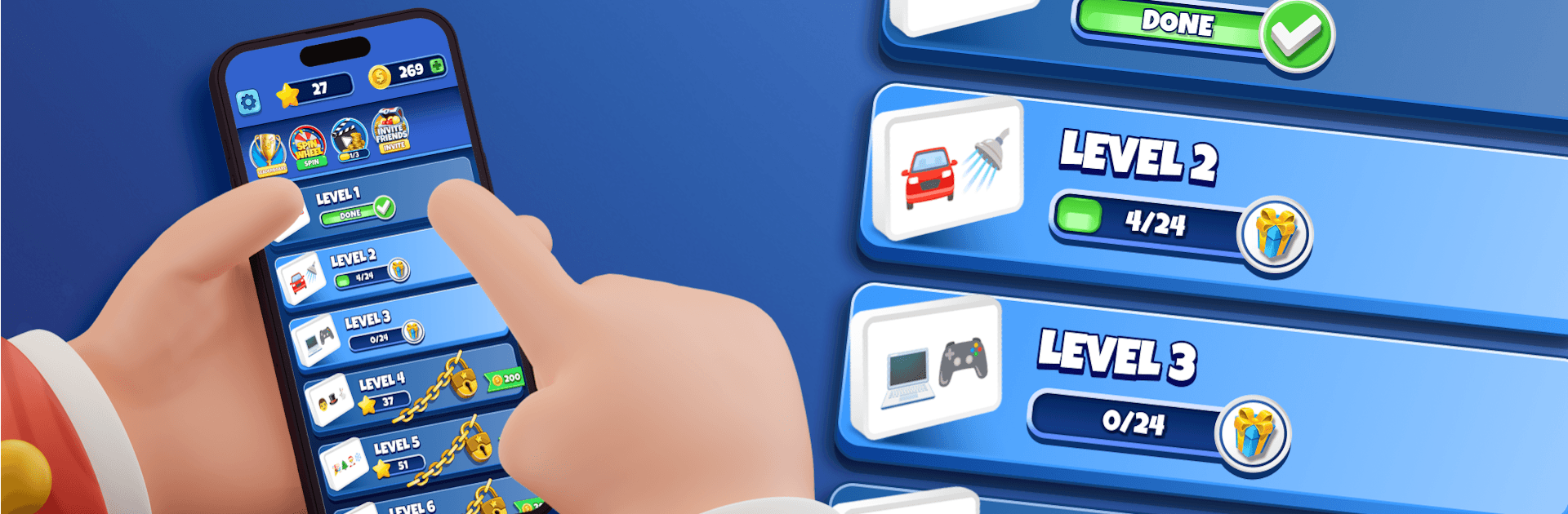
Emoji Quiz – Guess the Emojis turns tiny pictures into big “aha!” moments. It’s a Trivia game where you read emoji combos like riddles and type the word, title, place, or brand they’re pointing to. Play a few quick rounds or sink into a longer session—and if you like a bigger view, it feels right at home on a desktop with BlueStacks.

Game Features

  • Pick-up-and-play typing: See the emoji mashup, type your guess, and you’re on to the next one—zero fuss.
  • Clean, readable emojis: Crisp visuals keep puzzles fair while still leaving room for clever twists.
  • Helpful hints when needed: Reveal a letter, clear out bad choices, or get a gentle nudge without ruining the challenge.
  • Coins that matter: Earn coins as you play and spend them on hints, extra lives, or unlocking special sets.
  • Offline anytime: No connection? Keep solving—your progress sticks and the puzzles keep coming.
  • Difficulty that ramps naturally: Start easy, then work up to brainy combinations that feel genuinely rewarding.
  • Categories for every interest: Movies, music, sports, animals, foods, places, brands, and a few delightful curveballs.
  • Progress you can track: Check stats, follow streaks, and compare results with friends for bragging rights.
  • Extra tries with lives: Wrong guess? Lives keep the session going so the fun doesn’t stall.
  • Daily Lucky Wheel: Spin each day for a small boost to keep your streak alive.
  • Fresh content often: New puzzle packs and emoji mixes arrive regularly, so there’s always something new to crack.

Ready to top the leaderboard? We bet you do. Let precise controls and sharp visuals optimized on BlueStacks lead you to victory.


Game Features

Enhancements

  • Macros
  • Multi Instance
  • Multi Instance Sync
  • Script
  • Enhancements
Macros

Macros

Automate the predictable in Emoji Quiz - Guess the Emojis and transform your gameplay with Macros. Get access to inventive Macros in the BlueStacks Macro Community
Multi Instance

Multi Instance

Play Emoji Quiz - Guess the Emojis on one window. And chat with your friend on the other. Press CTRL + Shift + 8 to open the Multi-Instance Manager. And start creating fresh instances or clone an existing one.
Multi Instance Sync

Multi Instance Sync

Play Emoji Quiz - Guess the Emojis with the power of Multi-Instance Sync. Replicate what you are doing on the main instance on all other instances. Level up faster, play more.
Script

Script

Script your way to gaming glory in Emoji Quiz - Guess the Emojis with BlueStacks Script. Write and run a set of commands to automate repeated tasks. Trigger the command by assigning it to any key.
Read More

How to Download and Play Emoji Quiz - Guess the Emojis on PC or Mac

  • Download and install BlueStacks on your PC or Mac

  • Complete Google sign-in to access the Play Store, or do it later

  • Look for Emoji Quiz - Guess the Emojis in the search bar at the top right corner

  • Click to install Emoji Quiz - Guess the Emojis from the search results

  • Complete Google sign-in (if you skipped step 2) to install Emoji Quiz - Guess the Emojis

  • Click the Emoji Quiz - Guess the Emojis icon on the home screen to start playing

video
Watch Video

Minimum System Requirements

With BlueStacks 5, you can get started on a PC that fulfills the following requirements.

  • Operating System

    Microsoft Windows 7 or above, macOS 11 (Big Sur) or above

  • Processor

    Intel, AMD or Apple Silicon Processor

  • RAM

    at least 4GB

  • HDD

    10GB Free Disk Space

Note:

* You must be an Administrator on your PC. Up to date graphics drivers from Microsoft or the chipset vendor.

Emoji Quiz - Guess the Emojis - FAQs

  • How to play Emoji Quiz - Guess the Emojis on Windows PC & Mac?

    Play Emoji Quiz - Guess the Emojis on your PC or Mac by following these simple steps.

    • Click on 'Play Emoji Quiz - Guess the Emojis on PC’ to download BlueStacks
    • Install it and log-in to Google Play Store
    • Launch and play the game.
  • Why is BlueStacks the fastest and safest platform to play games on PC?

    BlueStacks respects your privacy and is always safe and secure to use. It does not carry any malware, spyware, or any sort of additional software that could harm your PC.

    It is engineered to optimize speed and performance for a seamless gaming experience.

  • What are Emoji Quiz - Guess the Emojis PC requirements?

    Minimum requirement to run Emoji Quiz - Guess the Emojis on your PC

    • OS: Microsoft Windows 7 or above MacOS 11 (Big Sur) or above
    • Processor: Intel, AMD or Apple Silicon Processor
    • RAM: Your PC must have at least 4GB of RAM. (Note that having 4GB or more disk space is not a substitute for RAM)
    • HDD: 10GB Free Disk Space.
    • You must be an Administrator on your PC.