Guess Italian Brainrot Animals

Guess Italian Brainrot Animals

Trivia

| Invasive Games

Play on PC with BlueStacks or from our cloud

  • Overview
  • Game Features
  • How to Play

Page Modified On: November 28, 2025

Play Guess Italian Brainrot Animals on PC or Mac

Explore a whole new adventure with Guess Italian Brainrot Animals, a Trivia game created by Invasive Games. Experience great gameplay with BlueStacks, the most popular gaming platform to play Android games on your PC or Mac.

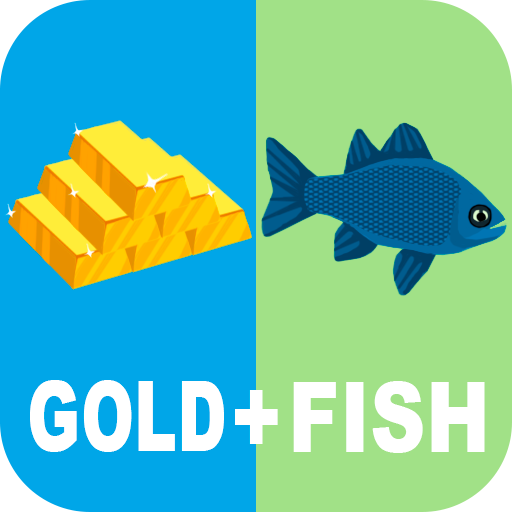
Guess Italian Brainrot Animals is an emoji quiz for people who love weird internet humor, especially the Italian brainrot stuff that keeps popping up everywhere. It throws a line of emojis on the screen and asks for the meme behind it, so the whole thing feels like decoding inside jokes with a little puzzle brainwork on top. Some answers jump out right away, then there are those totally sideways ones that only make sense if someone already knows characters like Tralalero Tralala or Brr Brr Patapim. The design stays simple, almost bare, which keeps attention on the emojis and the guess box, and that actually fits the mood of the game.

Difficulty swings a bit, which is fun when a streak happens and a little painful when a wall shows up. Hints help by revealing letters or solving a stubborn one, and that keeps the flow moving instead of getting stuck forever. It works well as a pass-the-keyboard style game with friends in the room, tossing guesses back and forth and arguing about what that goat plus siren emoji is even trying to say. On PC through BlueStacks, typing answers with a keyboard is faster and the bigger screen makes tiny emoji details easier to read. It is silly, it is chaotic, and it is surprisingly satisfying when a nonsense combo suddenly clicks and the name lands. If someone enjoys animals, Italian meme chaos, and quick-fire guessing, this scratches that itch without asking for a huge time sink.

Ready to top the leaderboard? We bet you do. Let precise controls and sharp visuals optimized on BlueStacks lead you to victory.


Game Features

Enhancements

  • Macros
  • Multi Instance
  • Multi Instance Sync
  • Script
  • Enhancements
Macros

Macros

Automate the predictable in Guess Italian Brainrot Animals and transform your gameplay with Macros. Get access to inventive Macros in the BlueStacks Macro Community
Multi Instance

Multi Instance

Play Guess Italian Brainrot Animals on one window. And chat with your friend on the other. Press CTRL + Shift + 8 to open the Multi-Instance Manager. And start creating fresh instances or clone an existing one.
Multi Instance Sync

Multi Instance Sync

Play Guess Italian Brainrot Animals with the power of Multi-Instance Sync. Replicate what you are doing on the main instance on all other instances. Level up faster, play more.
Script

Script

Script your way to gaming glory in Guess Italian Brainrot Animals with BlueStacks Script. Write and run a set of commands to automate repeated tasks. Trigger the command by assigning it to any key.
Read More

How to Download and Play Guess Italian Brainrot Animals on PC or Mac

  • Download and install BlueStacks on your PC or Mac

  • Complete Google sign-in to access the Play Store, or do it later

  • Look for Guess Italian Brainrot Animals in the search bar at the top right corner

  • Click to install Guess Italian Brainrot Animals from the search results

  • Complete Google sign-in (if you skipped step 2) to install Guess Italian Brainrot Animals

  • Click the Guess Italian Brainrot Animals icon on the home screen to start playing

video
Watch Video

Minimum System Requirements

With BlueStacks 5, you can get started on a PC that fulfills the following requirements.

  • Operating System

    Microsoft Windows 7 or above, macOS 11 (Big Sur) or above

  • Processor

    Intel, AMD or Apple Silicon Processor

  • RAM

    at least 4GB

  • HDD

    10GB Free Disk Space

Note:

* You must be an Administrator on your PC. Up to date graphics drivers from Microsoft or the chipset vendor.

Guess Italian Brainrot Animals - FAQs

  • How to play Guess Italian Brainrot Animals on Windows PC & Mac?

    Play Guess Italian Brainrot Animals on your PC or Mac by following these simple steps.

    • Click on 'Play Guess Italian Brainrot Animals on PC’ to download BlueStacks
    • Install it and log-in to Google Play Store
    • Launch and play the game.
  • Why is BlueStacks the fastest and safest platform to play games on PC?

    BlueStacks respects your privacy and is always safe and secure to use. It does not carry any malware, spyware, or any sort of additional software that could harm your PC.

    It is engineered to optimize speed and performance for a seamless gaming experience.

  • What are Guess Italian Brainrot Animals PC requirements?

    Minimum requirement to run Guess Italian Brainrot Animals on your PC

    • OS: Microsoft Windows 7 or above MacOS 11 (Big Sur) or above
    • Processor: Intel, AMD or Apple Silicon Processor
    • RAM: Your PC must have at least 4GB of RAM. (Note that having 4GB or more disk space is not a substitute for RAM)
    • HDD: 10GB Free Disk Space.
    • You must be an Administrator on your PC.