知識達人
知識達人

知識達人

Trivia

| ling app

Play on PC with BlueStacks or from our cloud

  • Overview
  • Game Features
  • How to Play

Page Modified On: September 25, 2026

Play 知識達人 on PC or Mac

Explore a whole new adventure with 知識達人, a Trivia game created by ling app. Experience great gameplay with BlueStacks, the most popular gaming platform to play Android games on your PC or Mac.

About the Game

知識達人 puts your general knowledge to the test in a fresh, fast-moving Trivia experience. It’s part brain workout, part friendly competition, with thousands of questions that jump between languages, history, math, science, and more. Prefer a bigger screen while you think things through? It runs smoothly on BlueStacks too.

Game Features

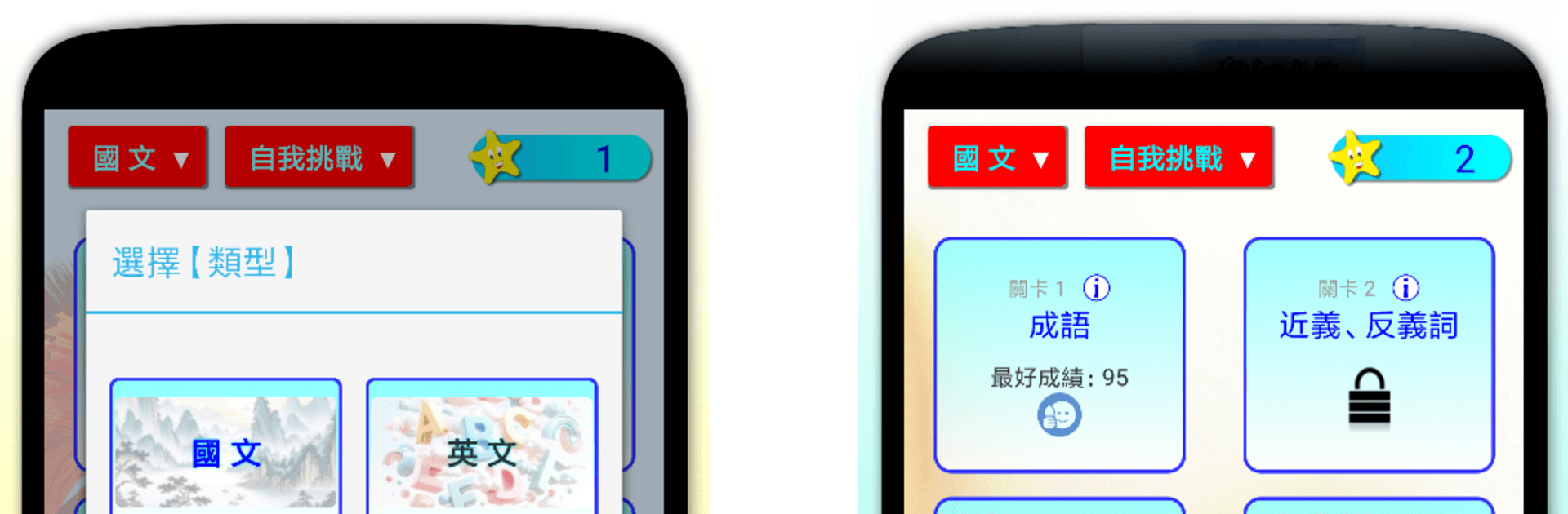
  • Massive question bank: Work through 10,000+ carefully crafted questions spread across multiple categories, each with its own difficulty tiers and clear pass conditions.
  • Rich language content: Tackle Chinese idioms, synonyms and antonyms, tricky pronunciations, and classics like the Analects and Tang poetry—all in one place.
  • Practical English drills: Swap between Chinese-to-English and English-to-Chinese, nail verb patterns, test your listening, and try fun word-guessing rounds.
  • Geography around the globe: Explore landmarks and “best-of” lists across Taiwan, China, and the world, plus comparisons that sharpen map sense.
  • History that clicks: Move from Taiwan’s past to Chinese dynasties and major world eras with questions that keep timelines and events straight.
  • Math made approachable: Brush up on arithmetic, areas and volumes, symmetry and rotation, and quick angle-finding challenges.
  • Science sampler: Meet key figures, creatures, and constellations; roam the Earth and solar system; and get comfy with the periodic table.
  • Solo challenge mode: Play at your own pace, push your personal bests, and chip away at tougher stages as your knowledge grows.
  • Head-to-head on one screen: Use the single-player multiplayer battle to trade turns with friends and see who answers faster and smarter.
  • Read-and-listen study: Switch on Reading Learning Mode to review content visually or by audio when you want a lighter, hands-free study session.
  • Custom question sets: Create and edit your own quizzes to focus on exactly what you want—perfect for group study or personal practice.
  • Mixed tests: Try comprehensive rounds that blend all six knowledge areas for a well-rounded brain check.

Start playing 知識達人 on BlueStacks and get a smoother, more comfortable PC or Mac setup.

Game Features

Enhancements

  • Macros
  • Multi Instance
  • Multi Instance Sync
  • Script
  • Enhancements
Macros

Macros

Automate the predictable in 知識達人 and transform your gameplay with Macros. Get access to inventive Macros in the BlueStacks Macro Community
Multi Instance

Multi Instance

Play 知識達人 on one window. And chat with your friend on the other. Press CTRL + Shift + 8 to open the Multi-Instance Manager. And start creating fresh instances or clone an existing one.
Multi Instance Sync

Multi Instance Sync

Play 知識達人 with the power of Multi-Instance Sync. Replicate what you are doing on the main instance on all other instances. Level up faster, play more.
Script

Script

Script your way to gaming glory in 知識達人 with BlueStacks Script. Write and run a set of commands to automate repeated tasks. Trigger the command by assigning it to any key.
Read More

How to Download and Play 知識達人 on PC or Mac

  • Download and install BlueStacks on your PC or Mac

  • Complete Google sign-in to access the Play Store, or do it later

  • Look for 知識達人 in the search bar at the top right corner

  • Click to install 知識達人 from the search results

  • Complete Google sign-in (if you skipped step 2) to install 知識達人

  • Click the 知識達人 icon on the home screen to start playing

video
Watch Video

Minimum System Requirements

With BlueStacks 5, you can get started on a PC that fulfills the following requirements.

  • Operating System

    Microsoft Windows 7 or above, macOS 11 (Big Sur) or above

  • Processor

    Intel, AMD or Apple Silicon Processor

  • RAM

    at least 4GB

  • HDD

    10GB Free Disk Space

Note:

* You must be an Administrator on your PC. Up to date graphics drivers from Microsoft or the chipset vendor.

知識達人 - FAQs

  • How to play 知識達人 on Windows PC & Mac?

    Play 知識達人 on your PC or Mac by following these simple steps.

    • Click on 'Play 知識達人 on PC’ to download BlueStacks
    • Install it and log-in to Google Play Store
    • Launch and play the game.
  • Why is BlueStacks the fastest and safest platform to play games on PC?

    BlueStacks respects your privacy and is always safe and secure to use. It does not carry any malware, spyware, or any sort of additional software that could harm your PC.

    It is engineered to optimize speed and performance for a seamless gaming experience.

  • What are 知識達人 PC requirements?

    Minimum requirement to run 知識達人 on your PC

    • OS: Microsoft Windows 7 or above MacOS 11 (Big Sur) or above
    • Processor: Intel, AMD or Apple Silicon Processor
    • RAM: Your PC must have at least 4GB of RAM. (Note that having 4GB or more disk space is not a substitute for RAM)
    • HDD: 10GB Free Disk Space.
    • You must be an Administrator on your PC.