Nerede Bul - Coğrafya Bilgi Yarışması

Nerede Bul - Coğrafya Bilgi Yarışması

Trivia

| Cem Games

Play on PC with BlueStacks or from our cloud

  • Overview
  • Game Features
  • How to Play

Page Modified On: August 14, 2026

Play Nerede Bul - Coğrafya Bilgi Yarışması on PC or Mac

Play Nerede Bul – Coğrafya Bilgi Yarışması by Cem Games on PC or Mac with BlueStacks. Use a bigger screen, mouse and keyboard controls, and smoother performance while you play.

About the Game

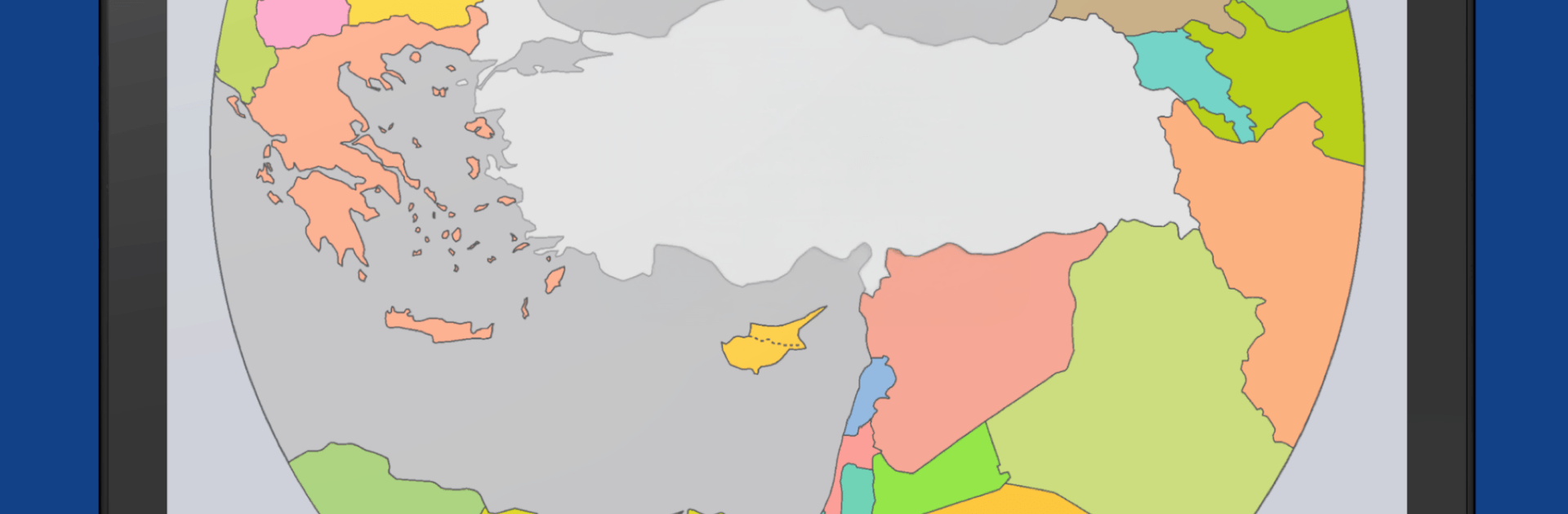
Nerede Bul – Coğrafya Bilgi Yarışması is a fast, map-based Trivia experience that asks a simple question: where is that place, exactly? From Turkey’s provinces and districts to countries around the world, you’ll point to the right spot and see how sharp your sense of location really is. Prefer a bigger screen for scanning maps? It also plays great on PC with BlueStacks.

Game Features

  • Pinpoint the Place: Identify the exact location of cities, districts, countries, and more directly on the map.
  • Short, Growing Challenges: Tackle bite-sized maps that start easy and get tougher as you improve.
  • Learn Mode: Practice at your own pace—no losing runs, just quick answers and steady progress.
  • Single-Color Puzzles: Turn off distracting colors to focus on borders and shapes only.
  • Smart Practice: An adaptive system serves up the most helpful questions to reinforce what you’re learning.
  • Memorable Audio Cues: Percussive sounds support recall and help lock in what you’ve studied.
  • Plenty to Solve: Explore 50 detailed maps plus 50 mini puzzles for on-the-go practice or deep study.
  • Exam-Friendly Content: Useful for brushing up before YKS, KPSS, LGS, and MEB-style tests.
  • No Ads, One Purchase: Enjoy an uninterrupted experience—one-time payment includes all maps.
  • Play Your Way: Switch between portrait and landscape whenever you like.
  • Made for Learners: Designed with remote learning in mind and great for kids building map awareness.

BlueStacks gives you more room to focus on the game and less time adjusting around mobile limitations.


Game Features

Enhancements

  • Macros
  • Multi Instance
  • Multi Instance Sync
  • Script
  • Enhancements
Macros

Macros

Automate the predictable in Nerede Bul - Coğrafya Bilgi Yarışması and transform your gameplay with Macros. Get access to inventive Macros in the BlueStacks Macro Community
Multi Instance

Multi Instance

Play Nerede Bul - Coğrafya Bilgi Yarışması on one window. And chat with your friend on the other. Press CTRL + Shift + 8 to open the Multi-Instance Manager. And start creating fresh instances or clone an existing one.
Multi Instance Sync

Multi Instance Sync

Play Nerede Bul - Coğrafya Bilgi Yarışması with the power of Multi-Instance Sync. Replicate what you are doing on the main instance on all other instances. Level up faster, play more.
Script

Script

Script your way to gaming glory in Nerede Bul - Coğrafya Bilgi Yarışması with BlueStacks Script. Write and run a set of commands to automate repeated tasks. Trigger the command by assigning it to any key.
Read More

How to Download and Play Nerede Bul - Coğrafya Bilgi Yarışması on PC or Mac

  • Download and install BlueStacks on your PC or Mac

  • Complete Google sign-in to access the Play Store, or do it later

  • Look for Nerede Bul - Coğrafya Bilgi Yarışması in the search bar at the top right corner

  • Click to install Nerede Bul - Coğrafya Bilgi Yarışması from the search results

  • Complete Google sign-in (if you skipped step 2) to install Nerede Bul - Coğrafya Bilgi Yarışması

  • Click the Nerede Bul - Coğrafya Bilgi Yarışması icon on the home screen to start playing

video
Watch Video

Minimum System Requirements

With BlueStacks 5, you can get started on a PC that fulfills the following requirements.

  • Operating System

    Microsoft Windows 7 or above, macOS 11 (Big Sur) or above

  • Processor

    Intel, AMD or Apple Silicon Processor

  • RAM

    at least 4GB

  • HDD

    10GB Free Disk Space

Note:

* You must be an Administrator on your PC. Up to date graphics drivers from Microsoft or the chipset vendor.

Nerede Bul - Coğrafya Bilgi Yarışması - FAQs

  • How to play Nerede Bul - Coğrafya Bilgi Yarışması on Windows PC & Mac?

    Play Nerede Bul - Coğrafya Bilgi Yarışması on your PC or Mac by following these simple steps.

    • Click on 'Play Nerede Bul - Coğrafya Bilgi Yarışması on PC’ to download BlueStacks
    • Install it and log-in to Google Play Store
    • Launch and play the game.
  • Why is BlueStacks the fastest and safest platform to play games on PC?

    BlueStacks respects your privacy and is always safe and secure to use. It does not carry any malware, spyware, or any sort of additional software that could harm your PC.

    It is engineered to optimize speed and performance for a seamless gaming experience.

  • What are Nerede Bul - Coğrafya Bilgi Yarışması PC requirements?

    Minimum requirement to run Nerede Bul - Coğrafya Bilgi Yarışması on your PC

    • OS: Microsoft Windows 7 or above MacOS 11 (Big Sur) or above
    • Processor: Intel, AMD or Apple Silicon Processor
    • RAM: Your PC must have at least 4GB of RAM. (Note that having 4GB or more disk space is not a substitute for RAM)
    • HDD: 10GB Free Disk Space.
    • You must be an Administrator on your PC.