Night Owl HD
Night Owl HD

Night Owl HD

Video Players & Editors

| Night Owl SP LLC

Play on PC with BlueStacks or from our cloud

  • Overview
  • How to Download

Page Modified On: December 15, 2025

Run Night Owl HD on PC or Mac

Let BlueStacks turn your PC, Mac, or laptop into the perfect home for Night Owl HD, a fun Video Players & Editors app from Night Owl SP LLC.

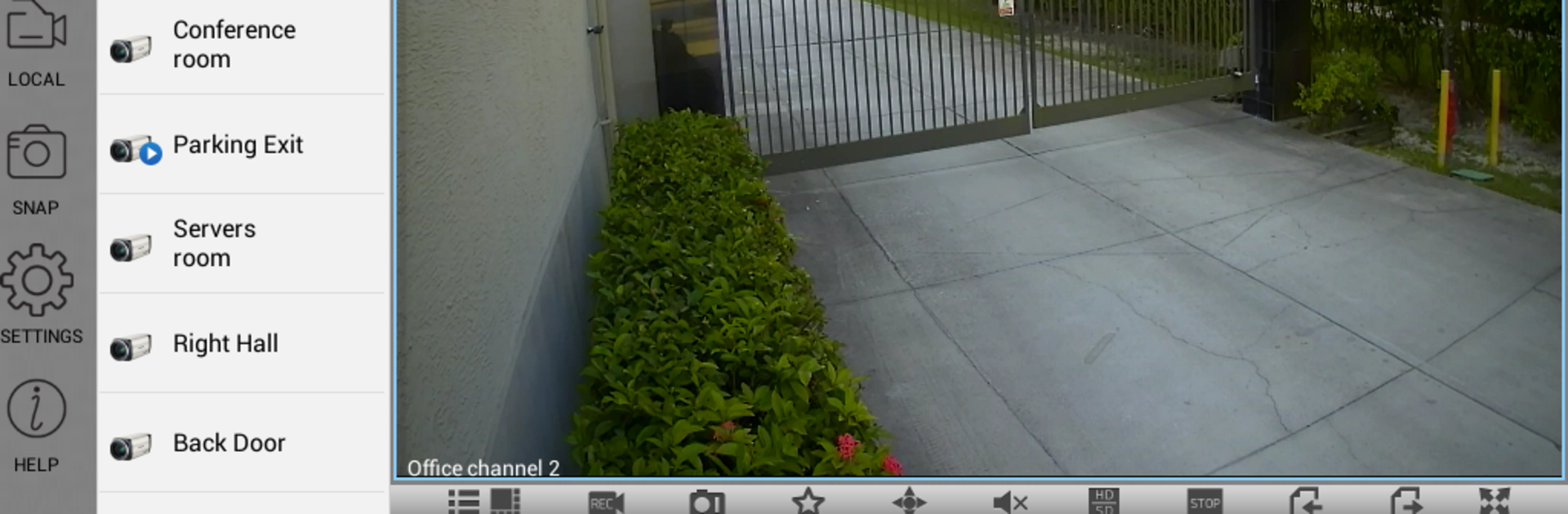
Night Owl HD is basically a clean, straight to the point way to check Night Owl cameras without jumping through hoops. It pulls live video and audio right from the DVR to the device, no middle service sitting in between, which feels a bit more private and usually quicker. Setup is simple with the little QR scan thing, then it is all about flipping between channels, renaming them so they make sense, and deciding which ones should ping the phone when something happens. On a PC with BlueStacks, the grid view is the star. Four, eight, sixteen, even more feeds sit nicely on a bigger screen, and dragging a PTZ camera around with a mouse feels natural. Zoom and playback controls respond well, even when the timeline has a lot of clips stacked up.

It lets someone save snapshots or MP4 clips and share them if they need to show a neighbor or manager what happened. Playback pulls from whatever is on the DVR, so there is no waiting for cloud stuff to sync. People who juggle more than one location will like that it can log in to a lot of DVRs and keep them organized. Just note it only works with supported Night Owl models, and if someone connects over a mobile network, that live video will count toward data. Leaving it open in BlueStacks turns a monitor into a handy little security screen, which is honestly the best way to use it at a desk.

BlueStacks brings your apps to life on a bigger screen—seamless and straightforward.

How to Download and Run Night Owl HD on PC or Mac

  • Download and install BlueStacks on your PC or Mac

  • Complete Google sign-in to access the Play Store, or do it later

  • Look for Night Owl HD in the search bar at the top right corner

  • Click to install Night Owl HD from the search results

  • Complete Google sign-in (if you skipped step 2) to install Night Owl HD

  • Click the Night Owl HD icon on the home screen to start playing

video
Watch Video

Minimum System Requirements

With BlueStacks 5, you can get started on a PC that fulfills the following requirements.

  • Operating System

    Microsoft Windows 7 or above, macOS 11 (Big Sur) or above

  • Processor

    Intel, AMD or Apple Silicon Processor

  • RAM

    at least 4GB

  • HDD

    10GB Free Disk Space

Note:

* You must be an Administrator on your PC. Up to date graphics drivers from Microsoft or the chipset vendor.

Night Owl HD - FAQs

  • How to Run Night Owl HD on Windows PC & Mac?

    Run Night Owl HD on your PC or Mac by following these simple steps.

    • Click on ‘Download Night Owl HD on PC’ to download BlueStacks
    • Install it and log-in to Google Play Store
    • Launch and run the app.
  • Why is BlueStacks the fastest and safest platform to play games on PC?

    BlueStacks respects your privacy and is always safe and secure to use. It does not carry any malware, spyware, or any sort of additional software that could harm your PC.

    It is engineered to optimize speed and performance for a seamless gaming experience.

  • What are Night Owl HD PC requirements?

    Minimum requirement to run Night Owl HD on your PC

    • OS: Microsoft Windows 7 and above:
    • Processor: Intel or AMD Processor:
    • RAM: Your PC must have at least 2GB of RAM. (Note that having 2GB or more disk space is not a substitute for RAM):
    • HDD: 5GB Free Disk Space.
    • You must be an Administrator on your PC.