

Get freedom from your phone’s obvious limitations. Use PutMask – Hide Faces In Videos Automatically, made by DrPlague, a Video Players & Editors app on your PC or Mac with BlueStacks, and level up your experience.
About the App
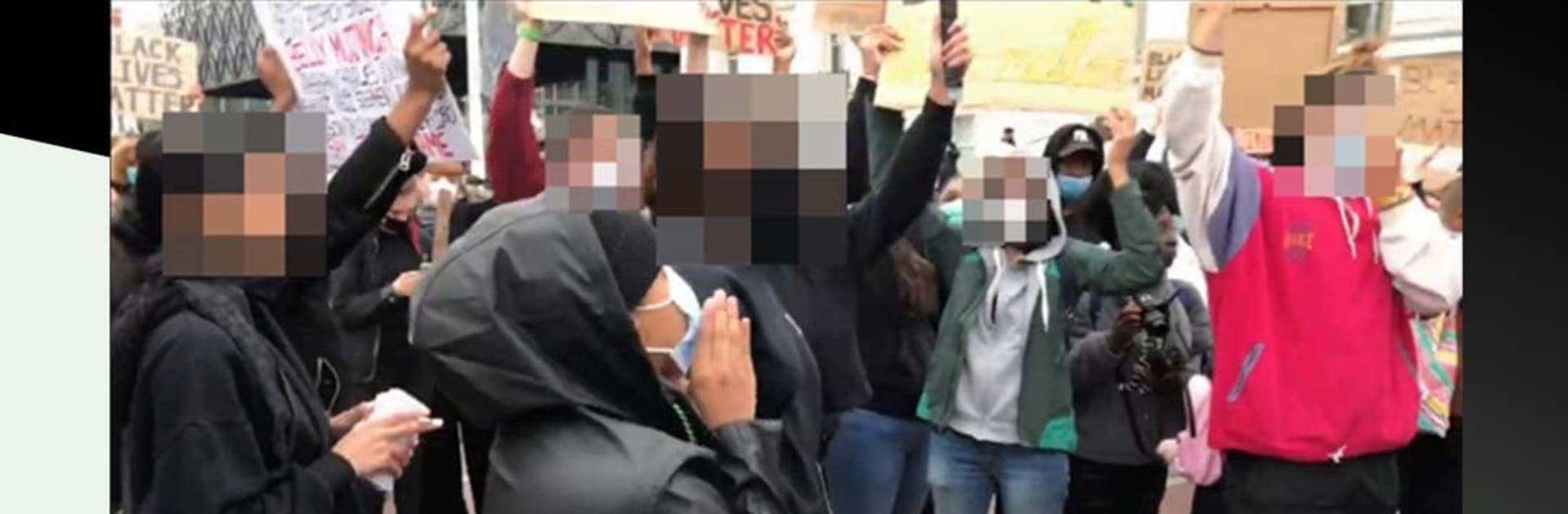
PutMask – Hide Faces In Videos Automatically makes it simple to protect identities in your videos without slowing you down. Built by DrPlague, this Video Players & Editors tool blends fast automatic detection with precise manual controls, so you can blur faces or cover anything else in just a few taps. It’s quick, private, and designed for creators who want full control over what appears on screen.
App Features
- Powerful face detection: Spots faces big or small, straight on or at an angle—even the ones hiding in the background—so you don’t miss a thing.
- Smart auto masking: Pick a frame and let the app track and hide that face forward and backward through your clip, saving tons of editing time.
- Manual control when you need it: Prefer hands-on editing? Trace with your finger to mask any object, not just faces.
- Keyframe-based editing: Drop keyframes to move, resize, or switch filters across moments in your video for smooth, predictable results.
- Frame-by-frame precision: See exact frame numbers and tweak every single frame when accuracy matters.
- Save projects, resume anytime: Store your edit data and jump back in later to refine or finish the job without starting over.
- On-device privacy: Your edits and project info stay on your phone. The app only asks for storage access to open and save videos.
- Free with no ads: Core tools are free and ad-free. Optional in-app purchases are available for extra graphic characters if you want them.
- Comfortable on desktop: Prefer a larger workspace? Run the app on BlueStacks to edit with more room to breathe.
Big screen. Bigger performance. Use BlueStacks on your PC or Mac to run your favorite apps.