Video Player
Video Player

Video Player

Video Players & Editors

| video player app

Play on PC with BlueStacks or from our cloud

  • Overview
  • How to Download

Page Modified On: December 22, 2025

Run Video Player on PC or Mac

Get freedom from your phone’s obvious limitations. Use Video Player, made by video player app, a Video Players & Editors app on your PC or Mac with BlueStacks, and level up your experience.

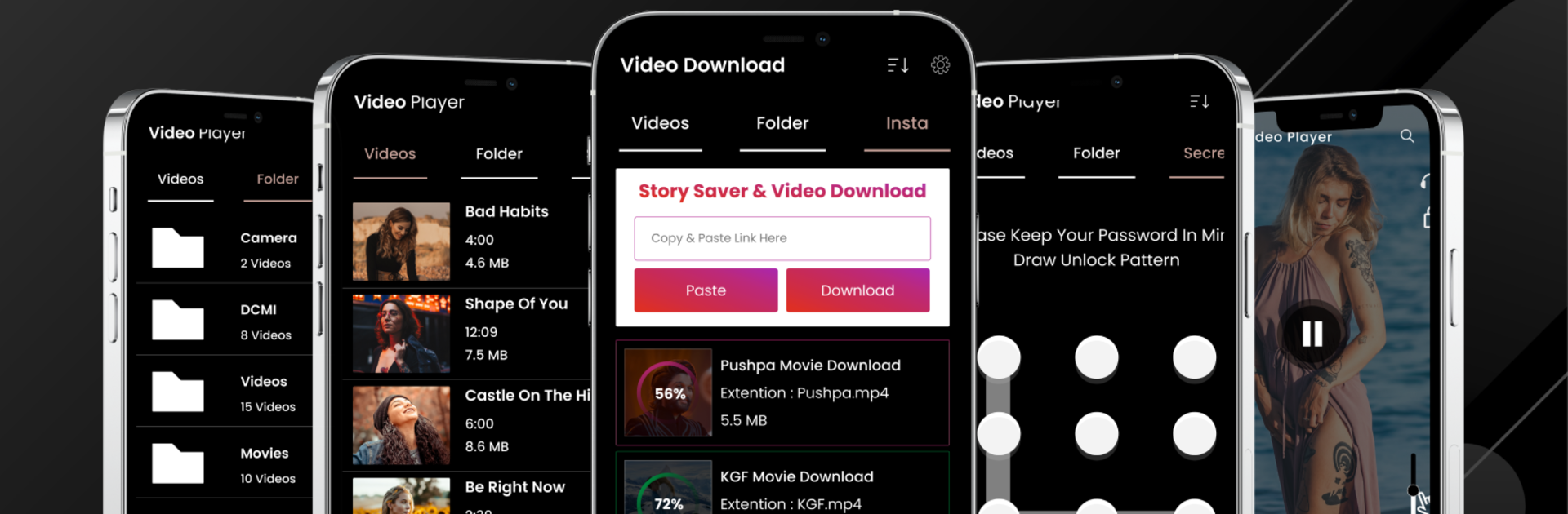
Video Player on PC with BlueStacks feels like a simple all-in-one media hub, the kind that just opens and plays without drama. It scans storage fast, pulls in everything from the device or SD card, and shows videos in a clean grid or by folders, so finding a movie or random clip is easy. The big draw is format support. MKV, MP4, MOV, AVI, FLV, TS, the whole usual list, and it handles full HD and 4K if the file and hardware can keep up. Dual audio tracks and subtitle support are built in, with quick switching, which movie fans will appreciate.

Controls are straightforward. Slide on the screen to change brightness, volume, or jump through the timeline. There is a screen lock to avoid accidental taps, portrait or landscape mode, and simple resize options. Sound is not ignored either, with an equalizer, bass boost, and a virtualizer for a bit more punch. There is also a Video Locker with PIN or pattern so private clips stay private, plus an app lock if needed.

On a PC through BlueStacks, it is nice being able to scrub with a mouse and watch on a bigger monitor, and sharing or moving files is quick. It is focused on local playback, not social downloads, so do not expect YouTube grabbing. Overall it is a no-fuss player that does the basics right and stays out of the way.

BlueStacks brings your apps to life on a bigger screen—seamless and straightforward.

How to Download and Run Video Player on PC or Mac

  • Download and install BlueStacks on your PC or Mac

  • Complete Google sign-in to access the Play Store, or do it later

  • Look for Video Player in the search bar at the top right corner

  • Click to install Video Player from the search results

  • Complete Google sign-in (if you skipped step 2) to install Video Player

  • Click the Video Player icon on the home screen to start playing

video
Watch Video

Minimum System Requirements

With BlueStacks 5, you can get started on a PC that fulfills the following requirements.

  • Operating System

    Microsoft Windows 7 or above, macOS 11 (Big Sur) or above

  • Processor

    Intel, AMD or Apple Silicon Processor

  • RAM

    at least 4GB

  • HDD

    10GB Free Disk Space

Note:

* You must be an Administrator on your PC. Up to date graphics drivers from Microsoft or the chipset vendor.

Video Player - FAQs

  • How to Run Video Player on Windows PC & Mac?

    Run Video Player on your PC or Mac by following these simple steps.

    • Click on ‘Download Video Player on PC’ to download BlueStacks
    • Install it and log-in to Google Play Store
    • Launch and run the app.
  • Why is BlueStacks the fastest and safest platform to play games on PC?

    BlueStacks respects your privacy and is always safe and secure to use. It does not carry any malware, spyware, or any sort of additional software that could harm your PC.

    It is engineered to optimize speed and performance for a seamless gaming experience.

  • What are Video Player PC requirements?

    Minimum requirement to run Video Player on your PC

    • OS: Microsoft Windows 7 and above:
    • Processor: Intel or AMD Processor:
    • RAM: Your PC must have at least 2GB of RAM. (Note that having 2GB or more disk space is not a substitute for RAM):
    • HDD: 5GB Free Disk Space.
    • You must be an Administrator on your PC.