Crossword Lite
Crossword Lite

Crossword Lite

Word

| Teazel Ltd

Play on PC with BlueStacks or from our cloud

  • Overview
  • Game Features
  • How to Play

Page Modified On: April 13, 2026

Play Crossword Lite on PC or Mac

Join millions to experience Crossword Lite, an exciting Word game from Teazel Ltd. With BlueStacks App Player, you are always a step ahead of your opponent, ready to outplay them with faster gameplay and better control with the mouse and keyboard on your PC or Mac.

About the Game

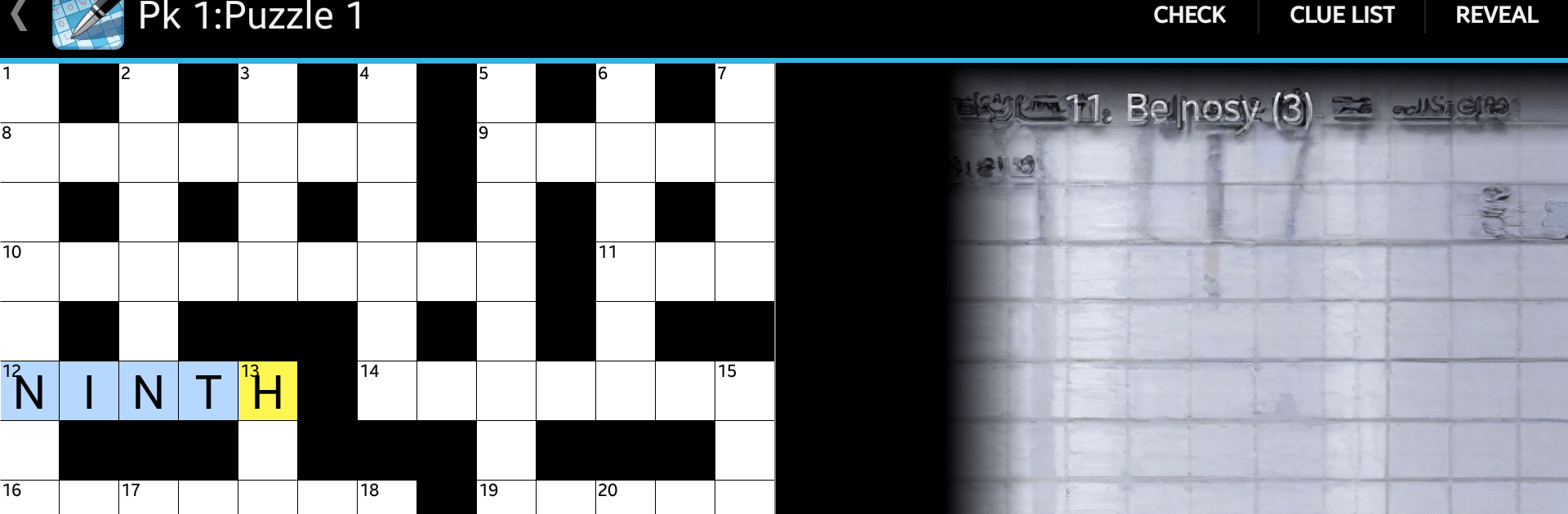
Crossword Lite is a laid-back Word game that fits perfectly into a coffee break or a quiet evening wind-down. It’s all about clean, crisp crosswords with a gentle difficulty curve, so you can relax while still feeling sharp. Expect quick-loading puzzles, a tidy interface, and tools that help rather than get in your way.

Game Features

  • Ad-free experience: Play without pop-ups or interruptions, so your focus stays on the clues and the grid.
  • 32 handcrafted puzzles: A curated starter set that’s casual-friendly but still satisfying to complete.
  • Pinch-to-zoom grid: Zoom in for tiny details or pull back to see the whole board—smooth and responsive.
  • Clue list view: Tackle entries from a clean, scrollable list if you prefer reading clues in sequence.
  • Smart assists: Check answers, highlight mistakes, or use gentle “cheats” when a clue just won’t click.
  • Custom controls: Choose from three keyboard styles and tweak options like jump-to-next-letter and more.
  • Helpful visuals: Completed clues can gray out, making it easier to see what’s left at a glance.
  • Quick resume: Pick up exactly where you stopped with a handy Resume button.
  • Great on big screens: Plays nicely on tablets, and it’s comfortable on a computer monitor with BlueStacks if you like typing on a full keyboard.
  • Thoughtful preferences: Fine-tune the experience to match how you solve—snappy, personal, and distraction-free.

Make your gaming sessions memorable with precise controls that give you an edge in close combats and visuals that pop up, bringing every character to life.


Game Features

Enhancements

  • Macros
  • Multi Instance
  • Multi Instance Sync
  • Script
  • Enhancements
Macros

Macros

Automate the predictable in Crossword Lite and transform your gameplay with Macros. Get access to inventive Macros in the BlueStacks Macro Community
Multi Instance

Multi Instance

Play Crossword Lite on one window. And chat with your friend on the other. Press CTRL + Shift + 8 to open the Multi-Instance Manager. And start creating fresh instances or clone an existing one.
Multi Instance Sync

Multi Instance Sync

Play Crossword Lite with the power of Multi-Instance Sync. Replicate what you are doing on the main instance on all other instances. Level up faster, play more.
Script

Script

Script your way to gaming glory in Crossword Lite with BlueStacks Script. Write and run a set of commands to automate repeated tasks. Trigger the command by assigning it to any key.
Read More

How to Download and Play Crossword Lite on PC or Mac

  • Download and install BlueStacks on your PC or Mac

  • Complete Google sign-in to access the Play Store, or do it later

  • Look for Crossword Lite in the search bar at the top right corner

  • Click to install Crossword Lite from the search results

  • Complete Google sign-in (if you skipped step 2) to install Crossword Lite

  • Click the Crossword Lite icon on the home screen to start playing

video
Watch Video

Minimum System Requirements

With BlueStacks 5, you can get started on a PC that fulfills the following requirements.

  • Operating System

    Microsoft Windows 7 or above, macOS 11 (Big Sur) or above

  • Processor

    Intel, AMD or Apple Silicon Processor

  • RAM

    at least 4GB

  • HDD

    10GB Free Disk Space

Note:

* You must be an Administrator on your PC. Up to date graphics drivers from Microsoft or the chipset vendor.

Crossword Lite - FAQs

  • How to play Crossword Lite on Windows PC & Mac?

    Play Crossword Lite on your PC or Mac by following these simple steps.

    • Click on 'Play Crossword Lite on PC’ to download BlueStacks
    • Install it and log-in to Google Play Store
    • Launch and play the game.
  • Why is BlueStacks the fastest and safest platform to play games on PC?

    BlueStacks respects your privacy and is always safe and secure to use. It does not carry any malware, spyware, or any sort of additional software that could harm your PC.

    It is engineered to optimize speed and performance for a seamless gaming experience.

  • What are Crossword Lite PC requirements?

    Minimum requirement to run Crossword Lite on your PC

    • OS: Microsoft Windows 7 or above MacOS 11 (Big Sur) or above
    • Processor: Intel, AMD or Apple Silicon Processor
    • RAM: Your PC must have at least 4GB of RAM. (Note that having 4GB or more disk space is not a substitute for RAM)
    • HDD: 10GB Free Disk Space.
    • You must be an Administrator on your PC.