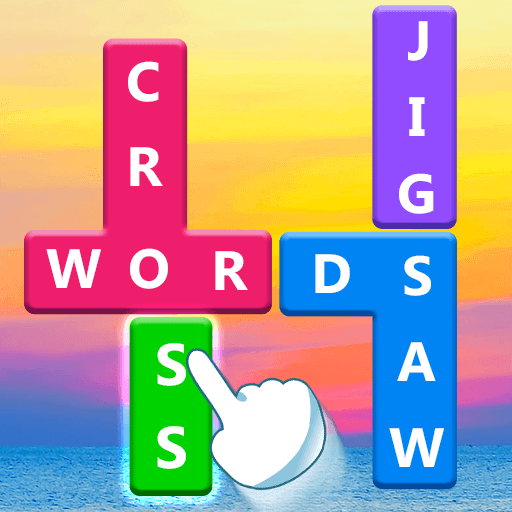
crossyjp
crossyjp

crossyjp

Word

| FUNJOY

Play on PC with BlueStacks or from our cloud

  • Overview
  • Game Features
  • How to Play

Page Modified On: August 29, 2025

Play crossyjp on PC or Mac

Explore a whole new adventure with crossyjp, a Word game created by TangramGames. Experience great gameplay with BlueStacks, the most popular gaming platform to play Android games on your PC or Mac.

crossyjp feels like a calming word hunt that slowly turns into a sneaky brain teaser. Each level hands over a theme and a little pile of letter blocks, then asks for words that fit. The player drags across letters to connect them, the word pops, and the blocks slide down so new paths open. It lands somewhere between a crossword and a word search, with a light trivia vibe because the themes nudge the mind toward certain topics. Nature photos sit behind the board and make it all feel unhurried, even when a final word is hiding in plain sight. The game drops goofy jokes and puns here and there, which is nice when a board gets stubborn.

What stands out is the flow. Early stages are easy and quick, then layouts get trickier and the words stretch longer. There are a lot of levels and new sets roll in often, so it stays fresh without needing a big time commitment. It works offline, so it is easy to pick up anywhere, and it also plays well next to a friend, trading guesses on the same screen. On PC with BlueStacks, dragging with a mouse feels clean and snappy, and bumping the window size makes those letters way easier to read. For anyone who likes connecting letters, theme-based puzzles, and that little cascade when the last block clears, this scratches that puzzle itch without any fuss.

Slay your opponents with your epic moves. Play it your way on BlueStacks and dominate the battlefield.


Game Features

Enhancements

  • Macros
  • Multi Instance
  • Multi Instance Sync
  • Script
  • Enhancements
Macros

Macros

Automate the predictable in crossyjp and transform your gameplay with Macros. Get access to inventive Macros in the BlueStacks Macro Community
Multi Instance

Multi Instance

Play crossyjp on one window. And chat with your friend on the other. Press CTRL + Shift + 8 to open the Multi-Instance Manager. And start creating fresh instances or clone an existing one.
Multi Instance Sync

Multi Instance Sync

Play crossyjp with the power of Multi-Instance Sync. Replicate what you are doing on the main instance on all other instances. Level up faster, play more.
Script

Script

Script your way to gaming glory in crossyjp with BlueStacks Script. Write and run a set of commands to automate repeated tasks. Trigger the command by assigning it to any key.
Read More

How to Download and Play crossyjp on PC or Mac

  • Download and install BlueStacks on your PC or Mac

  • Complete Google sign-in to access the Play Store, or do it later

  • Look for crossyjp in the search bar at the top right corner

  • Click to install crossyjp from the search results

  • Complete Google sign-in (if you skipped step 2) to install crossyjp

  • Click the crossyjp icon on the home screen to start playing

video
Watch Video

Minimum System Requirements

With BlueStacks 5, you can get started on a PC that fulfills the following requirements.

  • Operating System

    Microsoft Windows 7 or above, macOS 11 (Big Sur) or above

  • Processor

    Intel, AMD or Apple Silicon Processor

  • RAM

    at least 4GB

  • HDD

    10GB Free Disk Space

Note:

* You must be an Administrator on your PC. Up to date graphics drivers from Microsoft or the chipset vendor.

crossyjp - FAQs

  • How to play crossyjp on Windows PC & Mac?

    Play crossyjp on your PC or Mac by following these simple steps.

    • Click on 'Play crossyjp on PC’ to download BlueStacks
    • Install it and log-in to Google Play Store
    • Launch and play the game.
  • Why is BlueStacks the fastest and safest platform to play games on PC?

    BlueStacks respects your privacy and is always safe and secure to use. It does not carry any malware, spyware, or any sort of additional software that could harm your PC.

    It is engineered to optimize speed and performance for a seamless gaming experience.

  • What are crossyjp PC requirements?

    Minimum requirement to run crossyjp on your PC

    • OS: Microsoft Windows 7 or above MacOS 11 (Big Sur) or above
    • Processor: Intel, AMD or Apple Silicon Processor
    • RAM: Your PC must have at least 4GB of RAM. (Note that having 4GB or more disk space is not a substitute for RAM)
    • HDD: 10GB Free Disk Space.
    • You must be an Administrator on your PC.