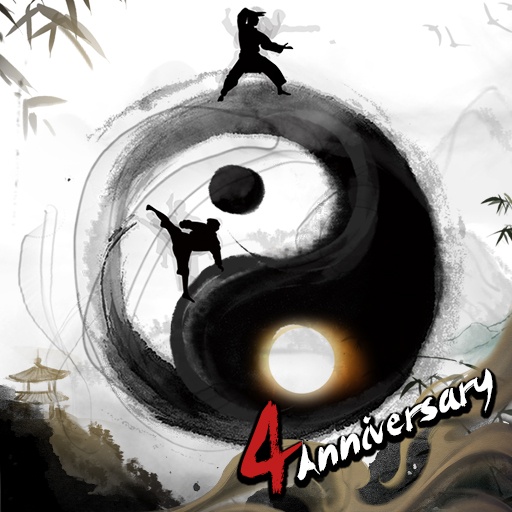
Thiên Mệnh Đăng Tiên - Gzone

Thiên Mệnh Đăng Tiên - Gzone

Word

| GZONE GROUP COMPANY LIMITED

Play on PC with BlueStacks or from our cloud

  • Overview
  • Game Features
  • How to Play

Page Modified On: May 18, 2026

Play Thiên Mệnh Đăng Tiên - Gzone on PC or Mac

Join millions to experience Thiên Mệnh Đăng Tiên – Gzone, an exciting Word game from GZONE GROUP COMPANY LIMITED. With BlueStacks App Player, you are always a step ahead of your opponent, ready to outplay them with faster gameplay and better control with the mouse and keyboard on your PC or Mac.

About the Game

Thiên Mệnh Đăng Tiên – Gzone is a story-forward Word game from GZONE GROUP COMPANY LIMITED that channels the spirit of beloved cultivation novels. You start as an ordinary cultivator and chart your own road to immortality—studying secret arts, meeting quirky masters, and taming spirited companions along the way. It’s relaxed when you want to go hands-off, yet packed with moments that nudge you back in with fresh twists.

Game Features

  • Hands-off progression: Busy day? Let the game handle training, battles, and gathering while you’re away. Come back to a stack of rewards and keep moving without the grind.

  • Your path, your pace: Pick how you cultivate—experiment with different builds, switch approaches when you feel like it, and shape a character that actually reflects your choices.

  • Techniques and sects: Collect rare manuals, mix powerful skills, and grow your own sect’s signature style. Finding a combo that clicks is half the fun.

  • Spirit beasts and demons: Capture and nurture Spirit Beasts as partners, then take on demons and other threats across mysterious realms and shifting portals.

  • Novel-like story arcs: Meet senior brothers, junior sisters, sect leaders, and rivals who feel ripped from a classic xianxia tale. The drama—alliances, grudges, triumphs—unfolds around your decisions.

  • Rich modes, zero fuss: Seclusion training, world exploration, boss hunts, treasure chasing—there’s always something to do, even if you’ve only got a few minutes.

  • Play with friends: Team up with fellow cultivators, trade tips, and build a little community that grows stronger together.

  • PC-friendly touch: Prefer a bigger screen and easy controls? Running it on BlueStacks feels natural for longer sessions without turning it into a chore.

Make your gaming sessions memorable with precise controls that give you an edge in close combats and visuals that pop up, bringing every character to life.


Game Features

Enhancements

  • Macros
  • Multi Instance
  • Multi Instance Sync
  • Script
  • Enhancements
Macros

Macros

Automate the predictable in Thiên Mệnh Đăng Tiên - Gzone and transform your gameplay with Macros. Get access to inventive Macros in the BlueStacks Macro Community
Multi Instance

Multi Instance

Play Thiên Mệnh Đăng Tiên - Gzone on one window. And chat with your friend on the other. Press CTRL + Shift + 8 to open the Multi-Instance Manager. And start creating fresh instances or clone an existing one.
Multi Instance Sync

Multi Instance Sync

Play Thiên Mệnh Đăng Tiên - Gzone with the power of Multi-Instance Sync. Replicate what you are doing on the main instance on all other instances. Level up faster, play more.
Script

Script

Script your way to gaming glory in Thiên Mệnh Đăng Tiên - Gzone with BlueStacks Script. Write and run a set of commands to automate repeated tasks. Trigger the command by assigning it to any key.
Read More

How to Download and Play Thiên Mệnh Đăng Tiên - Gzone on PC or Mac

  • Download and install BlueStacks on your PC or Mac

  • Complete Google sign-in to access the Play Store, or do it later

  • Look for Thiên Mệnh Đăng Tiên - Gzone in the search bar at the top right corner

  • Click to install Thiên Mệnh Đăng Tiên - Gzone from the search results

  • Complete Google sign-in (if you skipped step 2) to install Thiên Mệnh Đăng Tiên - Gzone

  • Click the Thiên Mệnh Đăng Tiên - Gzone icon on the home screen to start playing

video
Watch Video

Minimum System Requirements

With BlueStacks 5, you can get started on a PC that fulfills the following requirements.

  • Operating System

    Microsoft Windows 7 or above, macOS 11 (Big Sur) or above

  • Processor

    Intel, AMD or Apple Silicon Processor

  • RAM

    at least 4GB

  • HDD

    10GB Free Disk Space

Note:

* You must be an Administrator on your PC. Up to date graphics drivers from Microsoft or the chipset vendor.

Thiên Mệnh Đăng Tiên - Gzone - FAQs

  • How to play Thiên Mệnh Đăng Tiên - Gzone on Windows PC & Mac?

    Play Thiên Mệnh Đăng Tiên - Gzone on your PC or Mac by following these simple steps.

    • Click on 'Play Thiên Mệnh Đăng Tiên - Gzone on PC’ to download BlueStacks
    • Install it and log-in to Google Play Store
    • Launch and play the game.
  • Why is BlueStacks the fastest and safest platform to play games on PC?

    BlueStacks respects your privacy and is always safe and secure to use. It does not carry any malware, spyware, or any sort of additional software that could harm your PC.

    It is engineered to optimize speed and performance for a seamless gaming experience.

  • What are Thiên Mệnh Đăng Tiên - Gzone PC requirements?

    Minimum requirement to run Thiên Mệnh Đăng Tiên - Gzone on your PC

    • OS: Microsoft Windows 7 or above MacOS 11 (Big Sur) or above
    • Processor: Intel, AMD or Apple Silicon Processor
    • RAM: Your PC must have at least 4GB of RAM. (Note that having 4GB or more disk space is not a substitute for RAM)
    • HDD: 10GB Free Disk Space.
    • You must be an Administrator on your PC.