Letter Pirate - A word game

Letter Pirate - A word game

Word

| Ancient Bison LLC

Play on PC with BlueStacks or from our cloud

  • Overview
  • Game Features
  • How to Play

Page Modified On: September 11, 2026

Play Letter Pirate - A word game on PC or Mac

Step into the World of Letter Pirate – A word game, a thrilling Word game from the house of Ancient Bison LLC. Play this Android game on BlueStacks App Player and experience immersive gaming on PC or Mac.

About the Game

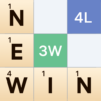
Letter Pirate – A word game turns every letter you play into a tactical move on a compact battlefield. It’s a competitive Word experience where clever vocabulary meets board control, so every round feels tense, swingy, and surprisingly strategic. Prefer a bigger screen? It runs smoothly on PC with BlueStacks.

Game Features

  • Territory Tug-of-Words: Build words to claim tiles on a tidy 5×7 grid; whoever holds the most space takes the win.
  • Steal Their Ground: Use letters your rival already played to flip their tiles and pull the board back in your favor.
  • Build Smart Walls: Lock down chunks of the map with awkward, hard-to-reuse letters that protect your lead.
  • Timing Is Everything: Save that perfect long word for a late-game swing and watch the scoreboard flip.
  • Watch the Shared Tray: Don’t leave juicy letters sitting there; clear the tray at the right moment to disrupt their plan.
  • Simple Rules, Real Depth: Learn it fast, then keep uncovering new tactics as you sharpen both language and positioning.
  • Big Words Beat Filler: High-value, thoughtful plays matter more than scraping by with tiny, throwaway terms.
  • Play Your Friends: Set up friendly showdowns and see who can outthink, outspell, and outmaneuver.
  • Make It Yours: Swap in different tile looks to suit your style without cluttering the board.
  • Pirate Personality: A cheeky seafaring vibe adds charm while keeping the focus squarely on smart, satisfying gameplay.

Start your journey now. Download the game on BlueStacks, invite your friends, and march on a new adventure.


Game Features

Enhancements

  • Macros
  • Multi Instance
  • Multi Instance Sync
  • Script
  • Enhancements
Macros

Macros

Automate the predictable in Letter Pirate - A word game and transform your gameplay with Macros. Get access to inventive Macros in the BlueStacks Macro Community
Multi Instance

Multi Instance

Play Letter Pirate - A word game on one window. And chat with your friend on the other. Press CTRL + Shift + 8 to open the Multi-Instance Manager. And start creating fresh instances or clone an existing one.
Multi Instance Sync

Multi Instance Sync

Play Letter Pirate - A word game with the power of Multi-Instance Sync. Replicate what you are doing on the main instance on all other instances. Level up faster, play more.
Script

Script

Script your way to gaming glory in Letter Pirate - A word game with BlueStacks Script. Write and run a set of commands to automate repeated tasks. Trigger the command by assigning it to any key.
Read More

How to Download and Play Letter Pirate - A word game on PC or Mac

  • Download and install BlueStacks on your PC or Mac

  • Complete Google sign-in to access the Play Store, or do it later

  • Look for Letter Pirate - A word game in the search bar at the top right corner

  • Click to install Letter Pirate - A word game from the search results

  • Complete Google sign-in (if you skipped step 2) to install Letter Pirate - A word game

  • Click the Letter Pirate - A word game icon on the home screen to start playing

video
Watch Video

Minimum System Requirements

With BlueStacks 5, you can get started on a PC that fulfills the following requirements.

  • Operating System

    Microsoft Windows 7 or above, macOS 11 (Big Sur) or above

  • Processor

    Intel, AMD or Apple Silicon Processor

  • RAM

    at least 4GB

  • HDD

    10GB Free Disk Space

Note:

* You must be an Administrator on your PC. Up to date graphics drivers from Microsoft or the chipset vendor.

Letter Pirate - A word game - FAQs

  • How to play Letter Pirate - A word game on Windows PC & Mac?

    Play Letter Pirate - A word game on your PC or Mac by following these simple steps.

    • Click on 'Play Letter Pirate - A word game on PC’ to download BlueStacks
    • Install it and log-in to Google Play Store
    • Launch and play the game.
  • Why is BlueStacks the fastest and safest platform to play games on PC?

    BlueStacks respects your privacy and is always safe and secure to use. It does not carry any malware, spyware, or any sort of additional software that could harm your PC.

    It is engineered to optimize speed and performance for a seamless gaming experience.

  • What are Letter Pirate - A word game PC requirements?

    Minimum requirement to run Letter Pirate - A word game on your PC

    • OS: Microsoft Windows 7 or above MacOS 11 (Big Sur) or above
    • Processor: Intel, AMD or Apple Silicon Processor
    • RAM: Your PC must have at least 4GB of RAM. (Note that having 4GB or more disk space is not a substitute for RAM)
    • HDD: 10GB Free Disk Space.
    • You must be an Administrator on your PC.