

Paper Hangman (With Hints) brings the Word genre to life, and throws up exciting challenges for gamers. Developed by micro.tools, this Android game is best experienced on BlueStacks, the World’s #1 app player for PC and Mac users.
About the Game
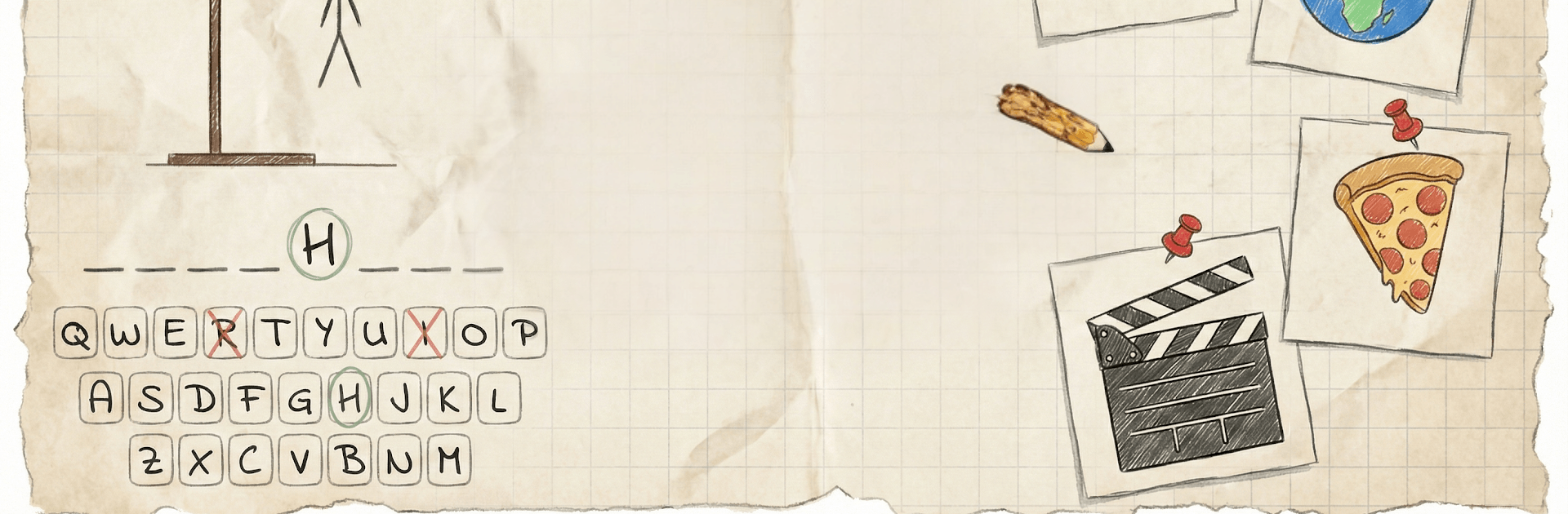
Paper Hangman (With Hints) brings that old-school letter-guessing fun into a cozy, crafty world of paper textures and clean, modern touches. This Word game is all about quick, satisfying rounds with a calm, handmade feel and slick animations that make every guess feel good. Prefer a keyboard and a bigger screen? It plays comfortably on PC with BlueStacks as well.
Game Features
- Handmade paper aesthetic: Layered textures, torn edges, soft shadows, and a calming palette of creams, sages, and muted blues set a relaxed mood.
- Snappy, hand-drawn animations: Correct letters pop into place, while the little figure is sketched line by line as if it’s being drawn in real time.
- Polished classic play: Press a clean, physical-style keyboard to try letters and reveal the word—simple rules, zero clutter, all polish.
- 15 knowledge categories: Tackle Countries, Movies, Books, Famous People, Food, Art, History, Nature, Space, Sports, Technology, Fashion, Places, Music, and Mythology.
- 1,500+ handcrafted stages: Follow a scrollable roadmap that steadily ramps up the challenge so progress feels clear and rewarding.
- Smart hint system: Stuck on a tough word? Use a hint to reveal a random letter and keep your momentum without spoiling the puzzle.
- Offline ready: Enjoy full gameplay without an internet connection, great for quick breaks or longer sessions whenever you want.
- Tactile button feedback: Every press has depth and bounce, delivering that satisfying “press” feel you can almost hear.
- Gentle learning boost: Build vocabulary, sharpen spelling, and jog memory while you play—no study session vibes, just natural growth.
- Thoughtful difficulty balance: Each category blends approachable terms with trickier picks, so wins feel earned without being punishing.
Start playing Paper Hangman (With Hints) on BlueStacks and get a smoother, more comfortable PC or Mac setup.