Сканворды на русском

Сканворды на русском

Word

| Crossman

Play on PC with BlueStacks or from our cloud

  • Overview
  • Game Features
  • How to Play

Page Modified On: May 19, 2026

Play Сканворды на русском on PC or Mac

From the innovators and creators at Crossman, Сканворды на русском is another fun addition to the World of Word games. Go beyond your mobile screen and play it bigger and better on your PC or Mac. An immersive experience awaits you.

About the Game

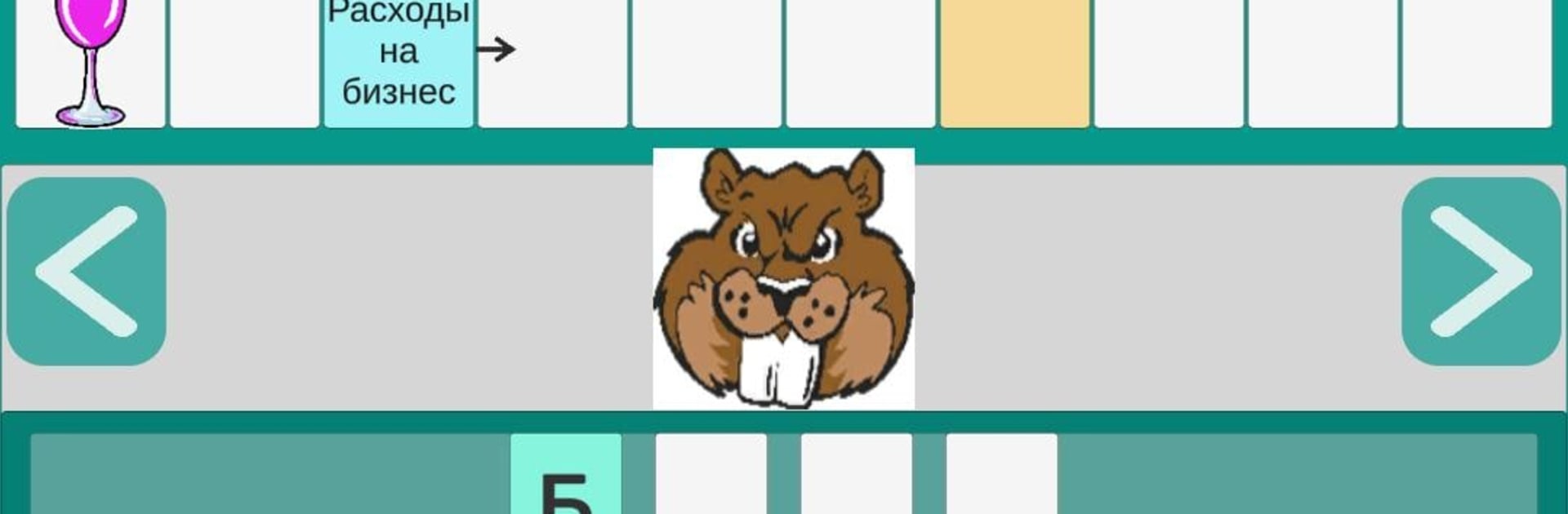
Got a few minutes and a curious mind? Сканворды на русском brings the Scandinavian crossword style to your screen with quick, clue-driven puzzles that are easy to start and hard to put down. Built by Crossman, this Word game pairs crisp definitions (and the occasional picture twist) with a smooth interface so you can relax, think, and feel that tiny spark when a word finally clicks. Prefer a keyboard? It runs nicely on BlueStacks, too.

Game Features

  • Bite-size clues, big aha moments: Short definitions and image prompts guide you to each answer, and correct words lock into the grid right away.
  • Original from top to bottom: Every scanword is handcrafted, backed by a word-and-clue collection refined over more than 20 years for quality and variety.
  • Learning without the lecture: Discover useful vocabulary from science, culture, travel, and everyday life—without dusty jargon or obscure place names getting in the way.
  • Helpful hints when you need them: Reveal a letter or clear extra ones to get unstuck while keeping the challenge (and satisfaction) intact.
  • Tap, type, correct, repeat: Select a clue or an empty cell, enter your answer, and fix any letter with a quick tap—smooth, simple, and forgiving.
  • Just-right challenge: Friendly grids make for easy warm-ups, while a few tougher words stretch your memory and grow your vocabulary naturally.
  • Perfect for quick breaks: Tackle a puzzle over coffee, unwind at night, or chip away during a commute—sessions fit whatever time you have.
  • Gentle brain training: Keep focus sharp and recall fresh with a calm, low-pressure puzzle flow that rewards patience and curiosity.

Slay your opponents with your epic moves. Play it your way on BlueStacks and dominate the battlefield.


Game Features

Enhancements

  • Macros
  • Multi Instance
  • Multi Instance Sync
  • Script
  • Enhancements
Macros

Macros

Automate the predictable in Сканворды на русском and transform your gameplay with Macros. Get access to inventive Macros in the BlueStacks Macro Community
Multi Instance

Multi Instance

Play Сканворды на русском on one window. And chat with your friend on the other. Press CTRL + Shift + 8 to open the Multi-Instance Manager. And start creating fresh instances or clone an existing one.
Multi Instance Sync

Multi Instance Sync

Play Сканворды на русском with the power of Multi-Instance Sync. Replicate what you are doing on the main instance on all other instances. Level up faster, play more.
Script

Script

Script your way to gaming glory in Сканворды на русском with BlueStacks Script. Write and run a set of commands to automate repeated tasks. Trigger the command by assigning it to any key.
Read More

How to Download and Play Сканворды на русском on PC or Mac

  • Download and install BlueStacks on your PC or Mac

  • Complete Google sign-in to access the Play Store, or do it later

  • Look for Сканворды на русском in the search bar at the top right corner

  • Click to install Сканворды на русском from the search results

  • Complete Google sign-in (if you skipped step 2) to install Сканворды на русском

  • Click the Сканворды на русском icon on the home screen to start playing

video
Watch Video

Minimum System Requirements

With BlueStacks 5, you can get started on a PC that fulfills the following requirements.

  • Operating System

    Microsoft Windows 7 or above, macOS 11 (Big Sur) or above

  • Processor

    Intel, AMD or Apple Silicon Processor

  • RAM

    at least 4GB

  • HDD

    10GB Free Disk Space

Note:

* You must be an Administrator on your PC. Up to date graphics drivers from Microsoft or the chipset vendor.

Сканворды на русском - FAQs

  • How to play Сканворды на русском on Windows PC & Mac?

    Play Сканворды на русском on your PC or Mac by following these simple steps.

    • Click on 'Play Сканворды на русском on PC’ to download BlueStacks
    • Install it and log-in to Google Play Store
    • Launch and play the game.
  • Why is BlueStacks the fastest and safest platform to play games on PC?

    BlueStacks respects your privacy and is always safe and secure to use. It does not carry any malware, spyware, or any sort of additional software that could harm your PC.

    It is engineered to optimize speed and performance for a seamless gaming experience.

  • What are Сканворды на русском PC requirements?

    Minimum requirement to run Сканворды на русском on your PC

    • OS: Microsoft Windows 7 or above MacOS 11 (Big Sur) or above
    • Processor: Intel, AMD or Apple Silicon Processor
    • RAM: Your PC must have at least 4GB of RAM. (Note that having 4GB or more disk space is not a substitute for RAM)
    • HDD: 10GB Free Disk Space.
    • You must be an Administrator on your PC.