How to Install and Play Immortals Revenge on PC with BlueStacks


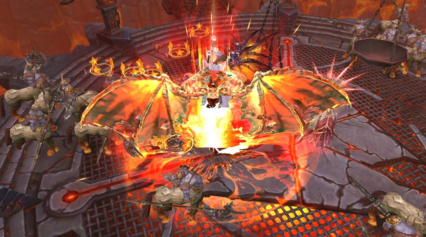
Immortals Revenge is an action role-playing game inspired by Greek legends, where you play as a warrior powered by the gods. Your journey takes you through huge maps filled with monsters, story quests, and massive boss fights. You gain skills tied to gods like Athena, which lets you unleash powerful attacks that wipe out waves of enemies.
The game also features Archangels that jump into battle with giant screen-filling abilities. A free VIP system lets you earn special skins, mounts, materials, and bonus rewards simply by finishing quests instead of spending money. Daily events, two-week login rewards, chapter missions, and guild wars keep the action moving and give players plenty to do with friends.
How to Install Immortals Revenge on PC
- Visit the game’s page and select the “Play Immortals Revenge on PC” button.
- Open the setup file from your browser’s download list.
- Install BlueStacks and start it on your PC or Mac.
- Log in to the Google Play Store, download the game, and jump into the action.
How to Install Immortals Revenge on Mac with BlueStacks Air
- Download BlueStacks Air: Open the game’s page and click the “Play Immortals Revenge on Mac” button to get the installer file.
- Install BlueStacks Air: Double-click the BlueStacksInstaller.pkg and follow the setup steps on screen.
- Launch and Sign-In: Open BlueStacks Air from Launchpad or the Applications folder, then sign in with your Google account to reach the Play Store.
- Install Immortals Revenge: Search for Immortals Revenge and install it from Google Play.
- Enjoy Playing! Start the game and enter the battlefield.
If You Already Have BlueStacks on Your Computer
- Go to the game’s page and click the “Immortals Revenge on PC” button.
- Open BlueStacks on your PC or Mac.
- Install the game using the BlueStacks Store or Google Play Store.
- Press play and start your adventure.
Minimum System Requirements
BlueStacks runs smoothly on most modern PCs and Macs, which makes it easy to play Immortals Revenge even on shared or basic computers:
- OS: Microsoft Windows 7 or newer, macOS 11 (Big Sur) or newer
- Processor: Intel, AMD, or Apple Silicon processor (M1–M4)
- RAM: At least 4GB of memory
- Storage: 10GB of free disk space
- Permissions: Administrator access on your computer
- Graphics Drivers: Latest drivers from Microsoft or your chipset maker
Immortals Revenge is great for players who like fast fighting mixed with gear collecting and character growth. You can jump in for short battles or long gaming sessions, depending on your time. Playing solo lets you focus on upgrading your hero through quests and boss runs. Meanwhile, teaming up with guild members adds a social side to the adventure.
Playing Immortals Revenge on BlueStacks gives you smoother controls using a keyboard and mouse instead of touch buttons. A bigger screen helps you see enemies clearly, aim skills better, and manage menus without crowding your view. This setup makes long play sessions more comfortable and gives you better control during intense fights, especially against large bosses or during guild battles.