How to Install and Play JoJo's Bizarre Adventure: GS on PC with BlueStacks
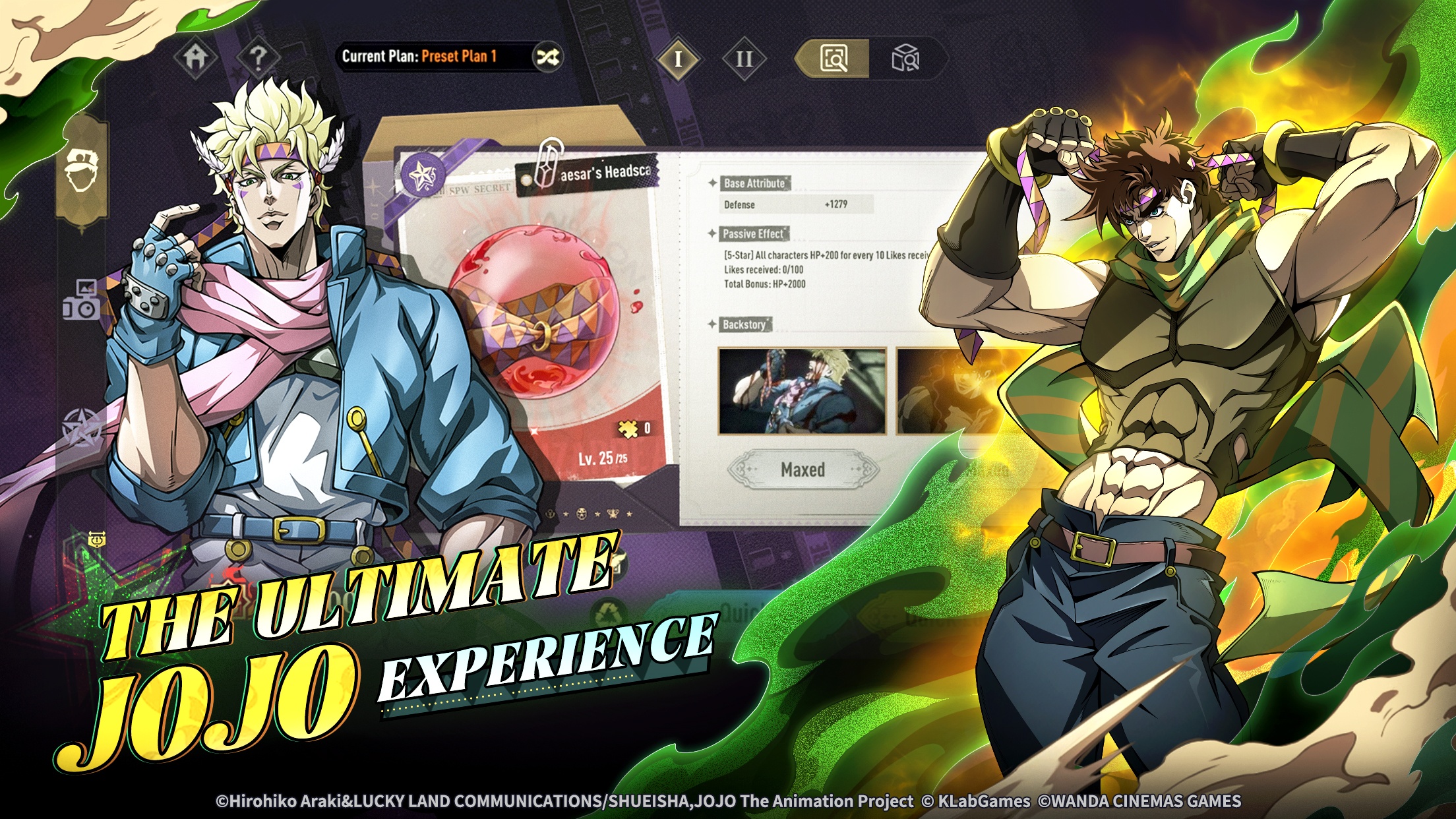

JoJo’s Bizarre Adventure: GS is an officially licensed role-playing game based on the popular anime series. It follows the Joestar bloodline and features characters from Phantom Blood through Stone Ocean. You can assemble fighters from six generations, command their Stands, and combine characters from different story arcs.
Battles reward careful planning because every fighter has a different attack range. You need to watch enemy weaknesses, position your team, and use Rush counterattacks at the right moment. Famous scenes are recreated with 3D character models, Live2D sequences, and a 360-degree camera. The game also includes story stages, World Boss battles, challenge modes, and ranked PvP matches.
How to Install JoJo’s Bizarre Adventure: GS on PC
- Open the game’s page and click the “Play JoJo’s Bizarre Adventure: GS on PC” button.
- Go to your browser’s downloads area and open the installer.
- Follow the setup instructions to install BlueStacks, and then launch it on your computer.
- Log in to the Google Play Store, install JoJo’s Bizarre Adventure: GS, and begin playing.
How to Install JoJo’s Bizarre Adventure: GS on Mac with BlueStacks Air
- Download BlueStacks Air: Visit the game’s page and select the “Play JoJo’s Bizarre Adventure: GS on Mac” button to download the installer.
- Run the Installer: Double-click BlueStacksInstaller.pkg and follow the instructions that appear on the screen.
- Open and Sign In: Start BlueStacks Air from Launchpad or the Applications folder, and then sign in with your Google account.
- Install JoJo’s Bizarre Adventure: GS: Search for JoJo’s Bizarre Adventure: GS in the Play Store and install it.
- Start Playing: Open JoJo’s Bizarre Adventure: GS and begin assembling your JoJo team.
Already Using BlueStacks? Install the Game This Way
- Go to the game’s page and click the “JoJo’s Bizarre Adventure: GS on PC” button.
- Launch BlueStacks on your PC or Mac.
- Download JoJo’s Bizarre Adventure: GS through the BlueStacks Store or Google Play Store.
- Open JoJo’s Bizarre Adventure: GS and start playing.
Minimum System Requirements
BlueStacks supports JoJo’s Bizarre Adventure: GS on a wide range of PCs and Macs that meet these requirements:
- OS: Microsoft Windows 7 or later, or macOS 11 (Big Sur) or later
- Processor: Intel, AMD, or Apple Silicon processor
- RAM: At least 4GB of RAM
- Storage: 10GB of free disk space
- Permissions: Administrator access on your PC or Mac
- Graphics Drivers: Updated drivers from Microsoft or your chipset manufacturer
JoJo’s Bizarre Adventure: GS is a good choice for anime fans who enjoy building teams and planning attacks. Stand awakening, skill upgrades, gear forging, and character ascension give you several ways to strengthen your fighters. Weather can also affect abilities during combat, so you may need to change your approach as conditions shift. Story stages are available for players who prefer PvE, while World Bosses and ranked PvP provide tougher challenges.
Playing JoJo’s Bizarre Adventure: GS on PC or Mac with BlueStacks gives you more space to follow the detailed character animations and battle effects. Keyboard and mouse controls can make team management and combat inputs more comfortable, especially during longer sessions.