How to Install and Play Sea of Stars on PC with BlueStacks
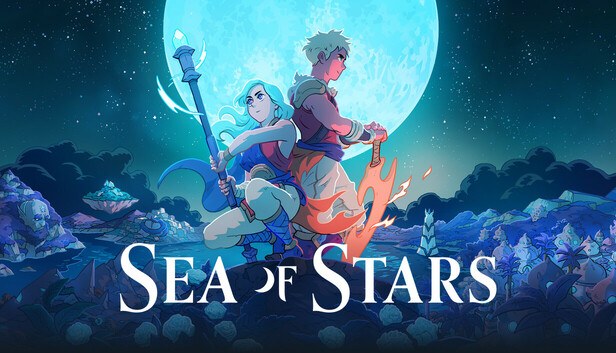

Sea of Stars is a turn-based role-playing game that mixes classic pixel art with modern gameplay ideas. You follow two heroes, Valere and Zale, who use the power of the sun and the moon to fight dark creatures created by an evil alchemist called the Fleshmancer. The story focuses on friendship, teamwork, and going on a long adventure across a colorful world.
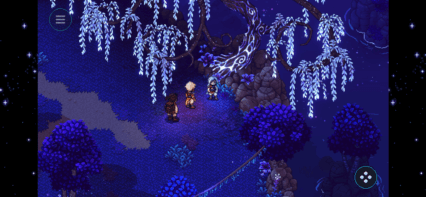
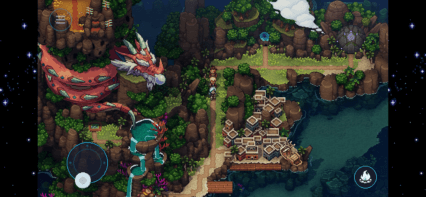
Combat feels active instead of slow. Attacks use timed button presses, combo skills, and enemy actions you can interrupt if you react fast enough. Battles happen directly on the map, so there are no random fights or loading screens pulling you away from the action. Outside of combat, you can sail, fish, cook meals, and relax in towns by listening to music or playing a tabletop mini-game called Wheels.
How to Install Sea of Stars on PC
- Visit the game’s page and press the “Play Sea of Stars on PC” button.
- Find the downloaded file in your browser’s download list and open it.
- Set up BlueStacks and start it on your PC or Mac.
- Log in to the Google Play Store, download Sea of Stars, and begin playing.
How to Install Sea of Stars on Mac with BlueStacks Air
- Download BlueStacks Air: Open the game’s page and select the “Play Sea of Stars on Mac” button to get the installer.
- Install BlueStacks Air: Double-click the BlueStacksInstaller.pkg file and follow the on-screen steps.
- Launch and Sign In: Open BlueStacks Air from Launchpad or Applications, then sign in with your Google account.
- Install Sea of Stars: Search for Sea of Stars in the Play Store and install it.
- Start Playing: Open the game and jump right in.
Already Have BlueStacks Set Up?
- Go to the game’s page and click the “Sea of Stars on PC” button.
- Open BlueStacks on your PC or Mac.
- Download the game from the BlueStacks Store or Google Play Store.
- Launch the game and play.
Minimum System Requirements
BlueStacks runs smoothly on most computers, which makes it easy to play games like Sea of Stars on PC or Mac. Here’s what you’ll need:
- OS: Windows 7 or later, macOS 11 (Big Sur) or later
- Processor: Intel, AMD, or Apple Silicon (M1–M4)
- RAM: At least 4GB
- Storage: 10GB of free disk space
- Permissions: Admin access on your computer
- Graphics: Updated drivers from Microsoft or your chipset maker
Sea of Stars is a great pick for players who enjoy story-driven games with a relaxed pace and smart combat. You can take your time talking to characters, checking every town, or trying side activities like fishing and cooking. It’s also fun to play with friends nearby, trading tips about bosses or helping each other solve small puzzles along the way.
Playing Sea of Stars on PC or Mac with BlueStacks gives you better control using a keyboard or controller and lets you enjoy the detailed pixel art on a bigger screen. This setup feels more comfortable for long play sessions and helps you react faster during battles compared to touch controls on a phone.