Exclusive Gaming Content. And More.
Get the latest updates on the BlueStacks Blog.
See MorePlay on PC with BlueStacks or from our cloud
Page Modified On: January 19, 2026
Join millions to experience Sea of Stars, an exciting Role Playing game from Playdigious. With BlueStacks App Player, you are always a step ahead of your opponent, ready to outplay them with faster gameplay and better control with the mouse and keyboard on your PC or Mac.
Sea of Stars feels like a classic SNES-style RPG that learned a bunch of smart tricks from modern games. The setup is simple and cool: two kids tied to the solstice use sun and moon magic to push back the weird creations of a nasty alchemist called the Fleshmancer. Movement is not stuck to grid tiles, so characters hop ledges, climb, swim, and slide around in a way that makes wandering feel smooth and a little puzzle-y. Battles are turn based but active, since timed button presses boost attacks or soften hits, characters link up for tag-team skills, and enemies wind up big moves that can be disrupted if players hit them with the right damage types before the cast finishes. Fights happen right on the map, enemies are visible, and progress does not feel like a grind-fest.
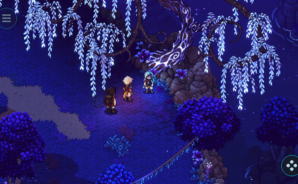
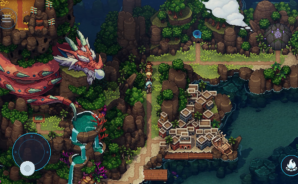
The world is packed with small side activities. There is fishing, cooking meals that matter in combat, sailing between spots, and stopping at taverns to hear a tune or play a little tabletop game called Wheels. The writing flips between silly and heartfelt without dragging on, with a few late swerves that land. The 2D pixel art pops thanks to slick lighting, so caves, sunsets, and moonlit scenes all look great, especially on a bigger screen through BlueStacks on PC. Controls hold up fine there too, either with a controller or keyboard. Anyone who wants that warm retro feel with cleaner pacing and more deliberate combat will get what this is going for.
Ready to top the leaderboard? We bet you do. Let precise controls and sharp visuals optimized on BlueStacks lead you to victory.
Focus more on the fun part of the game, skip the tedious aspects. Master Sea of Stars with Macros. Record yourself completing the monotonous tasks you wish to automate and replay them later with just one keypress.
Speed up the rerolling process in Sea of Stars. Perform multiple summons and keep looking for the best Heroes. Use Multi-Instance sync to replicate the rerolling mechanism in all instances.
Farm in-game resources with ease in Sea of Stars. Enable the Eco Mode when running the game in multiple instances. And lower your PC's resource consumption.
With the Multi-instance Sync, you can do even more in Sea of Stars. Sync the action of the main instance and repeat them in real time for all other instances. Sync and sit back, let the game progress unfold.
Download and install BlueStacks on your PC or Mac
Complete Google sign-in to access the Play Store, or do it later
Look for Sea of Stars in the search bar at the top right corner
Click to install Sea of Stars from the search results
Complete Google sign-in (if you skipped step 2) to install Sea of Stars
Click the Sea of Stars icon on the home screen to start playing
With BlueStacks 5, you can get started on a PC that fulfills the following requirements.
Microsoft Windows 7 or above, macOS 11 (Big Sur) or above
Intel, AMD or Apple Silicon Processor
at least 4GB
10GB Free Disk Space
* You must be an Administrator on your PC. Up to date graphics drivers from Microsoft or the chipset vendor.
Leave your email and we will notify
you when the game launches
Play Sea of Stars on your PC or Mac by following these simple steps.
BlueStacks respects your privacy and is always safe and secure to use. It does not carry any malware, spyware, or any sort of additional software that could harm your PC.
It is engineered to optimize speed and performance for a seamless gaming experience.
Minimum requirement to run Sea of Stars on your PC
Since you are on your phone, we are going to send you to the Google Play page.
In some cases BlueStacks uses affiliate links when linking to Google Play
BlueStacks 4 is not available on Windows XP. You must have Windows 7 or higher. Windows 10 is recommended.