How to Install and Play Three Kingdoms: World Conquest on PC with BlueStacks


Three Kingdoms: World Conquest is a real-time strategy game by RASTAR GAMES HK set during the famous Three Kingdoms period. You lead armies across large 3D battlefields, change march routes, plan attacks, and react to enemy moves as fights happen.
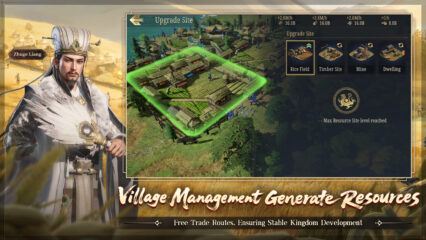
The game includes famous officers like Guan Yu, Lü Bu, Cao Cao, and Liu Bei, along with class roles such as Ranger, Physician, and Farmer. You can also build villages, manage resources, join allies, and take part in large wars where timing and smart moves matter.
How to Install Three Kingdoms: World Conquest on PC
- Go to the game’s page, then click the “Play Three Kingdoms: World Conquest on PC” button.
- Open the downloaded file from your browser once it finishes.
- Install BlueStacks, then open it on your PC or Mac.
- Sign in to the Google Play Store, install Three Kingdoms: World Conquest, and start playing.
How to Install Three Kingdoms: World Conquest on Mac with BlueStacks Air
- Download BlueStacks Air: Go to the game’s page and click the “Play Three Kingdoms: World Conquest on Mac” button to get the installer.
- Install BlueStacks Air: Open the BlueStacksInstaller.pkg file and follow the steps shown on your screen.
- Launch and Sign In: Open BlueStacks Air from Launchpad or the Applications folder, then sign in with your Google account.
- Install Three Kingdoms: World Conquest: Search for the game in the Play Store and install it.
- Start Playing: Open Three Kingdoms: World Conquest and begin your campaign.
Already Have BlueStacks Installed?
- Head to the game’s page and click the “Three Kingdoms: World Conquest on PC” button.
- Open BlueStacks on your PC or Mac.
- Install the game from the BlueStacks Store or Google Play Store.
- Launch Three Kingdoms: World Conquest and start playing.
Minimum System Requirements
BlueStacks can run Three Kingdoms: World Conquest on many PCs and Macs, so you do not need a high-end setup to begin:
- OS: Microsoft Windows 7 and above, macOS 11 (Big Sur) or above
- Processor: Intel, AMD Processor, or Apple Silicon Processor (M1-M4)
- RAM: Your PC or Mac must have at least 4GB of RAM
- Storage: 10GB Free Disk Space
- Permissions: Administrator access on your PC or Mac
- Graphics drivers: Up-to-date graphics drivers from Microsoft or the chipset vendor
Three Kingdoms: World Conquest is a good pick for players who enjoy smart planning, large battles, and building a strong army over time. You can send troops across the map, react to weather and terrain, and work with allies during major fights. The officer system also gives you many ways to set up your army, while village management adds a slower, calmer part to the game between wars.
Playing Three Kingdoms: World Conquest on PC or Mac with BlueStacks can make battles easier to follow. The bigger screen helps you watch troop movement, check the map, and manage your village with less strain. Keyboard and mouse controls also feel more comfortable during long play sessions, especially when you need to move between menus, units, and battle plans quickly.