98 Nights Forest Monster Shoot

98 Nights Forest Monster Shoot

Action

| Green Apps Ltd

Play on PC with BlueStacks or from our cloud

  • Overview
  • Game Features
  • How to Play

Page Modified On: October 04, 2025

Play 98 Nights Forest Monster Shoot on PC or Mac

Bring your A-game to 98 Nights Forest Monster Shoot, the Action game sensation from Green Apps Ltd. Give your gameplay the much-needed boost with precise game controls, high FPS graphics, and top-tier features on your PC or Mac with BlueStacks.

About the Game

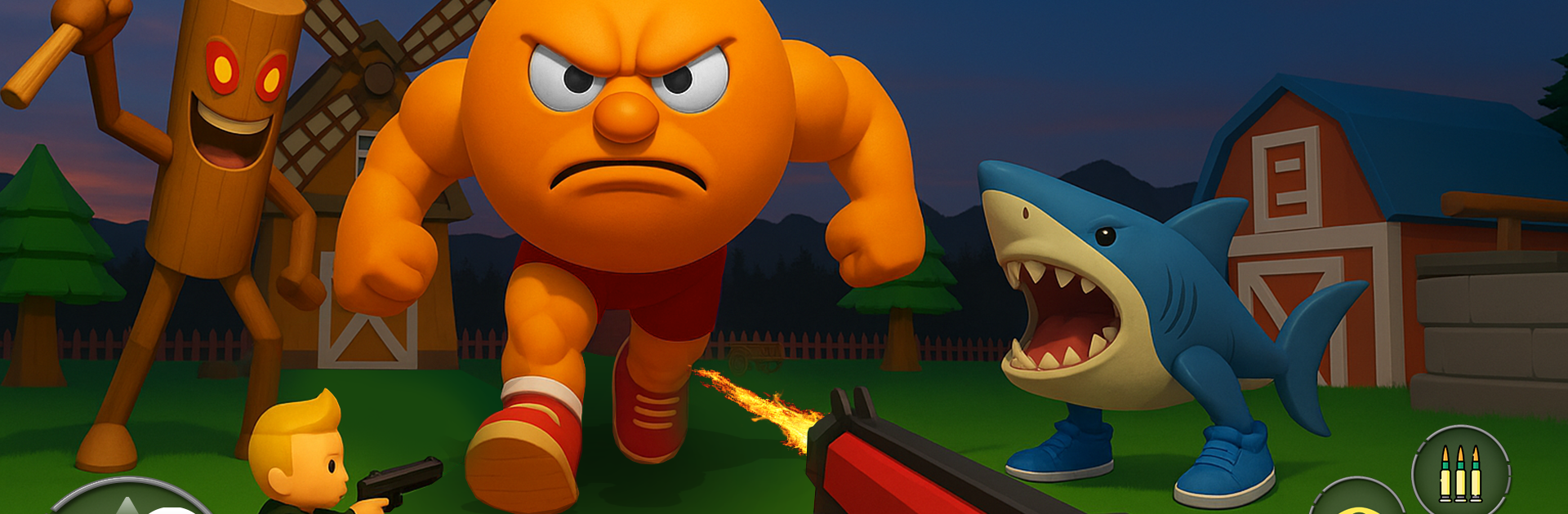
98 Nights Forest Monster Shoot throws you into a haunted woodland where every night is a new fight to stay alive. It’s a gritty, wave-based Action shooter from Green Apps Ltd with tight controls, punchy weapons, and a constant push to get stronger. The longer you last, the nastier the creatures get—and the more satisfying each victory feels.

Game Features

  • 98-night survival: Work through a night-by-night gauntlet where difficulty ramps up and your tactics have to keep pace.
  • Relentless monster waves: Swarms crash in from the treeline, forcing quick decisions, smart positioning, and steady aim.
  • Guns and upgrades: Unlock new firearms, boost damage, tweak fire rates, and toughen up your gear to keep the pressure on.
  • Boss encounters: Every few nights, huge, mean bosses shake up your rhythm with fresh patterns and bigger stakes.
  • Simple, responsive controls: Pick up and play fast, then stick around for the skill ceiling—snappy movement and shooting keep every run tight.
  • Offline play: No connection? No problem. Jump into a session anywhere and keep the progression rolling.
  • Moody forest arenas: Fog, shadows, and eerie clearings set the scene for tense, close-quarters firefights.
  • Clean difficulty curve: Early nights teach the ropes; later ones demand better builds and sharper aim without feeling unfair.
  • PC-friendly option: Prefer a bigger screen and steady frames? Play on your PC with BlueStacks for smooth controls while keeping your mobile progress.

Start your journey now. Download the game on BlueStacks, invite your friends, and march on a new adventure.


Game Features

Enhancements

  • Macros
  • Multi Instance
  • Multi Instance Sync
  • Eco Mode
  • Enhancements
Macros

Macros

Skip the boring parts of a game. Play 98 Nights Forest Monster Shoot with Macros and get the edge. Simply record a sequence of commands and execute them at any moment.
Multi Instance

Multi Instance

Why limit to one game on your phone when you can play many on your PC? Open multiple instances of 98 Nights Forest Monster Shoot at once with Multi-Instance. Leverage the power of different accounts by doing more.
Multi Instance Sync

Multi Instance Sync

Get the best out of 98 Nights Forest Monster Shoot with Multi-Instance Sync. Play the game from different accounts and build your own empire. Use Multi-instance sync to repeat the action in the main BlueStacks instance on all other instances.
Eco Mode

Eco Mode

Find the rarest heroes by making multiple summons in 98 Nights Forest Monster Shoot. And while you are at it, reduce your PC’s resource consumption with the Eco Mode. Farm efficiently. Get the best results.
Read More

How to Download and Play 98 Nights Forest Monster Shoot on PC or Mac

  • Download and install BlueStacks on your PC or Mac

  • Complete Google sign-in to access the Play Store, or do it later

  • Look for 98 Nights Forest Monster Shoot in the search bar at the top right corner

  • Click to install 98 Nights Forest Monster Shoot from the search results

  • Complete Google sign-in (if you skipped step 2) to install 98 Nights Forest Monster Shoot

  • Click the 98 Nights Forest Monster Shoot icon on the home screen to start playing

video
Watch Video

Minimum System Requirements

With BlueStacks 5, you can get started on a PC that fulfills the following requirements.

  • Operating System

    Microsoft Windows 7 or above, macOS 11 (Big Sur) or above

  • Processor

    Intel, AMD or Apple Silicon Processor

  • RAM

    at least 4GB

  • HDD

    10GB Free Disk Space

Note:

* You must be an Administrator on your PC. Up to date graphics drivers from Microsoft or the chipset vendor.

98 Nights Forest Monster Shoot - FAQs

  • How to play 98 Nights Forest Monster Shoot on Windows PC & Mac?

    Play 98 Nights Forest Monster Shoot on your PC or Mac by following these simple steps.

    • Click on 'Play 98 Nights Forest Monster Shoot on PC’ to download BlueStacks
    • Install it and log-in to Google Play Store
    • Launch and play the game.
  • Why is BlueStacks the fastest and safest platform to play games on PC?

    BlueStacks respects your privacy and is always safe and secure to use. It does not carry any malware, spyware, or any sort of additional software that could harm your PC.

    It is engineered to optimize speed and performance for a seamless gaming experience.

  • What are 98 Nights Forest Monster Shoot PC requirements?

    Minimum requirement to run 98 Nights Forest Monster Shoot on your PC

    • OS: Microsoft Windows 7 or above MacOS 11 (Big Sur) or above
    • Processor: Intel, AMD or Apple Silicon Processor
    • RAM: Your PC must have at least 4GB of RAM. (Note that having 4GB or more disk space is not a substitute for RAM)
    • HDD: 10GB Free Disk Space.
    • You must be an Administrator on your PC.