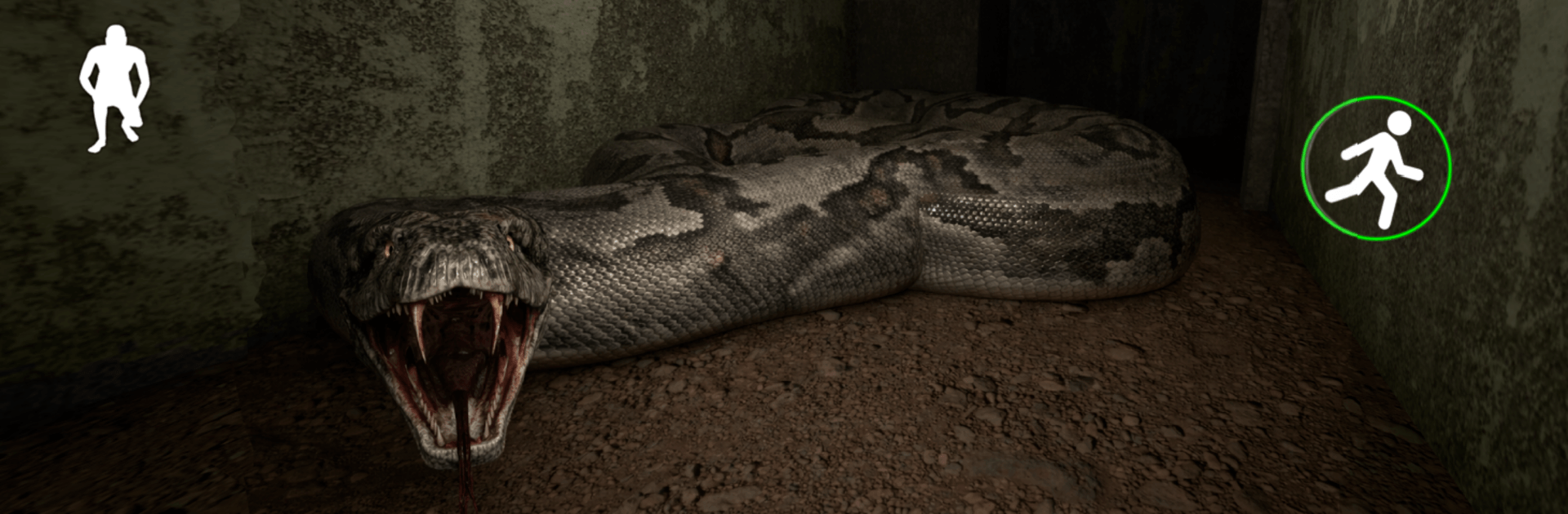
Anaconda : Horror Game

Anaconda : Horror Game

Action

| Notang

Play on PC with BlueStacks or from our cloud

  • Overview
  • Game Features
  • How to Play

Page Modified On: June 29, 2026

Play Anaconda : Horror Game on PC or Mac

Step into the World of Anaconda : Horror Game, a thrilling Action game from the house of Notang. Play this Android game on BlueStacks App Player and experience immersive gaming on PC or Mac.

About the Game

Anaconda : Horror Game is all about that edge-of-your-seat feeling when you know something is nearby but you can’t quite see it yet. You’re trapped in tight spaces with a relentless predator that listens for every step, breath, and door creak. There’s no fighting back—your best weapons are silence, timing, and the courage to move when it’s safe. It’s a tense, offline survival experience in the Action genre that rewards patience and sharp instincts. Prefer playing with a keyboard and bigger visuals? You can run it on BlueStacks too.

Game Features

  • Sound-driven stalking: The creature reacts to noise and movement, so careless footsteps, slammed doors, or bumping into objects can give you away.
  • Stealth over strength: No guns, no melee—survival means hiding, peeking around corners, and choosing the right moment to sprint.
  • Smart, persistent hunter: An adaptive enemy keeps pressure on, changing routes and closing in when you slip up, so every escape feels earned.
  • Thick horror atmosphere: Low lighting, claustrophobic rooms, and unsettling details build a constant sense of “don’t make a sound.”
  • Immersive audio cues: Distant hisses, wet slithers, and environmental creaks help you judge where the danger is—or how close it’s getting.
  • Simple controls, real tension: Easy-to-grasp inputs let you focus on listening, planning, and staying calm when it matters most.
  • Fully offline play: No connection needed, perfect for late-night sessions or when you’re away from signal.
  • PC-friendly with BlueStacks: If you like bigger screens and keyboard controls, playing through BlueStacks keeps the scares crisp and your moves precise.

Ready to top the leaderboard? We bet you do. Let precise controls and sharp visuals optimized on BlueStacks lead you to victory.


Game Features

Enhancements

  • Macros
  • Multi Instance
  • Multi Instance Sync
  • Eco Mode
  • Enhancements
Macros

Macros

Skip the boring parts of a game. Play Anaconda : Horror Game with Macros and get the edge. Simply record a sequence of commands and execute them at any moment.
Multi Instance

Multi Instance

Why limit to one game on your phone when you can play many on your PC? Open multiple instances of Anaconda : Horror Game at once with Multi-Instance. Leverage the power of different accounts by doing more.
Multi Instance Sync

Multi Instance Sync

Get the best out of Anaconda : Horror Game with Multi-Instance Sync. Play the game from different accounts and build your own empire. Use Multi-instance sync to repeat the action in the main BlueStacks instance on all other instances.
Eco Mode

Eco Mode

Find the rarest heroes by making multiple summons in Anaconda : Horror Game. And while you are at it, reduce your PC’s resource consumption with the Eco Mode. Farm efficiently. Get the best results.
Read More

How to Download and Play Anaconda : Horror Game on PC or Mac

  • Download and install BlueStacks on your PC or Mac

  • Complete Google sign-in to access the Play Store, or do it later

  • Look for Anaconda : Horror Game in the search bar at the top right corner

  • Click to install Anaconda : Horror Game from the search results

  • Complete Google sign-in (if you skipped step 2) to install Anaconda : Horror Game

  • Click the Anaconda : Horror Game icon on the home screen to start playing

video
Watch Video

Minimum System Requirements

With BlueStacks 5, you can get started on a PC that fulfills the following requirements.

  • Operating System

    Microsoft Windows 7 or above, macOS 11 (Big Sur) or above

  • Processor

    Intel, AMD or Apple Silicon Processor

  • RAM

    at least 4GB

  • HDD

    10GB Free Disk Space

Note:

* You must be an Administrator on your PC. Up to date graphics drivers from Microsoft or the chipset vendor.

Anaconda : Horror Game - FAQs

  • How to play Anaconda : Horror Game on Windows PC & Mac?

    Play Anaconda : Horror Game on your PC or Mac by following these simple steps.

    • Click on 'Play Anaconda : Horror Game on PC’ to download BlueStacks
    • Install it and log-in to Google Play Store
    • Launch and play the game.
  • Why is BlueStacks the fastest and safest platform to play games on PC?

    BlueStacks respects your privacy and is always safe and secure to use. It does not carry any malware, spyware, or any sort of additional software that could harm your PC.

    It is engineered to optimize speed and performance for a seamless gaming experience.

  • What are Anaconda : Horror Game PC requirements?

    Minimum requirement to run Anaconda : Horror Game on your PC

    • OS: Microsoft Windows 7 or above MacOS 11 (Big Sur) or above
    • Processor: Intel, AMD or Apple Silicon Processor
    • RAM: Your PC must have at least 4GB of RAM. (Note that having 4GB or more disk space is not a substitute for RAM)
    • HDD: 10GB Free Disk Space.
    • You must be an Administrator on your PC.