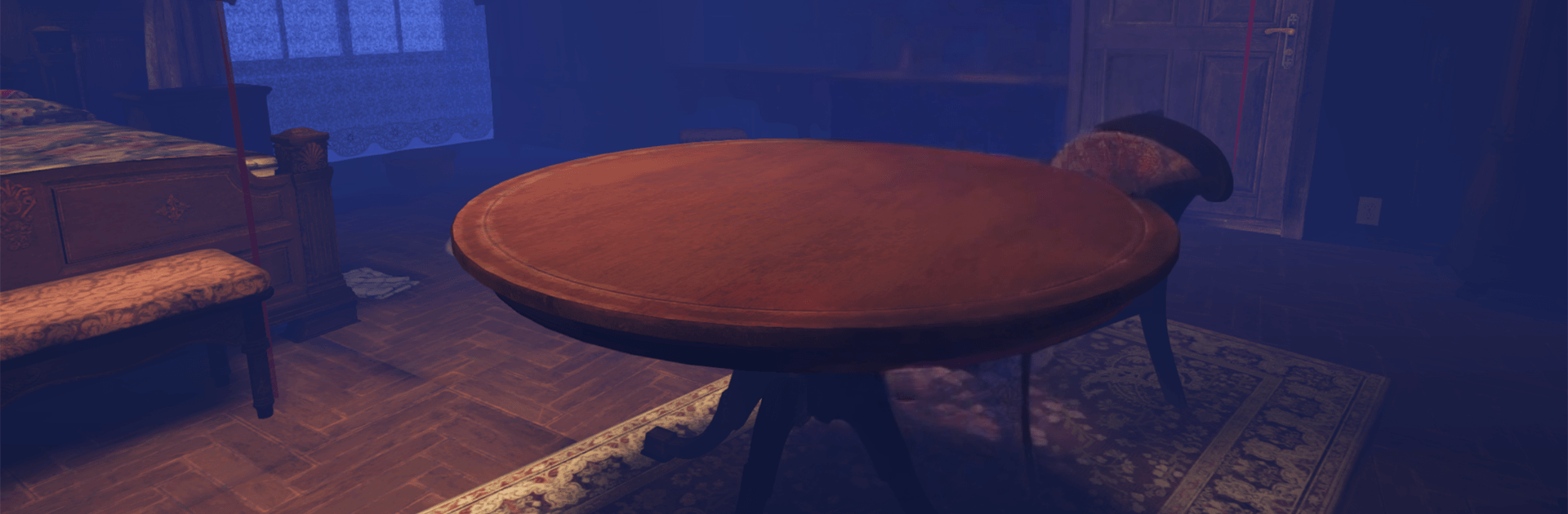
Anomalies: Horror Detective

Anomalies: Horror Detective

Action

| D one Games

Play on PC with BlueStacks or from our cloud

  • Overview
  • Game Features
  • How to Play

Page Modified On: August 15, 2026

Play Anomalies: Horror Detective on PC or Mac

Bring your A-game to Anomalies: Horror Detective, the Action game sensation from D one Games. Give your gameplay the much-needed boost with precise game controls, high FPS graphics, and top-tier features on your PC or Mac with BlueStacks.

About the Game

Anomalies: Horror Detective is an Action take on haunted-house investigation, built around sharp eyes, steady nerves, and tough calls. You and your partner arrive at a residence that looks ordinary from the street—but you can sense what others can’t. Slip between reality and a twisted astral version of the house, spot what doesn’t belong, and decide if it’s an anomaly or a false alarm. Prefer playing on PC? BlueStacks makes that easy without getting in the way.

Game Features

  • Astral Shift: Step into a warped counterpart of the house where the rules bend—doors vanish, shadows drift, and shapes linger just long enough to rattle you.
  • Call It Right—or Restart: You’re judging what’s real and what’s not. One wrong call wipes the run, no checkpoints to bail you out.
  • Ten Clean Decisions: String together ten correct judgments to wrap the case. Miss one, and you’re back to square one.
  • A House That Fights Back: Each attempt grows meaner—darker halls, stranger layouts, heavier tension—so every new night feels different.
  • A Familiar Face Beside You: A popular influencer plays your partner, adding banter and backup while you handle the tough choices.
  • Wide-Ranging Anomalies: Visual glitches, off-kilter sounds, ghostly figures, shifting objects—pay attention or you’ll miss the tell.
  • Atmosphere You Can Feel: Thick fog, groaning floorboards, distant whispers, and blink-and-you’ll-miss-it silhouettes keep your senses on edge.
  • Your Occult Journal: Log sightings, theories, and patterns. It’s the only tool you can truly trust when panic starts creeping in.
  • Built for Replays: No two passes feel quite the same thanks to shifting cues and evolving scares that push you to read the room all over again.

Start playing Anomalies: Horror Detective on BlueStacks and get a smoother, more comfortable PC or Mac setup.


Game Features

Enhancements

  • Macros
  • Multi Instance
  • Multi Instance Sync
  • Eco Mode
  • Enhancements
Macros

Macros

Skip the boring parts of a game. Play Anomalies: Horror Detective with Macros and get the edge. Simply record a sequence of commands and execute them at any moment.
Multi Instance

Multi Instance

Why limit to one game on your phone when you can play many on your PC? Open multiple instances of Anomalies: Horror Detective at once with Multi-Instance. Leverage the power of different accounts by doing more.
Multi Instance Sync

Multi Instance Sync

Get the best out of Anomalies: Horror Detective with Multi-Instance Sync. Play the game from different accounts and build your own empire. Use Multi-instance sync to repeat the action in the main BlueStacks instance on all other instances.
Eco Mode

Eco Mode

Find the rarest heroes by making multiple summons in Anomalies: Horror Detective. And while you are at it, reduce your PC’s resource consumption with the Eco Mode. Farm efficiently. Get the best results.
Read More

How to Download and Play Anomalies: Horror Detective on PC or Mac

  • Download and install BlueStacks on your PC or Mac

  • Complete Google sign-in to access the Play Store, or do it later

  • Look for Anomalies: Horror Detective in the search bar at the top right corner

  • Click to install Anomalies: Horror Detective from the search results

  • Complete Google sign-in (if you skipped step 2) to install Anomalies: Horror Detective

  • Click the Anomalies: Horror Detective icon on the home screen to start playing

video
Watch Video

Minimum System Requirements

With BlueStacks 5, you can get started on a PC that fulfills the following requirements.

  • Operating System

    Microsoft Windows 7 or above, macOS 11 (Big Sur) or above

  • Processor

    Intel, AMD or Apple Silicon Processor

  • RAM

    at least 4GB

  • HDD

    10GB Free Disk Space

Note:

* You must be an Administrator on your PC. Up to date graphics drivers from Microsoft or the chipset vendor.

Anomalies: Horror Detective - FAQs

  • How to play Anomalies: Horror Detective on Windows PC & Mac?

    Play Anomalies: Horror Detective on your PC or Mac by following these simple steps.

    • Click on 'Play Anomalies: Horror Detective on PC’ to download BlueStacks
    • Install it and log-in to Google Play Store
    • Launch and play the game.
  • Why is BlueStacks the fastest and safest platform to play games on PC?

    BlueStacks respects your privacy and is always safe and secure to use. It does not carry any malware, spyware, or any sort of additional software that could harm your PC.

    It is engineered to optimize speed and performance for a seamless gaming experience.

  • What are Anomalies: Horror Detective PC requirements?

    Minimum requirement to run Anomalies: Horror Detective on your PC

    • OS: Microsoft Windows 7 or above MacOS 11 (Big Sur) or above
    • Processor: Intel, AMD or Apple Silicon Processor
    • RAM: Your PC must have at least 4GB of RAM. (Note that having 4GB or more disk space is not a substitute for RAM)
    • HDD: 10GB Free Disk Space.
    • You must be an Administrator on your PC.