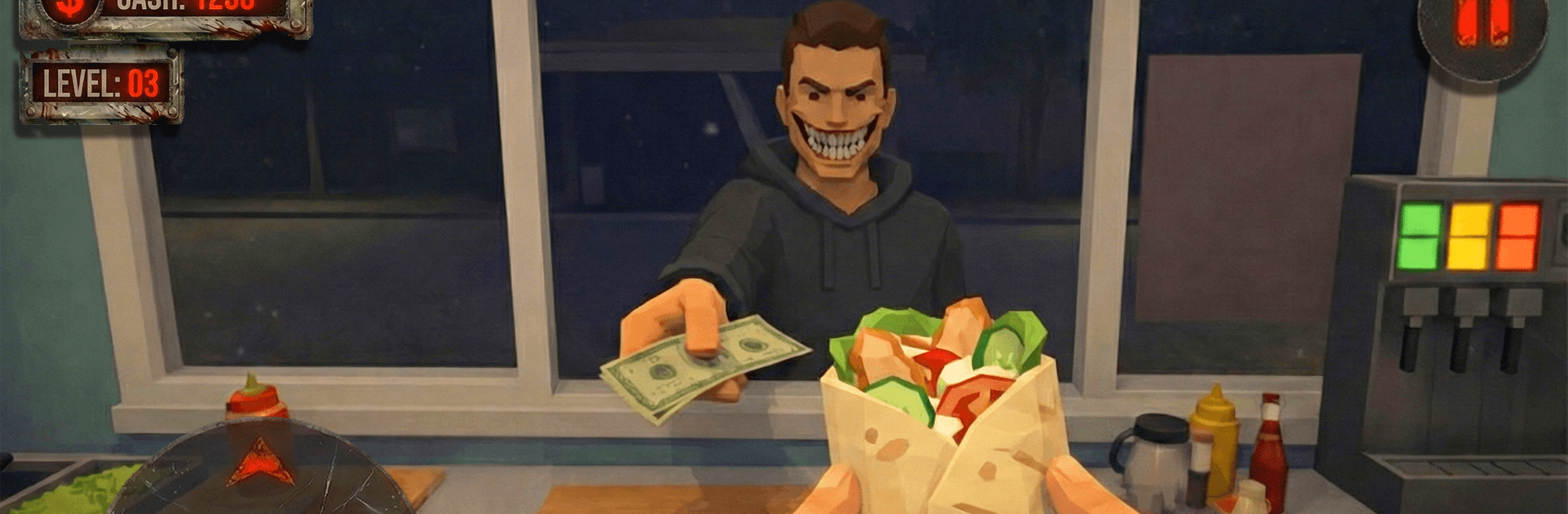
Horror Shawarma & Patience

Horror Shawarma & Patience

Action

| D one Games

Play on PC with BlueStacks or from our cloud

  • Overview
  • Game Features
  • How to Play

Page Modified On: June 02, 2026

Play Horror Shawarma & Patience on PC or Mac

Bring your A-game to Horror Shawarma & Patience, the Action game sensation from D one Games. Give your gameplay the much-needed boost with precise game controls, high FPS graphics, and top-tier features on your PC or Mac with BlueStacks.

About the Game

Horror Shawarma & Patience is a tense Action experience split between two shifts: the one where you grill shawarma for quirky customers, and the one where you try to keep it together alone at night. Daylight is busy but fine; after closing, sleep slips away, shadows feel alive, and a lit window across the street keeps pulling your binoculars back. Curiosity seems harmless—until it doesn’t.

Game Features

  • Day shift at the grill: Cook, take orders, wipe down counters, and keep a tiny kiosk running while a steady stream of characters drifts in and out.
  • Customers who don’t feel right: Some stare, some overshare, some come back too often—each one nudging the mood from awkward to unnerving.
  • Nighttime psychological horror: When the kiosk closes, the apartment turns hostile—odd sounds, moving silhouettes, a mind that won’t switch off.
  • Watching from the window: Use binoculars to observe the building across the street. The longer you look, the more normal scenes twist into something else.
  • Patience on the edge: Hold your nerve through both shifts; curiosity helps you cope, but obsession makes everything worse.
  • Routine that rots: Ordinary chores—cooking, cleaning, “relaxing”—take on a warped, anxious tone as reality frays at the edges.
  • Slow burn, steady dread: A careful ramp from work sim to full-on psychological terror, where every small decision feels risky.
  • Flexible setup: Prefer playing at your desk? It runs smoothly on BlueStacks without making it a whole production.

BlueStacks gives you more room to focus on the game and less time adjusting around mobile limitations.


Game Features

Enhancements

  • Macros
  • Multi Instance
  • Multi Instance Sync
  • Eco Mode
  • Enhancements
Macros

Macros

Skip the boring parts of a game. Play Horror Shawarma & Patience with Macros and get the edge. Simply record a sequence of commands and execute them at any moment.
Multi Instance

Multi Instance

Why limit to one game on your phone when you can play many on your PC? Open multiple instances of Horror Shawarma & Patience at once with Multi-Instance. Leverage the power of different accounts by doing more.
Multi Instance Sync

Multi Instance Sync

Get the best out of Horror Shawarma & Patience with Multi-Instance Sync. Play the game from different accounts and build your own empire. Use Multi-instance sync to repeat the action in the main BlueStacks instance on all other instances.
Eco Mode

Eco Mode

Find the rarest heroes by making multiple summons in Horror Shawarma & Patience. And while you are at it, reduce your PC’s resource consumption with the Eco Mode. Farm efficiently. Get the best results.
Read More

How to Download and Play Horror Shawarma & Patience on PC or Mac

  • Download and install BlueStacks on your PC or Mac

  • Complete Google sign-in to access the Play Store, or do it later

  • Look for Horror Shawarma & Patience in the search bar at the top right corner

  • Click to install Horror Shawarma & Patience from the search results

  • Complete Google sign-in (if you skipped step 2) to install Horror Shawarma & Patience

  • Click the Horror Shawarma & Patience icon on the home screen to start playing

video
Watch Video

Minimum System Requirements

With BlueStacks 5, you can get started on a PC that fulfills the following requirements.

  • Operating System

    Microsoft Windows 7 or above, macOS 11 (Big Sur) or above

  • Processor

    Intel, AMD or Apple Silicon Processor

  • RAM

    at least 4GB

  • HDD

    10GB Free Disk Space

Note:

* You must be an Administrator on your PC. Up to date graphics drivers from Microsoft or the chipset vendor.

Horror Shawarma & Patience - FAQs

  • How to play Horror Shawarma & Patience on Windows PC & Mac?

    Play Horror Shawarma & Patience on your PC or Mac by following these simple steps.

    • Click on 'Play Horror Shawarma & Patience on PC’ to download BlueStacks
    • Install it and log-in to Google Play Store
    • Launch and play the game.
  • Why is BlueStacks the fastest and safest platform to play games on PC?

    BlueStacks respects your privacy and is always safe and secure to use. It does not carry any malware, spyware, or any sort of additional software that could harm your PC.

    It is engineered to optimize speed and performance for a seamless gaming experience.

  • What are Horror Shawarma & Patience PC requirements?

    Minimum requirement to run Horror Shawarma & Patience on your PC

    • OS: Microsoft Windows 7 or above MacOS 11 (Big Sur) or above
    • Processor: Intel, AMD or Apple Silicon Processor
    • RAM: Your PC must have at least 4GB of RAM. (Note that having 4GB or more disk space is not a substitute for RAM)
    • HDD: 10GB Free Disk Space.
    • You must be an Administrator on your PC.