Artillery: Fight For America

Artillery: Fight For America

Action

| Dats Games

Play on PC with BlueStacks or from our cloud

  • Overview
  • Game Features
  • How to Play

Page Modified On: July 14, 2026

Play Artillery: Fight For America on PC or Mac

Explore a whole new adventure with Artillery: Fight For America, a Action game created by Dats Games. Experience great gameplay with BlueStacks, the most popular gaming platform to play Android games on your PC or Mac.

About the Game

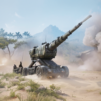
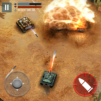
Artillery: Fight For America is an Action game that puts you in charge of big guns and bigger decisions as you push invading forces out of U.S. states. It’s a slick mix of fast, hands-on firing and thoughtful planning—line up the perfect arc, pick the right shell, and support your ground troops when it matters most. Prefer a keyboard and mouse? You can play on BlueStacks, too.

Game Features

  • Precision artillery fire: Feel the weight of every shot as you aim cannons and howitzers, judge distance, and time your volleys to punch through vehicles and fortified positions.
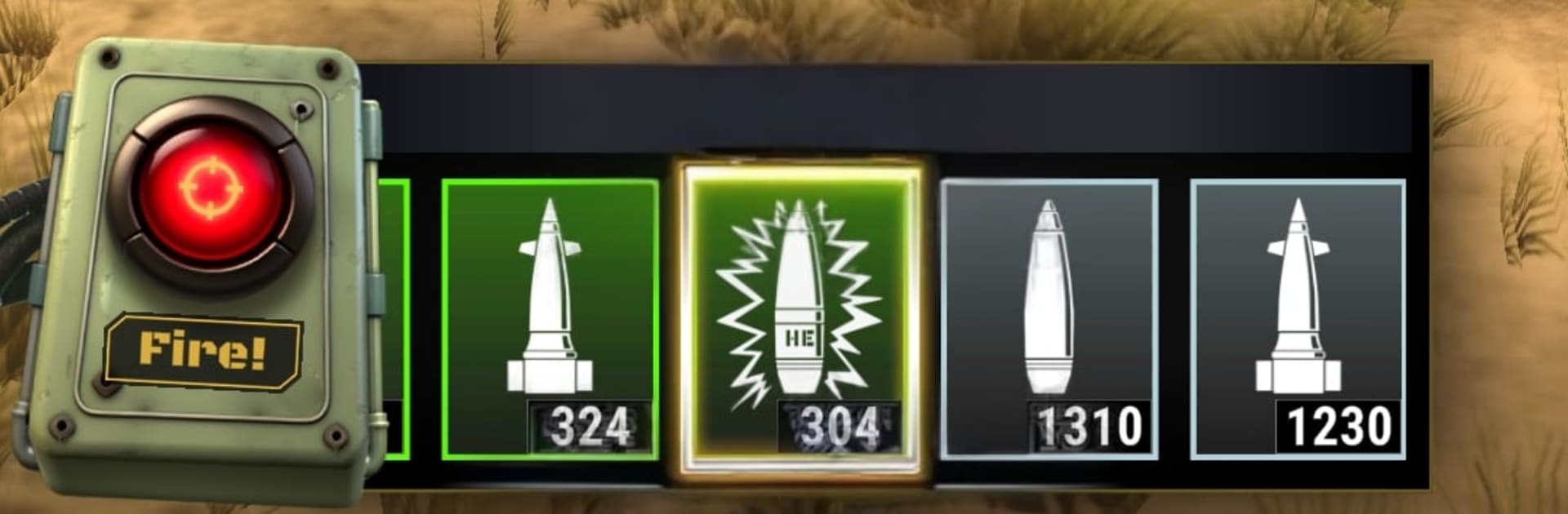
  • Tactical loadouts: Swap between ammo types and artillery pieces to fit the mission—blast clustered units, crack armor, or control choke points with the tools that suit your approach.
  • Evolving opposition: Face waves of different enemy types, each with their own quirks. Learn what they’re weak against and adjust your plan before they overrun the line.
  • State-by-state campaign: Fight across the map, secure key locations, and keep critical routes open. Each victory pushes the front forward and opens new challenges.
  • Mission roles that matter: Hold defense lines, provide covering fire, and back up advancing allies. Your placement and timing can flip a desperate skirmish into a clean win.
  • Upgrade path: Unlock and tune up stronger guns, faster reloads, and punchier shells. Build a setup that fits your style, from precise long-range shots to thunderous close support.
  • Quick reflexes meet strategy: Snap decisions and smart positioning go hand in hand—miss a beat and the enemy presses; hit your marks and the battlefield opens up.

Start your journey now. Download the game on BlueStacks, invite your friends, and march on a new adventure.


Game Features

Enhancements

  • Macros
  • Multi Instance
  • Multi Instance Sync
  • Eco Mode
  • Enhancements
Macros

Macros

Skip the boring parts of a game. Play Artillery: Fight For America with Macros and get the edge. Simply record a sequence of commands and execute them at any moment.
Multi Instance

Multi Instance

Why limit to one game on your phone when you can play many on your PC? Open multiple instances of Artillery: Fight For America at once with Multi-Instance. Leverage the power of different accounts by doing more.
Multi Instance Sync

Multi Instance Sync

Get the best out of Artillery: Fight For America with Multi-Instance Sync. Play the game from different accounts and build your own empire. Use Multi-instance sync to repeat the action in the main BlueStacks instance on all other instances.
Eco Mode

Eco Mode

Find the rarest heroes by making multiple summons in Artillery: Fight For America. And while you are at it, reduce your PC’s resource consumption with the Eco Mode. Farm efficiently. Get the best results.
Read More

How to Download and Play Artillery: Fight For America on PC or Mac

  • Download and install BlueStacks on your PC or Mac

  • Complete Google sign-in to access the Play Store, or do it later

  • Look for Artillery: Fight For America in the search bar at the top right corner

  • Click to install Artillery: Fight For America from the search results

  • Complete Google sign-in (if you skipped step 2) to install Artillery: Fight For America

  • Click the Artillery: Fight For America icon on the home screen to start playing

video
Watch Video

Minimum System Requirements

With BlueStacks 5, you can get started on a PC that fulfills the following requirements.

  • Operating System

    Microsoft Windows 7 or above, macOS 11 (Big Sur) or above

  • Processor

    Intel, AMD or Apple Silicon Processor

  • RAM

    at least 4GB

  • HDD

    10GB Free Disk Space

Note:

* You must be an Administrator on your PC. Up to date graphics drivers from Microsoft or the chipset vendor.

Artillery: Fight For America - FAQs

  • How to play Artillery: Fight For America on Windows PC & Mac?

    Play Artillery: Fight For America on your PC or Mac by following these simple steps.

    • Click on 'Play Artillery: Fight For America on PC’ to download BlueStacks
    • Install it and log-in to Google Play Store
    • Launch and play the game.
  • Why is BlueStacks the fastest and safest platform to play games on PC?

    BlueStacks respects your privacy and is always safe and secure to use. It does not carry any malware, spyware, or any sort of additional software that could harm your PC.

    It is engineered to optimize speed and performance for a seamless gaming experience.

  • What are Artillery: Fight For America PC requirements?

    Minimum requirement to run Artillery: Fight For America on your PC

    • OS: Microsoft Windows 7 or above MacOS 11 (Big Sur) or above
    • Processor: Intel, AMD or Apple Silicon Processor
    • RAM: Your PC must have at least 4GB of RAM. (Note that having 4GB or more disk space is not a substitute for RAM)
    • HDD: 10GB Free Disk Space.
    • You must be an Administrator on your PC.