Bloody Bastards
Bloody Bastards

Bloody Bastards

Action

| Tibith

Play on PC with BlueStacks or from our cloud

  • Overview
  • Game Features
  • How to Play

Page Modified On: April 09, 2026

Play Bloody Bastards on PC or Mac

From the innovators and creators at Tibith, Bloody Bastards is another fun addition to the World of Action games. Go beyond your mobile screen and play it bigger and better on your PC or Mac. An immersive experience awaits you.

About the Game

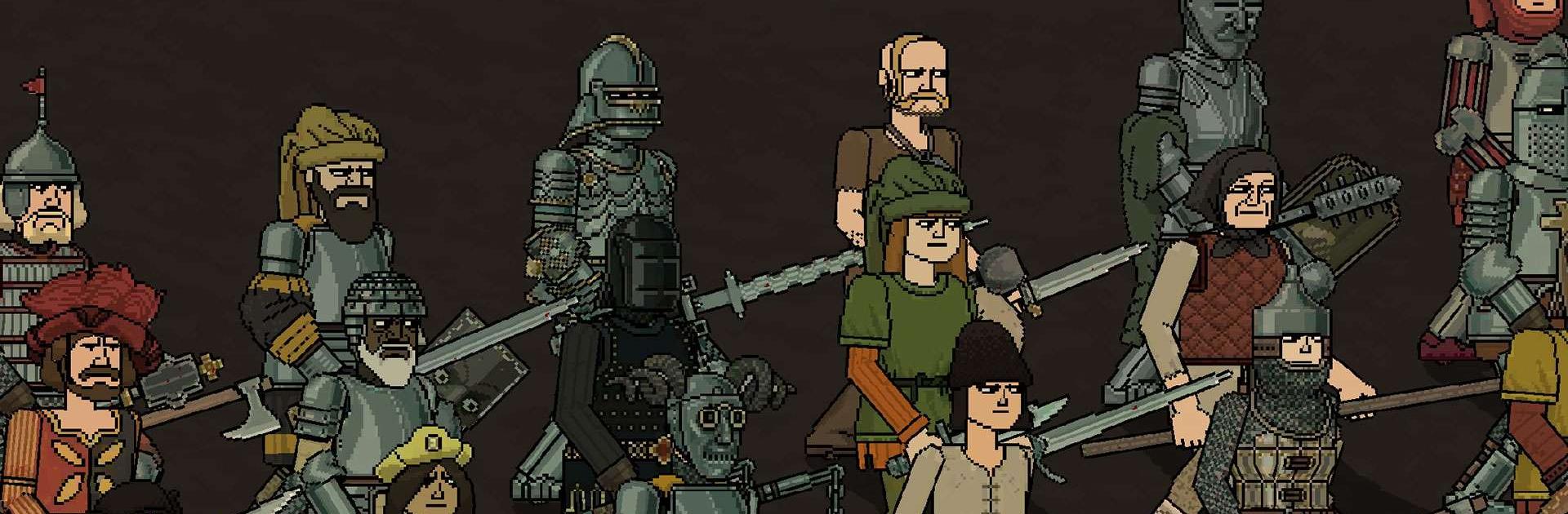
Bloody Bastards is a scrappy medieval brawler where physics call the shots and every swing can be a knockout—or a faceplant. You’ll square up against your not-so-loving brothers, throw wild punches with steel in both hands, and watch glorious ragdoll chaos unfold in chunky pixel art. It’s an Action game from Tibith that’s equal parts brutal and hilarious, especially when you finally land that perfect hit.

Game Features

  • Physics-Driven Combat: Momentum, weight, and timing matter. Weapons feel heavy, hits connect with force, and every exchange can turn into a spectacular tumble.
  • Dual-Hand Controls: Control each hand independently—tap and hold on either side to swing, block, and parry. Need to reposition? Quick double taps get your feet moving.
  • Huge Arsenal & Gear: Mix and match daggers, axes, swords, maces, hammers, shields, and tons of armor pieces to build your own lethal setup—thousands of combinations await.
  • Gritty Pixel Style: Chunky pixel art meets crunchy sound and ragdoll physics for fights that look rough, messy, and oddly satisfying.
  • Lots of Arenas & Stages: Battle across a wide spread of levels and locations, each with its own rhythm and room for creative mayhem.
  • Tough, Varied Enemies: Every stage throws different fighters at you—new weapons, new tempos, new headaches to solve.
  • Wild Multiplayer: Test your builds and reflexes against real players in chaotic online matchups that never feel the same twice.
  • Smooth on PC with BlueStacks: Prefer a bigger screen and precise controls? Play comfortably on your PC using BlueStacks without changing the spirit of the game.

Get ready for a buttery smooth, high-performance gaming action only on BlueStacks.

Game Features

Enhancements

  • Macros
  • Multi Instance
  • Multi Instance Sync
  • Eco Mode
  • Enhancements
Macros

Macros

Skip the boring parts of a game. Play Bloody Bastards with Macros and get the edge. Simply record a sequence of commands and execute them at any moment.
Multi Instance

Multi Instance

Why limit to one game on your phone when you can play many on your PC? Open multiple instances of Bloody Bastards at once with Multi-Instance. Leverage the power of different accounts by doing more.
Multi Instance Sync

Multi Instance Sync

Get the best out of Bloody Bastards with Multi-Instance Sync. Play the game from different accounts and build your own empire. Use Multi-instance sync to repeat the action in the main BlueStacks instance on all other instances.
Eco Mode

Eco Mode

Find the rarest heroes by making multiple summons in Bloody Bastards. And while you are at it, reduce your PC’s resource consumption with the Eco Mode. Farm efficiently. Get the best results.
Read More

How to Download and Play Bloody Bastards on PC or Mac

  • Download and install BlueStacks on your PC or Mac

  • Complete Google sign-in to access the Play Store, or do it later

  • Look for Bloody Bastards in the search bar at the top right corner

  • Click to install Bloody Bastards from the search results

  • Complete Google sign-in (if you skipped step 2) to install Bloody Bastards

  • Click the Bloody Bastards icon on the home screen to start playing

video
Watch Video

Minimum System Requirements

With BlueStacks 5, you can get started on a PC that fulfills the following requirements.

  • Operating System

    Microsoft Windows 7 or above, macOS 11 (Big Sur) or above

  • Processor

    Intel, AMD or Apple Silicon Processor

  • RAM

    at least 4GB

  • HDD

    10GB Free Disk Space

Note:

* You must be an Administrator on your PC. Up to date graphics drivers from Microsoft or the chipset vendor.

Bloody Bastards - FAQs

  • How to play Bloody Bastards on Windows PC & Mac?

    Play Bloody Bastards on your PC or Mac by following these simple steps.

    • Click on 'Play Bloody Bastards on PC’ to download BlueStacks
    • Install it and log-in to Google Play Store
    • Launch and play the game.
  • Why is BlueStacks the fastest and safest platform to play games on PC?

    BlueStacks respects your privacy and is always safe and secure to use. It does not carry any malware, spyware, or any sort of additional software that could harm your PC.

    It is engineered to optimize speed and performance for a seamless gaming experience.

  • What are Bloody Bastards PC requirements?

    Minimum requirement to run Bloody Bastards on your PC

    • OS: Microsoft Windows 7 or above MacOS 11 (Big Sur) or above
    • Processor: Intel, AMD or Apple Silicon Processor
    • RAM: Your PC must have at least 4GB of RAM. (Note that having 4GB or more disk space is not a substitute for RAM)
    • HDD: 10GB Free Disk Space.
    • You must be an Administrator on your PC.