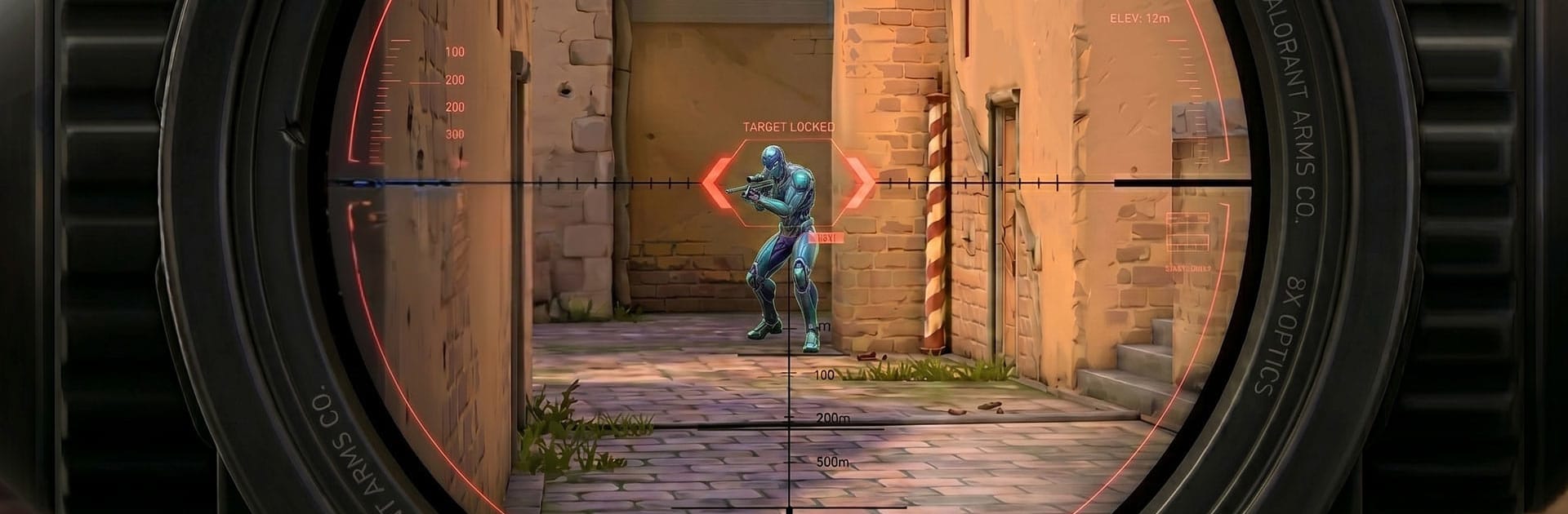
Covert Strike Shooting Games

Covert Strike Shooting Games

Action

| Salu tech

Play on PC with BlueStacks or from our cloud

  • Overview
  • Game Features
  • How to Play

Page Modified On: June 09, 2026

Play Covert Strike Shooting Games on PC or Mac

Bring your A-game to Covert Strike Shooting Games, the Action game sensation from Salu tech. Give your gameplay the much-needed boost with precise game controls, high FPS graphics, and top-tier features on your PC or Mac with BlueStacks.

About the Game

Covert Strike Shooting Games throws you into high-stakes missions where planning smart and shooting sharper both matter. You’re an elite operative slipping through tense hotspots, clearing rooms, and making split-second calls when everything goes loud. Prefer mouse and keyboard? It runs smoothly on PC with BlueStacks, too.

Game Features

  • First-person action – Feel every shot and sprint in tight, responsive gunfights that reward quick reflexes and clean aim.
  • Pick your approach – Sneak past patrols with suppressed weapons or storm the objective head-on; each mission supports different playstyles.
  • Custom loadouts – Build the kit you actually want: rifles, sidearms, scopes, throwables, and gadgets that change how you tackle objectives.
  • Varied battlegrounds – Fight through crowded city blocks, fortified compounds, and other hostile zones that demand different tactics.
  • Solo missions – Tense, objective-based scenarios where you scout, breach, extract, and get out before backup arrives.
  • Competitive modes – Square off against other players in team-focused matchups that reward communication, flanking, and good timing.
  • Survival challenges – Hold the line as waves get tougher, forcing you to manage ammo, gear, and positioning under pressure.
  • Smart movement and cover – Slide into cover, peek angles, and reposition to outplay enemies instead of trading bullets in the open.
  • Clean controls and feedback – Snappy handling, punchy hit reactions, and clear audio cues help you track threats and stay alive.
  • Skill-first combat – Precision, timing, and map knowledge matter more than luck, making every win feel earned.

Get ready for a buttery smooth, high-performance gaming action only on BlueStacks.

Game Features

Enhancements

  • Macros
  • Multi Instance
  • Multi Instance Sync
  • Eco Mode
  • Enhancements
Macros

Macros

Skip the boring parts of a game. Play Covert Strike Shooting Games with Macros and get the edge. Simply record a sequence of commands and execute them at any moment.
Multi Instance

Multi Instance

Why limit to one game on your phone when you can play many on your PC? Open multiple instances of Covert Strike Shooting Games at once with Multi-Instance. Leverage the power of different accounts by doing more.
Multi Instance Sync

Multi Instance Sync

Get the best out of Covert Strike Shooting Games with Multi-Instance Sync. Play the game from different accounts and build your own empire. Use Multi-instance sync to repeat the action in the main BlueStacks instance on all other instances.
Eco Mode

Eco Mode

Find the rarest heroes by making multiple summons in Covert Strike Shooting Games. And while you are at it, reduce your PC’s resource consumption with the Eco Mode. Farm efficiently. Get the best results.
Read More

How to Download and Play Covert Strike Shooting Games on PC or Mac

  • Download and install BlueStacks on your PC or Mac

  • Complete Google sign-in to access the Play Store, or do it later

  • Look for Covert Strike Shooting Games in the search bar at the top right corner

  • Click to install Covert Strike Shooting Games from the search results

  • Complete Google sign-in (if you skipped step 2) to install Covert Strike Shooting Games

  • Click the Covert Strike Shooting Games icon on the home screen to start playing

video
Watch Video

Minimum System Requirements

With BlueStacks 5, you can get started on a PC that fulfills the following requirements.

  • Operating System

    Microsoft Windows 7 or above, macOS 11 (Big Sur) or above

  • Processor

    Intel, AMD or Apple Silicon Processor

  • RAM

    at least 4GB

  • HDD

    10GB Free Disk Space

Note:

* You must be an Administrator on your PC. Up to date graphics drivers from Microsoft or the chipset vendor.

Covert Strike Shooting Games - FAQs

  • How to play Covert Strike Shooting Games on Windows PC & Mac?

    Play Covert Strike Shooting Games on your PC or Mac by following these simple steps.

    • Click on 'Play Covert Strike Shooting Games on PC’ to download BlueStacks
    • Install it and log-in to Google Play Store
    • Launch and play the game.
  • Why is BlueStacks the fastest and safest platform to play games on PC?

    BlueStacks respects your privacy and is always safe and secure to use. It does not carry any malware, spyware, or any sort of additional software that could harm your PC.

    It is engineered to optimize speed and performance for a seamless gaming experience.

  • What are Covert Strike Shooting Games PC requirements?

    Minimum requirement to run Covert Strike Shooting Games on your PC

    • OS: Microsoft Windows 7 or above MacOS 11 (Big Sur) or above
    • Processor: Intel, AMD or Apple Silicon Processor
    • RAM: Your PC must have at least 4GB of RAM. (Note that having 4GB or more disk space is not a substitute for RAM)
    • HDD: 10GB Free Disk Space.
    • You must be an Administrator on your PC.