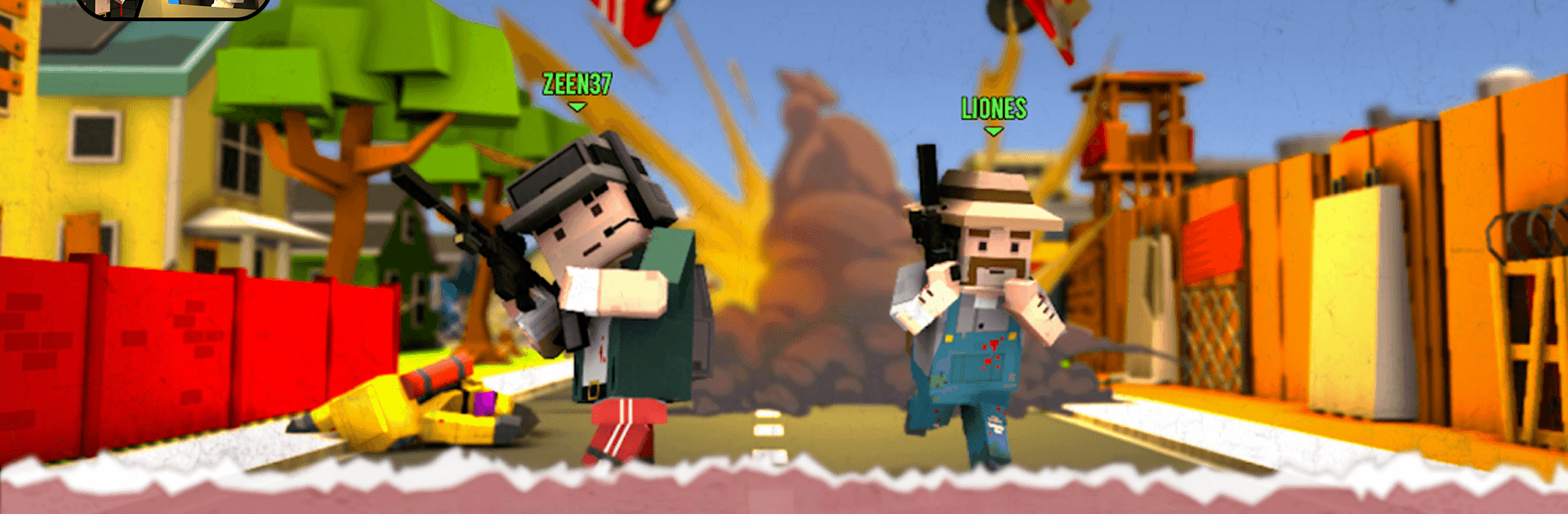
Craft Theft War
Craft Theft War

Craft Theft War

Action

| Luster To Alive

Play on PC with BlueStacks or from our cloud

  • Overview
  • Game Features
  • How to Play

Page Modified On: August 20, 2026

Play Craft Theft War on PC or Mac

Craft Theft War by Luster To Alive has plenty to keep you busy. BlueStacks lets you play it on PC or Mac with more screen space, better control, and fewer mobile limits.

About the Game

Craft Theft War is a lively mashup of open-world sandbox chaos and online mayhem. This Action game swings from street races to offbeat missions and unpredictable shootouts, all while you’re hanging out with a buzzing community. Expect a huge map to mess around in, plenty of tools to cause (or fix) trouble, and tons of room for your crew to make their own stories.

Game Features

  • Open-world freedom: Wander a massive city, pick your pace, and start something—or slip away—whenever the mood hits.
  • Fast cars and wilder chases: Snag a ride, push the needle past red, and weave through traffic or tail a target with burning rubber.
  • Flexible online modes: Jump between competitive face-offs and chill co-op runs, then swap stories in the lobby with friends or strangers.
  • Offbeat missions and goofy chaos: Team up for creative tasks where clever plans, lucky breaks, and hilarious physics all count.
  • Sharpshooter gear: Line up clean shots with scoped rifles and precision tools that reward patience and steady aim.
  • Apocalyptic ruins to explore: Pick through crumbled districts, uncover hidden stashes, and piece together secrets the city tried to bury.
  • Lively community energy: Meet new players, form crews, and roll into spontaneous street wars or silly side antics at a moment’s notice.
  • Sandbox life sim touches: Try odd jobs, mini activities, and small experiments that scratch that “what if I could…?” itch.
  • Play comfortably on PC: Prefer a bigger screen and crisp controls? Run Craft Theft War on BlueStacks for a smooth setup without fuss.

Get ready for a buttery smooth, high-performance gaming action only on BlueStacks.

Game Features

Enhancements

  • Macros
  • Multi Instance
  • Multi Instance Sync
  • Eco Mode
  • Enhancements
Macros

Macros

Skip the boring parts of a game. Play Craft Theft War with Macros and get the edge. Simply record a sequence of commands and execute them at any moment.
Multi Instance

Multi Instance

Why limit to one game on your phone when you can play many on your PC? Open multiple instances of Craft Theft War at once with Multi-Instance. Leverage the power of different accounts by doing more.
Multi Instance Sync

Multi Instance Sync

Get the best out of Craft Theft War with Multi-Instance Sync. Play the game from different accounts and build your own empire. Use Multi-instance sync to repeat the action in the main BlueStacks instance on all other instances.
Eco Mode

Eco Mode

Find the rarest heroes by making multiple summons in Craft Theft War. And while you are at it, reduce your PC’s resource consumption with the Eco Mode. Farm efficiently. Get the best results.
Read More

How to Download and Play Craft Theft War on PC or Mac

  • Download and install BlueStacks on your PC or Mac

  • Complete Google sign-in to access the Play Store, or do it later

  • Look for Craft Theft War in the search bar at the top right corner

  • Click to install Craft Theft War from the search results

  • Complete Google sign-in (if you skipped step 2) to install Craft Theft War

  • Click the Craft Theft War icon on the home screen to start playing

video
Watch Video

Minimum System Requirements

With BlueStacks 5, you can get started on a PC that fulfills the following requirements.

  • Operating System

    Microsoft Windows 7 or above, macOS 11 (Big Sur) or above

  • Processor

    Intel, AMD or Apple Silicon Processor

  • RAM

    at least 4GB

  • HDD

    10GB Free Disk Space

Note:

* You must be an Administrator on your PC. Up to date graphics drivers from Microsoft or the chipset vendor.

Craft Theft War - FAQs

  • How to play Craft Theft War on Windows PC & Mac?

    Play Craft Theft War on your PC or Mac by following these simple steps.

    • Click on 'Play Craft Theft War on PC’ to download BlueStacks
    • Install it and log-in to Google Play Store
    • Launch and play the game.
  • Why is BlueStacks the fastest and safest platform to play games on PC?

    BlueStacks respects your privacy and is always safe and secure to use. It does not carry any malware, spyware, or any sort of additional software that could harm your PC.

    It is engineered to optimize speed and performance for a seamless gaming experience.

  • What are Craft Theft War PC requirements?

    Minimum requirement to run Craft Theft War on your PC

    • OS: Microsoft Windows 7 or above MacOS 11 (Big Sur) or above
    • Processor: Intel, AMD or Apple Silicon Processor
    • RAM: Your PC must have at least 4GB of RAM. (Note that having 4GB or more disk space is not a substitute for RAM)
    • HDD: 10GB Free Disk Space.
    • You must be an Administrator on your PC.