Desert Helicopter Strike 3D

Desert Helicopter Strike 3D

Action

| Take Top Entertainment

Play on PC with BlueStacks or from our cloud

  • Overview
  • Game Features
  • How to Play

Page Modified On: April 21, 2026

Play Desert Helicopter Strike 3D on PC or Mac

Join millions to experience Desert Helicopter Strike 3D, an exciting Action game from Take Top Entertainment. With BlueStacks App Player, you are always a step ahead of your opponent, ready to outplay them with faster gameplay and better control with the mouse and keyboard on your PC or Mac.

About the Game

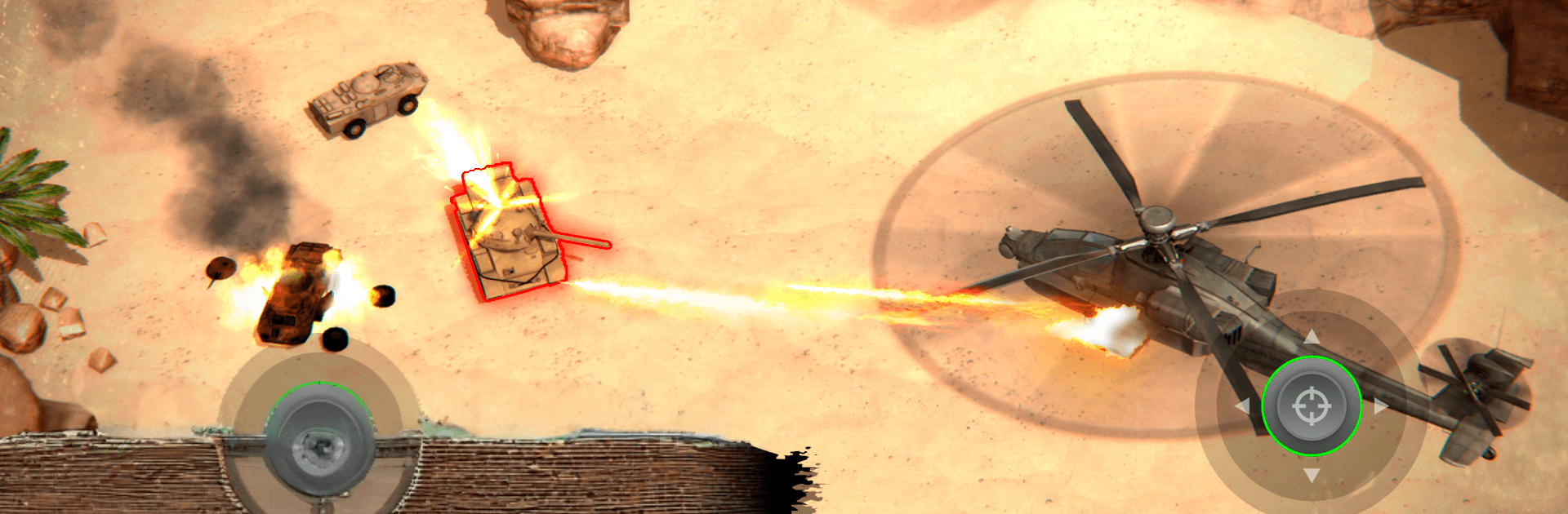
Desert Helicopter Strike 3D is a gritty Action shooter from Take Top Entertainment that puts you in the cockpit of a modern attack chopper. You chart your own route across sprawling battle zones, pick your targets, and decide how hard to hit them—precision bursts or full-on airstrikes. It’s fully playable offline and built around smooth, responsive controls, so you can jump straight into the fight.

Game Features

  • Authentic chopper feel: Fly helicopters inspired by real-world models, with a crisp top-down camera that keeps the whole battlefield in view while you weave, strafe, and strike.
  • Destruction that matters: Shred tanks, AA emplacements, turrets, convoys, trains, boats, and entrenched infantry. Bridges crumble, fuel barrels erupt, and each weapon packs its own punch.
  • Mission variety: Clear out enemy forces, capture fortified bases, knock out strategic infrastructure, or extract sensitive cargo under fire.
  • Your loadout, your call: Unlock new helicopters and kit them out with machine guns, unguided rockets, and homing missiles. Upgrade armor, engines, and weapon systems to tailor your ride.
  • Tactical freedom: Scout patrol routes, study enemy behavior, and choose whether to snipe from range or blitz in low with maximum firepower.
  • Big open maps: Pick your flight path through wide, detailed arenas designed for flanking runs, surprise angles, and daring escapes.
  • Touch controls that click: Steer with your left thumb, aim and swap weapons with your right. Prefer to focus on flying? Let the built-in auto-targeting handle the aiming.
  • Tough opponents: Face layered defenses and powerful bosses that force you to adapt your approach and loadout.
  • Offline by design: No connection needed—run sorties anytime, anywhere.
  • PC-friendly option: Want a bigger view and custom keymapping? Play on BlueStacks for smooth controls and plenty of screen real estate.

Get ready for a buttery smooth, high-performance gaming action only on BlueStacks.

Game Features

Enhancements

  • Macros
  • Multi Instance
  • Multi Instance Sync
  • Eco Mode
  • Enhancements
Macros

Macros

Skip the boring parts of a game. Play Desert Helicopter Strike 3D with Macros and get the edge. Simply record a sequence of commands and execute them at any moment.
Multi Instance

Multi Instance

Why limit to one game on your phone when you can play many on your PC? Open multiple instances of Desert Helicopter Strike 3D at once with Multi-Instance. Leverage the power of different accounts by doing more.
Multi Instance Sync

Multi Instance Sync

Get the best out of Desert Helicopter Strike 3D with Multi-Instance Sync. Play the game from different accounts and build your own empire. Use Multi-instance sync to repeat the action in the main BlueStacks instance on all other instances.
Eco Mode

Eco Mode

Find the rarest heroes by making multiple summons in Desert Helicopter Strike 3D. And while you are at it, reduce your PC’s resource consumption with the Eco Mode. Farm efficiently. Get the best results.
Read More

How to Download and Play Desert Helicopter Strike 3D on PC or Mac

  • Download and install BlueStacks on your PC or Mac

  • Complete Google sign-in to access the Play Store, or do it later

  • Look for Desert Helicopter Strike 3D in the search bar at the top right corner

  • Click to install Desert Helicopter Strike 3D from the search results

  • Complete Google sign-in (if you skipped step 2) to install Desert Helicopter Strike 3D

  • Click the Desert Helicopter Strike 3D icon on the home screen to start playing

video
Watch Video

Minimum System Requirements

With BlueStacks 5, you can get started on a PC that fulfills the following requirements.

  • Operating System

    Microsoft Windows 7 or above, macOS 11 (Big Sur) or above

  • Processor

    Intel, AMD or Apple Silicon Processor

  • RAM

    at least 4GB

  • HDD

    10GB Free Disk Space

Note:

* You must be an Administrator on your PC. Up to date graphics drivers from Microsoft or the chipset vendor.

Desert Helicopter Strike 3D - FAQs

  • How to play Desert Helicopter Strike 3D on Windows PC & Mac?

    Play Desert Helicopter Strike 3D on your PC or Mac by following these simple steps.

    • Click on 'Play Desert Helicopter Strike 3D on PC’ to download BlueStacks
    • Install it and log-in to Google Play Store
    • Launch and play the game.
  • Why is BlueStacks the fastest and safest platform to play games on PC?

    BlueStacks respects your privacy and is always safe and secure to use. It does not carry any malware, spyware, or any sort of additional software that could harm your PC.

    It is engineered to optimize speed and performance for a seamless gaming experience.

  • What are Desert Helicopter Strike 3D PC requirements?

    Minimum requirement to run Desert Helicopter Strike 3D on your PC

    • OS: Microsoft Windows 7 or above MacOS 11 (Big Sur) or above
    • Processor: Intel, AMD or Apple Silicon Processor
    • RAM: Your PC must have at least 4GB of RAM. (Note that having 4GB or more disk space is not a substitute for RAM)
    • HDD: 10GB Free Disk Space.
    • You must be an Administrator on your PC.