Dhot Design: The Night Shift

Dhot Design: The Night Shift

Action

| Arcadesindo Games

Play on PC with BlueStacks or from our cloud

  • Overview
  • Game Features
  • How to Play

Page Modified On: September 11, 2026

Play Dhot Design: The Night Shift on PC or Mac

Bring your A-game to Dhot Design: The Night Shift, the Action game sensation from Arcadesindo Games. Give your gameplay the much-needed boost with precise game controls, high FPS graphics, and top-tier features on your PC or Mac with BlueStacks.

About the Game

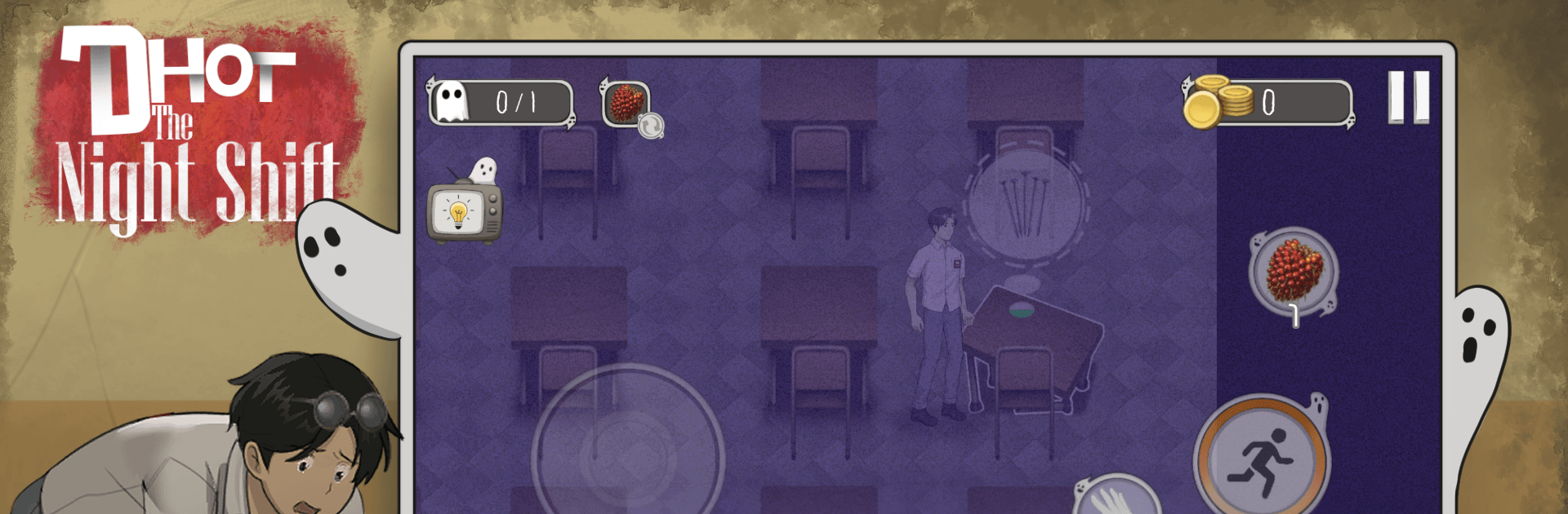
Dhot Design: The Night Shift throws you into a creepy (and oddly hilarious) school after hours, where one broke student is stuck doing janitor-slash-guard work to pay off his class debt. It’s an Action romp that blends stealth, jump scares, and slapstick chaos as you tiptoe past ghosts, fix weird anomalies, and hustle for coins before sunrise. Prefer a bigger screen and comfy controls? It plays great on BlueStacks without getting in the way of the fun.

Game Features

  • Night-Shift Survival: Explore dark corridors and classrooms, fix bizarre anomalies, and hang on till the morning bell without becoming a hallway legend yourself.
  • Sneak, Sprint, or Hide: Listen for footsteps, creep past threats, dash to the Safe Zone, or duck out of sight when things get way too close.
  • Local Legends, Real Scares: Face infamous ghosts like Pocong and Kuntilanak—chilling one second, ridiculous the next—keeping every encounter unpredictable.
  • Improv Weapons, School-Style: Toss sand to blind, hit ’em with salt and onions to stun, scatter marbles or palm fruits for slapstick slips, or launch an LPG gas cylinder when chaos is the only answer.
  • Coins for Clearance: Grab coins between scares to chip away at Dhot’s debt and unlock more goodies along the way.
  • Gacha Lockers and Wild Fits: Crack open special lockers and bags to collect a huge lineup of goofy skins—mix, match, and make your own brand of night-shift chic.
  • Comedy in the Chaos: Original voice acting spices up the panic with perfectly mistimed jokes while you’re repairing, hiding, or getting absolutely busted.
  • Flashlight Frights: A fading beam, tight spaces, and punchy jump scares keep your nerves buzzing—even when you’re laughing through it.

Get ready for a buttery smooth, high-performance gaming action only on BlueStacks.

Game Features

Enhancements

  • Macros
  • Multi Instance
  • Multi Instance Sync
  • Eco Mode
  • Enhancements
Macros

Macros

Skip the boring parts of a game. Play Dhot Design: The Night Shift with Macros and get the edge. Simply record a sequence of commands and execute them at any moment.
Multi Instance

Multi Instance

Why limit to one game on your phone when you can play many on your PC? Open multiple instances of Dhot Design: The Night Shift at once with Multi-Instance. Leverage the power of different accounts by doing more.
Multi Instance Sync

Multi Instance Sync

Get the best out of Dhot Design: The Night Shift with Multi-Instance Sync. Play the game from different accounts and build your own empire. Use Multi-instance sync to repeat the action in the main BlueStacks instance on all other instances.
Eco Mode

Eco Mode

Find the rarest heroes by making multiple summons in Dhot Design: The Night Shift. And while you are at it, reduce your PC’s resource consumption with the Eco Mode. Farm efficiently. Get the best results.
Read More

How to Download and Play Dhot Design: The Night Shift on PC or Mac

  • Download and install BlueStacks on your PC or Mac

  • Complete Google sign-in to access the Play Store, or do it later

  • Look for Dhot Design: The Night Shift in the search bar at the top right corner

  • Click to install Dhot Design: The Night Shift from the search results

  • Complete Google sign-in (if you skipped step 2) to install Dhot Design: The Night Shift

  • Click the Dhot Design: The Night Shift icon on the home screen to start playing

video
Watch Video

Minimum System Requirements

With BlueStacks 5, you can get started on a PC that fulfills the following requirements.

  • Operating System

    Microsoft Windows 7 or above, macOS 11 (Big Sur) or above

  • Processor

    Intel, AMD or Apple Silicon Processor

  • RAM

    at least 4GB

  • HDD

    10GB Free Disk Space

Note:

* You must be an Administrator on your PC. Up to date graphics drivers from Microsoft or the chipset vendor.

Dhot Design: The Night Shift - FAQs

  • How to play Dhot Design: The Night Shift on Windows PC & Mac?

    Play Dhot Design: The Night Shift on your PC or Mac by following these simple steps.

    • Click on 'Play Dhot Design: The Night Shift on PC’ to download BlueStacks
    • Install it and log-in to Google Play Store
    • Launch and play the game.
  • Why is BlueStacks the fastest and safest platform to play games on PC?

    BlueStacks respects your privacy and is always safe and secure to use. It does not carry any malware, spyware, or any sort of additional software that could harm your PC.

    It is engineered to optimize speed and performance for a seamless gaming experience.

  • What are Dhot Design: The Night Shift PC requirements?

    Minimum requirement to run Dhot Design: The Night Shift on your PC

    • OS: Microsoft Windows 7 or above MacOS 11 (Big Sur) or above
    • Processor: Intel, AMD or Apple Silicon Processor
    • RAM: Your PC must have at least 4GB of RAM. (Note that having 4GB or more disk space is not a substitute for RAM)
    • HDD: 10GB Free Disk Space.
    • You must be an Administrator on your PC.