Detective S: Mystery Puzzle

Detective S: Mystery Puzzle

Adventure

| Rawhand Games

Play on PC with BlueStacks or from our cloud

  • Overview
  • Game Features
  • How to Play

Page Modified On: June 09, 2026

Play Detective S: Mystery Puzzle on PC or Mac

Detective S: Mystery Puzzle brings the Adventure genre to life, and throws up exciting challenges for gamers. Developed by Rawhand Games, this Android game is best experienced on BlueStacks, the World’s #1 app player for PC and Mac users.

About the Game

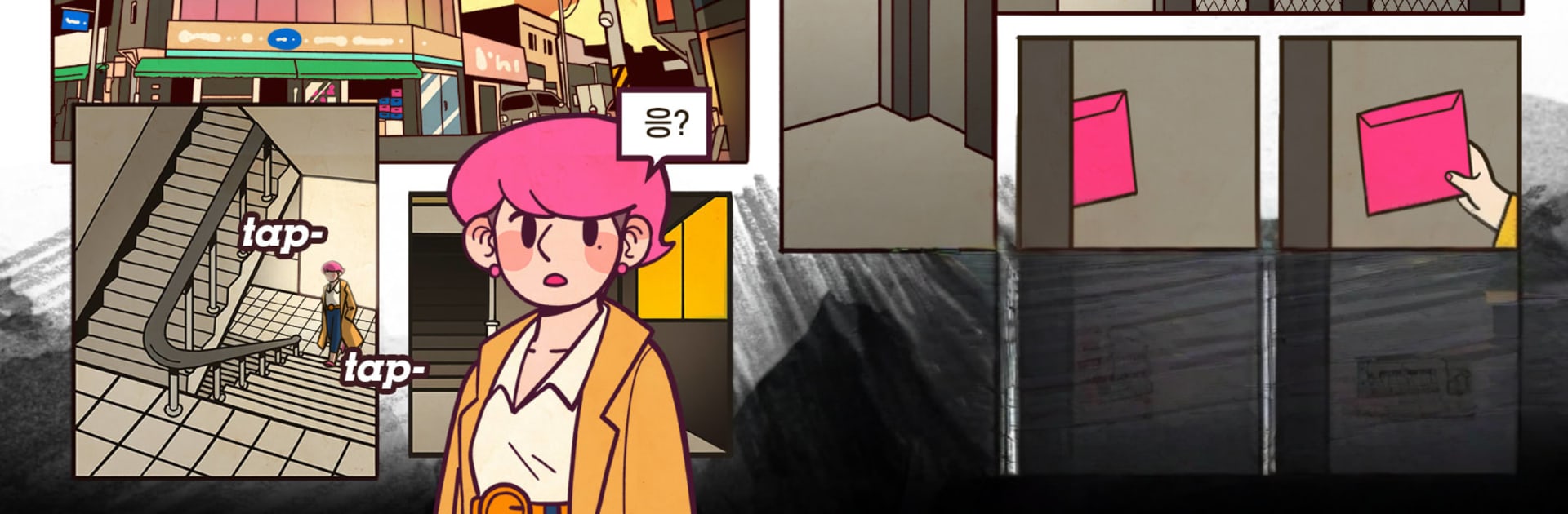
Detective S: Mystery Puzzle is an Adventure that mixes culprit-hunting with sharp-eyed scene analysis. You play as S, a determined investigator chasing a cold trail tied to a strange wooden button carved with a snake—an emblem that keeps resurfacing in unsolved murders. Expect a story told like a webtoon, puzzles that reward careful observation, and that satisfying moment when all the evidence finally lines up.

Game Features

  • Spot-the-difference crime scenes: Compare paired versions of each scene to catch what’s off—moved objects, hidden stains, swapped items—and turn those tiny discrepancies into solid leads.

  • Four suspects, one arrest: Each case narrows to a small pool of suspects. Match the weapon, motive, and key evidence you’ve collected to the right person, then make the arrest. Pick wrong, and you’ll feel it.

  • Webtoon-style storytelling: Follow the case chapter by chapter with comic-style panels, dynamic angles, and dialogue that reveals who’s connected to whom—and who’s lying.

  • Talk your way to the truth: Interrogate suspects, press on inconsistencies, and use chat-style conversations to pry out hints that aren’t obvious from the scene alone.

  • From tape line to toolbox: It’s not just crime scenes. Search suspects’ belongings, alleys, apartments—anywhere a clue could hide—and piece together how each object fits the bigger case.

  • The “button” murders thread: That snake-carved wooden button keeps turning up. As S digs deeper, patterns emerge across old files and fresh scenes, tying your current puzzles to a decade-old tragedy.

  • Easy to pick up, tough to outsmart: Quick rounds are perfect for a few minutes, but thorough investigators will find extra details that change the whole read of a scene.

  • Looks sharp on PC: If you like spotting tiny details on a bigger display, playing on BlueStacks makes those small visual differences easier to catch.

Start your journey now. Download the game on BlueStacks, invite your friends, and march on a new adventure.


Game Features

Enhancements

  • Macros
  • Multi Instance
  • Multi Instance Sync
  • Script
  • Enhancements
Macros

Macros

Automate the predictable in Detective S: Mystery Puzzle and transform your gameplay with Macros. Get access to inventive Macros in the BlueStacks Macro Community
Multi Instance

Multi Instance

Play Detective S: Mystery Puzzle on one window. And chat with your friend on the other. Press CTRL + Shift + 8 to open the Multi-Instance Manager. And start creating fresh instances or clone an existing one.
Multi Instance Sync

Multi Instance Sync

Play Detective S: Mystery Puzzle with the power of Multi-Instance Sync. Replicate what you are doing on the main instance on all other instances. Level up faster, play more.
Script

Script

Script your way to gaming glory in Detective S: Mystery Puzzle with BlueStacks Script. Write and run a set of commands to automate repeated tasks. Trigger the command by assigning it to any key.
Read More

How to Download and Play Detective S: Mystery Puzzle on PC or Mac

  • Download and install BlueStacks on your PC or Mac

  • Complete Google sign-in to access the Play Store, or do it later

  • Look for Detective S: Mystery Puzzle in the search bar at the top right corner

  • Click to install Detective S: Mystery Puzzle from the search results

  • Complete Google sign-in (if you skipped step 2) to install Detective S: Mystery Puzzle

  • Click the Detective S: Mystery Puzzle icon on the home screen to start playing

video
Watch Video

Minimum System Requirements

With BlueStacks 5, you can get started on a PC that fulfills the following requirements.

  • Operating System

    Microsoft Windows 7 or above, macOS 11 (Big Sur) or above

  • Processor

    Intel, AMD or Apple Silicon Processor

  • RAM

    at least 4GB

  • HDD

    10GB Free Disk Space

Note:

* You must be an Administrator on your PC. Up to date graphics drivers from Microsoft or the chipset vendor.

Detective S: Mystery Puzzle - FAQs

  • How to play Detective S: Mystery Puzzle on Windows PC & Mac?

    Play Detective S: Mystery Puzzle on your PC or Mac by following these simple steps.

    • Click on 'Play Detective S: Mystery Puzzle on PC’ to download BlueStacks
    • Install it and log-in to Google Play Store
    • Launch and play the game.
  • Why is BlueStacks the fastest and safest platform to play games on PC?

    BlueStacks respects your privacy and is always safe and secure to use. It does not carry any malware, spyware, or any sort of additional software that could harm your PC.

    It is engineered to optimize speed and performance for a seamless gaming experience.

  • What are Detective S: Mystery Puzzle PC requirements?

    Minimum requirement to run Detective S: Mystery Puzzle on your PC

    • OS: Microsoft Windows 7 or above MacOS 11 (Big Sur) or above
    • Processor: Intel, AMD or Apple Silicon Processor
    • RAM: Your PC must have at least 4GB of RAM. (Note that having 4GB or more disk space is not a substitute for RAM)
    • HDD: 10GB Free Disk Space.
    • You must be an Administrator on your PC.