Dud Gang: Grand Force Battle

Dud Gang: Grand Force Battle

Action

| Three Broke Sellers LLC

Play on PC with BlueStacks or from our cloud

  • Overview
  • Game Features
  • How to Play

Page Modified On: September 11, 2026

Play Dud Gang: Grand Force Battle on PC or Mac

Step into the World of Dud Gang: Grand Force Battle, a thrilling Action game from the house of Three Broke Sellers LLC. Play this Android game on BlueStacks App Player and experience immersive gaming on PC or Mac.

About the Game

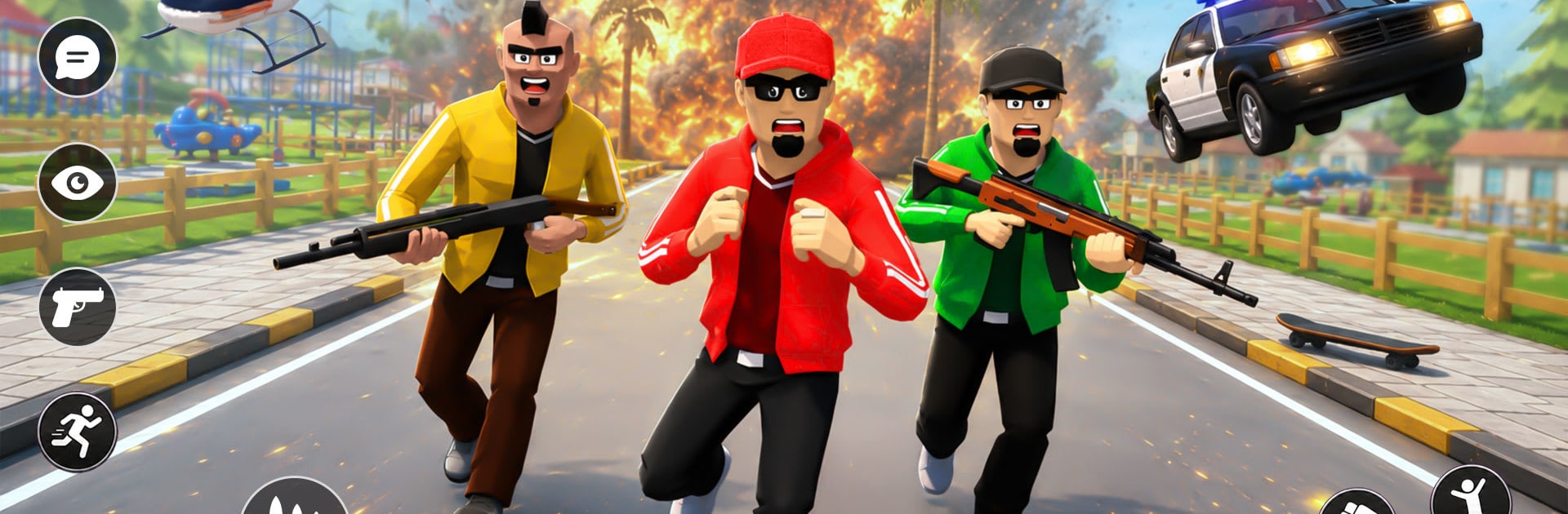
Dud Gang: Grand Force Battle is an Action sandbox set in a sprawling city where every block can turn into a chase, a shootout, or a quick getaway. You’re free to pick missions, switch vehicles, and stir up trouble across a connected urban map—then cool off with a quiet patrol if you feel like changing gears. Want it on a bigger screen with smooth controls? It plays nicely on BlueStacks.

Game Features

  • Open-World City: Roam a packed urban playground of streets, alleys, rooftops, and landmarks, moving between objectives without loading screens.
  • Mission Variety: Bounce between pursuits, patrols, street fights, and checkpoint runs—each with its own pacing and goals.
  • High-Speed Chases: Weave through traffic while coordinated police units try to pin you down using routes, blockers, and tight turns.
  • Rival Gangs: Clash with crews that guard territory, set ambushes, and force you to adapt from quick brawls to full-on firefights.
  • Responsive Combat: Mix weapons with agile movement to control space in narrow corridors or hold your ground on wide boulevards.
  • Cars and Bikes: Swap from muscle cars to agile motorbikes to suit the job—blast down highways or slip through cramped side streets.
  • Patrol Play: Flip the script with patrol-style objectives, following routes, responding to incidents, and keeping order under pressure.
  • Checkpoints and Routing: Learn smart lines through the city as missions use checkpoints and timing to test your navigation skills.
  • Offline-Friendly Sections: Keep playing selected modes and missions even when you’re not connected, perfect for quick sessions.

Start your journey now. Download the game on BlueStacks, invite your friends, and march on a new adventure.


Game Features

Enhancements

  • Macros
  • Multi Instance
  • Multi Instance Sync
  • Eco Mode
  • Enhancements
Macros

Macros

Skip the boring parts of a game. Play Dud Gang: Grand Force Battle with Macros and get the edge. Simply record a sequence of commands and execute them at any moment.
Multi Instance

Multi Instance

Why limit to one game on your phone when you can play many on your PC? Open multiple instances of Dud Gang: Grand Force Battle at once with Multi-Instance. Leverage the power of different accounts by doing more.
Multi Instance Sync

Multi Instance Sync

Get the best out of Dud Gang: Grand Force Battle with Multi-Instance Sync. Play the game from different accounts and build your own empire. Use Multi-instance sync to repeat the action in the main BlueStacks instance on all other instances.
Eco Mode

Eco Mode

Find the rarest heroes by making multiple summons in Dud Gang: Grand Force Battle. And while you are at it, reduce your PC’s resource consumption with the Eco Mode. Farm efficiently. Get the best results.
Read More

How to Download and Play Dud Gang: Grand Force Battle on PC or Mac

  • Download and install BlueStacks on your PC or Mac

  • Complete Google sign-in to access the Play Store, or do it later

  • Look for Dud Gang: Grand Force Battle in the search bar at the top right corner

  • Click to install Dud Gang: Grand Force Battle from the search results

  • Complete Google sign-in (if you skipped step 2) to install Dud Gang: Grand Force Battle

  • Click the Dud Gang: Grand Force Battle icon on the home screen to start playing

video
Watch Video

Minimum System Requirements

With BlueStacks 5, you can get started on a PC that fulfills the following requirements.

  • Operating System

    Microsoft Windows 7 or above, macOS 11 (Big Sur) or above

  • Processor

    Intel, AMD or Apple Silicon Processor

  • RAM

    at least 4GB

  • HDD

    10GB Free Disk Space

Note:

* You must be an Administrator on your PC. Up to date graphics drivers from Microsoft or the chipset vendor.

Dud Gang: Grand Force Battle - FAQs

  • How to play Dud Gang: Grand Force Battle on Windows PC & Mac?

    Play Dud Gang: Grand Force Battle on your PC or Mac by following these simple steps.

    • Click on 'Play Dud Gang: Grand Force Battle on PC’ to download BlueStacks
    • Install it and log-in to Google Play Store
    • Launch and play the game.
  • Why is BlueStacks the fastest and safest platform to play games on PC?

    BlueStacks respects your privacy and is always safe and secure to use. It does not carry any malware, spyware, or any sort of additional software that could harm your PC.

    It is engineered to optimize speed and performance for a seamless gaming experience.

  • What are Dud Gang: Grand Force Battle PC requirements?

    Minimum requirement to run Dud Gang: Grand Force Battle on your PC

    • OS: Microsoft Windows 7 or above MacOS 11 (Big Sur) or above
    • Processor: Intel, AMD or Apple Silicon Processor
    • RAM: Your PC must have at least 4GB of RAM. (Note that having 4GB or more disk space is not a substitute for RAM)
    • HDD: 10GB Free Disk Space.
    • You must be an Administrator on your PC.