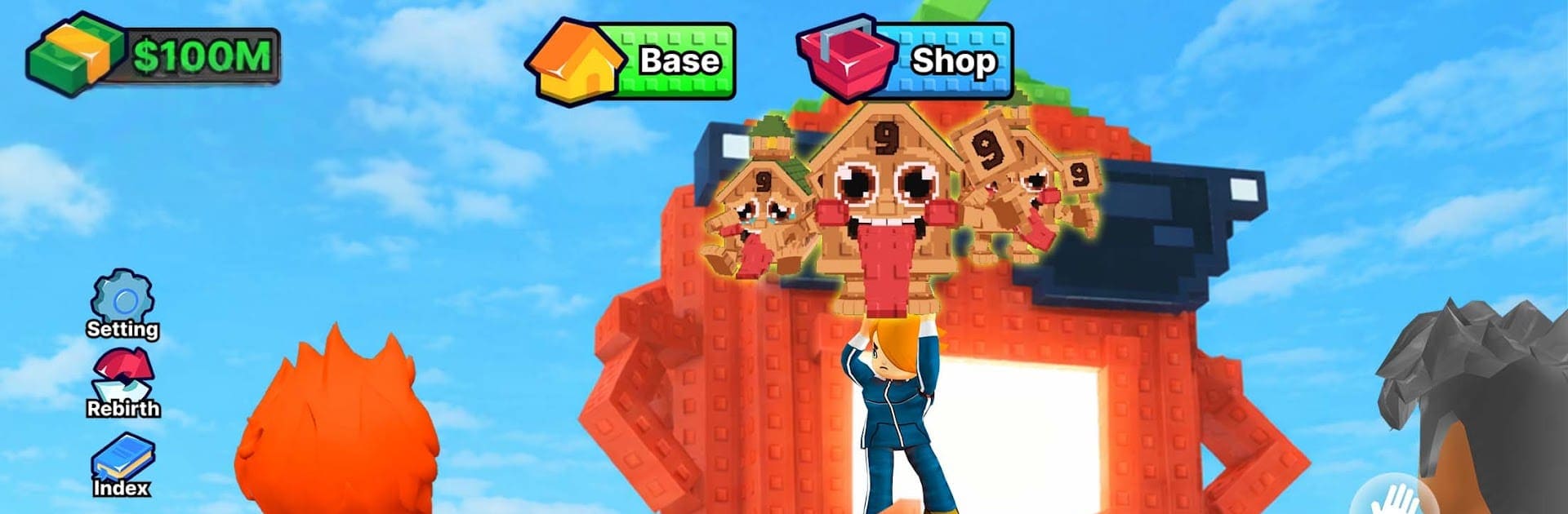
Enter & Catch Brainzot Heads

Enter & Catch Brainzot Heads

Action

| Audrey89

Play on PC with BlueStacks or from our cloud

  • Overview
  • Game Features
  • How to Play

Page Modified On: April 24, 2026

Play Enter & Catch Brainzot Heads on PC or Mac

From the innovators and creators at Audrey89, Enter & Catch Brainzot Heads is another fun addition to the World of Action games. Go beyond your mobile screen and play it bigger and better on your PC or Mac. An immersive experience awaits you.

About the Game

Enter & Catch Brainzot Heads is an Action fever dream from Audrey89 that’s weird in all the right ways. You pop into colossal heads, sprint through quirky obstacle courses, and scoop up Brainzots like your life depends on it. It’s fast, a little unhinged, and packed with sneaky routes to master. Prefer a keyboard and a bigger screen? It plays smoothly on BlueStacks too.

Game Features

  • Head-Hopping Exploration: Leap inside giant heads to access fresh zones, short cuts, and surprising detours that twist back into the main path.
  • Obstacle Runs with Bite: Tight jumps, moving traps, and timing-heavy sections keep you alert—quick restarts mean you’re never stuck for long.
  • Secrets Around Every Corner: Hidden routes, tucked-away platforms, and odd little side rooms reward curious players with extra Brainzots and goodies.
  • Snag ’Em, Stash ’Em: Grab Brainzots on the go, haul them to safety, and watch your haul turn into real progress.
  • Upgrades That Matter: Pump your speed, capacity, or earnings to push deeper into tougher stages and make every run count.
  • Pick-Up-and-Play Controls: Simple inputs keep the focus on movement and awareness, so you can pull off clean runs without fighting the controls.
  • Wild, Color-Soaked Worlds: Each area bursts with offbeat visuals and playful chaos that make even repeat runs feel fresh.
  • Built for Momentum: Short levels, punchy challenges, and steady rewards scratch that “just one more try” itch without dragging things out.

Get ready for a buttery smooth, high-performance gaming action only on BlueStacks.

Game Features

Enhancements

  • Macros
  • Multi Instance
  • Multi Instance Sync
  • Eco Mode
  • Enhancements
Macros

Macros

Skip the boring parts of a game. Play Enter & Catch Brainzot Heads with Macros and get the edge. Simply record a sequence of commands and execute them at any moment.
Multi Instance

Multi Instance

Why limit to one game on your phone when you can play many on your PC? Open multiple instances of Enter & Catch Brainzot Heads at once with Multi-Instance. Leverage the power of different accounts by doing more.
Multi Instance Sync

Multi Instance Sync

Get the best out of Enter & Catch Brainzot Heads with Multi-Instance Sync. Play the game from different accounts and build your own empire. Use Multi-instance sync to repeat the action in the main BlueStacks instance on all other instances.
Eco Mode

Eco Mode

Find the rarest heroes by making multiple summons in Enter & Catch Brainzot Heads. And while you are at it, reduce your PC’s resource consumption with the Eco Mode. Farm efficiently. Get the best results.
Read More

How to Download and Play Enter & Catch Brainzot Heads on PC or Mac

  • Download and install BlueStacks on your PC or Mac

  • Complete Google sign-in to access the Play Store, or do it later

  • Look for Enter & Catch Brainzot Heads in the search bar at the top right corner

  • Click to install Enter & Catch Brainzot Heads from the search results

  • Complete Google sign-in (if you skipped step 2) to install Enter & Catch Brainzot Heads

  • Click the Enter & Catch Brainzot Heads icon on the home screen to start playing

video
Watch Video

Minimum System Requirements

With BlueStacks 5, you can get started on a PC that fulfills the following requirements.

  • Operating System

    Microsoft Windows 7 or above, macOS 11 (Big Sur) or above

  • Processor

    Intel, AMD or Apple Silicon Processor

  • RAM

    at least 4GB

  • HDD

    10GB Free Disk Space

Note:

* You must be an Administrator on your PC. Up to date graphics drivers from Microsoft or the chipset vendor.

Enter & Catch Brainzot Heads - FAQs

  • How to play Enter & Catch Brainzot Heads on Windows PC & Mac?

    Play Enter & Catch Brainzot Heads on your PC or Mac by following these simple steps.

    • Click on 'Play Enter & Catch Brainzot Heads on PC’ to download BlueStacks
    • Install it and log-in to Google Play Store
    • Launch and play the game.
  • Why is BlueStacks the fastest and safest platform to play games on PC?

    BlueStacks respects your privacy and is always safe and secure to use. It does not carry any malware, spyware, or any sort of additional software that could harm your PC.

    It is engineered to optimize speed and performance for a seamless gaming experience.

  • What are Enter & Catch Brainzot Heads PC requirements?

    Minimum requirement to run Enter & Catch Brainzot Heads on your PC

    • OS: Microsoft Windows 7 or above MacOS 11 (Big Sur) or above
    • Processor: Intel, AMD or Apple Silicon Processor
    • RAM: Your PC must have at least 4GB of RAM. (Note that having 4GB or more disk space is not a substitute for RAM)
    • HDD: 10GB Free Disk Space.
    • You must be an Administrator on your PC.