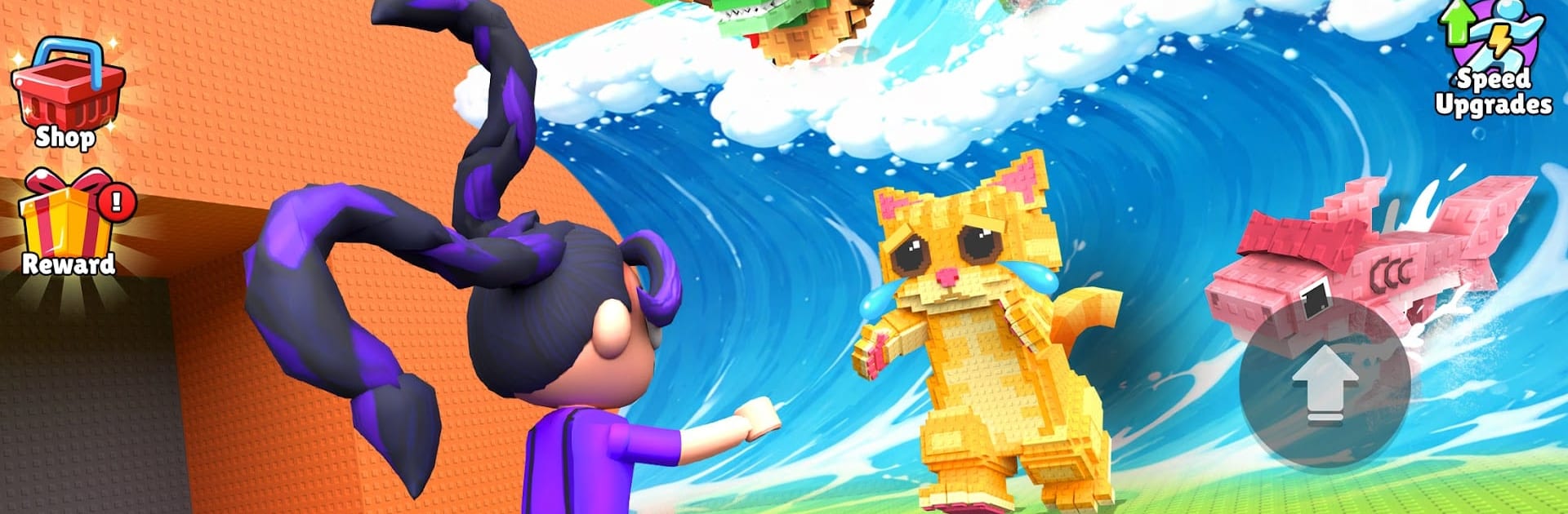
Escape Tsunami: Grab Brainrot

Escape Tsunami: Grab Brainrot

Action

| TanToManh

Play on PC with BlueStacks or from our cloud

  • Overview
  • Game Features
  • How to Play

Page Modified On: June 25, 2026

Play Escape Tsunami: Grab Brainrot on PC or Mac

Escape Tsunami: Grab Brainrot by TanToManh has plenty to keep you busy. BlueStacks lets you play it on PC or Mac with more screen space, better control, and fewer mobile limits.

About the Game

Escape Tsunami: Grab Brainrot throws you into a frantic chase where the ocean isn’t just rising—it’s out to erase everything. You’re sprinting through wild, collapsing maps while snatching up odd little creatures called Brainrots and hauling them back to safety. It’s high-energy Action with a satisfying collection twist and just enough chaos to keep you on your toes.

Game Features

  • Wild tsunamis
    Face more than plain water. Think molten lava surges, skyscraper-tall mega waves, radioactive storms, and snake-like swells that curl in from nowhere.

  • Catch and protect Brainrots
    Scoop up Brainrots mid-run, then race them to your shelter before the wave swallows the map. Every rescue feels clutch.

  • Celestial finds
    Track down rare Celestial variants for your collection. They’re tougher to spot and even more rewarding to secure.

  • Secret MemeRot hunts
    Hidden MemeRot creatures are tucked away off the obvious path. Risk a detour and you might uncover something weird and wonderful.

  • Fast runs, big decisions
    Sprint, slide, and weave through cluttered routes while deciding when to chase another catch and when to bolt for safety.

  • Upgrades that matter
    Use your earnings to push speed, improve gear, and boost carry capacity so you can bring home more Brainrots each run.

  • Chaotic maps, endless replay
    Dynamic obstacles and unpredictable layouts keep every escape run fresh and tense.

  • Smooth on PC with BlueStacks
    Prefer a keyboard and crisp performance? It plays nicely on BlueStacks without making a big deal about it.

Get ready for a buttery smooth, high-performance gaming action only on BlueStacks.

Game Features

Enhancements

  • Macros
  • Multi Instance
  • Multi Instance Sync
  • Eco Mode
  • Enhancements
Macros

Macros

Skip the boring parts of a game. Play Escape Tsunami: Grab Brainrot with Macros and get the edge. Simply record a sequence of commands and execute them at any moment.
Multi Instance

Multi Instance

Why limit to one game on your phone when you can play many on your PC? Open multiple instances of Escape Tsunami: Grab Brainrot at once with Multi-Instance. Leverage the power of different accounts by doing more.
Multi Instance Sync

Multi Instance Sync

Get the best out of Escape Tsunami: Grab Brainrot with Multi-Instance Sync. Play the game from different accounts and build your own empire. Use Multi-instance sync to repeat the action in the main BlueStacks instance on all other instances.
Eco Mode

Eco Mode

Find the rarest heroes by making multiple summons in Escape Tsunami: Grab Brainrot. And while you are at it, reduce your PC’s resource consumption with the Eco Mode. Farm efficiently. Get the best results.
Read More

How to Download and Play Escape Tsunami: Grab Brainrot on PC or Mac

  • Download and install BlueStacks on your PC or Mac

  • Complete Google sign-in to access the Play Store, or do it later

  • Look for Escape Tsunami: Grab Brainrot in the search bar at the top right corner

  • Click to install Escape Tsunami: Grab Brainrot from the search results

  • Complete Google sign-in (if you skipped step 2) to install Escape Tsunami: Grab Brainrot

  • Click the Escape Tsunami: Grab Brainrot icon on the home screen to start playing

video
Watch Video

Minimum System Requirements

With BlueStacks 5, you can get started on a PC that fulfills the following requirements.

  • Operating System

    Microsoft Windows 7 or above, macOS 11 (Big Sur) or above

  • Processor

    Intel, AMD or Apple Silicon Processor

  • RAM

    at least 4GB

  • HDD

    10GB Free Disk Space

Note:

* You must be an Administrator on your PC. Up to date graphics drivers from Microsoft or the chipset vendor.

Escape Tsunami: Grab Brainrot - FAQs

  • How to play Escape Tsunami: Grab Brainrot on Windows PC & Mac?

    Play Escape Tsunami: Grab Brainrot on your PC or Mac by following these simple steps.

    • Click on 'Play Escape Tsunami: Grab Brainrot on PC’ to download BlueStacks
    • Install it and log-in to Google Play Store
    • Launch and play the game.
  • Why is BlueStacks the fastest and safest platform to play games on PC?

    BlueStacks respects your privacy and is always safe and secure to use. It does not carry any malware, spyware, or any sort of additional software that could harm your PC.

    It is engineered to optimize speed and performance for a seamless gaming experience.

  • What are Escape Tsunami: Grab Brainrot PC requirements?

    Minimum requirement to run Escape Tsunami: Grab Brainrot on your PC

    • OS: Microsoft Windows 7 or above MacOS 11 (Big Sur) or above
    • Processor: Intel, AMD or Apple Silicon Processor
    • RAM: Your PC must have at least 4GB of RAM. (Note that having 4GB or more disk space is not a substitute for RAM)
    • HDD: 10GB Free Disk Space.
    • You must be an Administrator on your PC.