Fableborne
Fableborne

Fableborne

Action

| Pixion Games

Play on PC with BlueStacks or from our cloud

  • Overview
  • Game Features
  • How to Play

Page Modified On: August 20, 2026

Play Fableborne on PC or Mac

Play Fableborne by Pixion Games on PC or Mac with BlueStacks. Use a bigger screen, mouse and keyboard controls, and smoother performance while you play.

About the Game

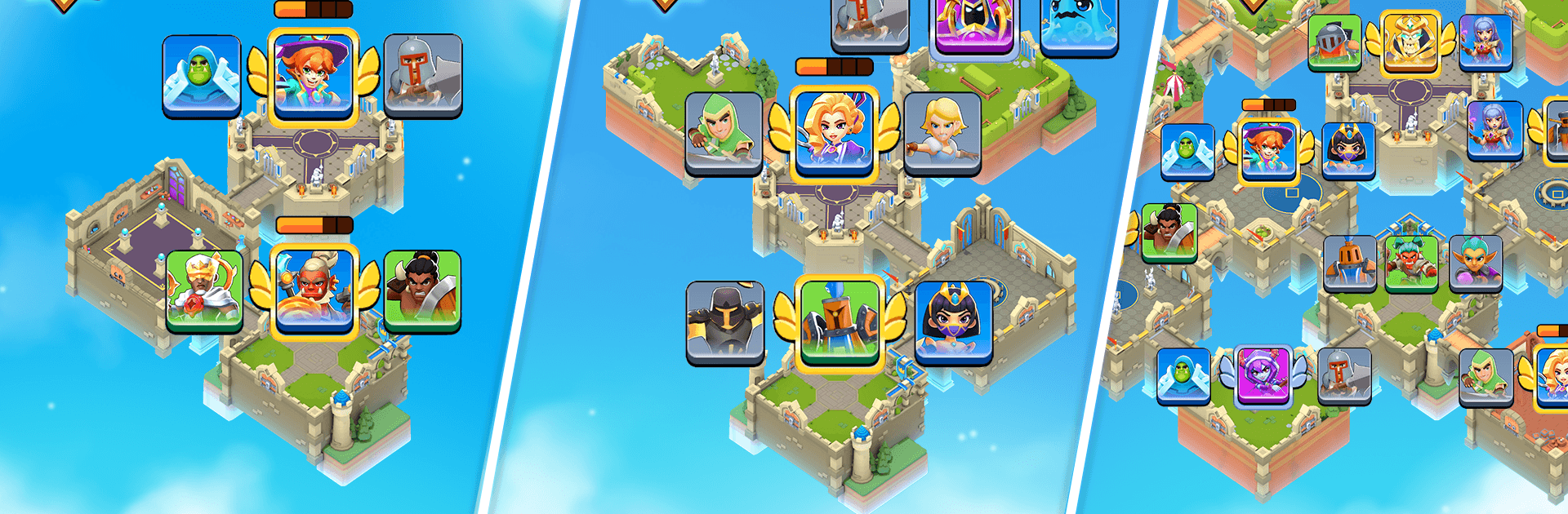
Fableborne throws you into the Shatterlands, a realm of floating islands where you raid rival kingdoms and defend your own. It’s an Action game that blends quick, tactical assaults with clever base-building, so every session feels punchy and rewarding. Whether you’re pushing through story battles or testing your layout against real players, it’s easy to pick up and hard to put down—especially on BlueStacks.

Game Features

  • Sky kingdoms to raid: Storm handcrafted castles across the Shatterlands, crack their defenses, and snatch the spoils while uncovering hidden twists along the way.
  • Build a ruthless defense: Shape your sky island into a fortress using units, tricky layouts, Elite Guards, and one fearsome Imperial Guard to frustrate raiders.
  • Heroes you actually care about: Unlock distinct heroes with signature abilities and traits, then upgrade them to match your playstyle and squad synergies.
  • Style that stands out: Outfit heroes with legendary skins to show personality and mark big milestones in and out of battle.
  • Modes for every mood: Tackle a story-driven Campaign, protect your realm in Kingdom Defense, raid player-built castles in PvP, and chase Seasonal Adventures packed with quests and exclusive cosmetics.
  • Smart, satisfying combat: Dash in, time your skills, and pick targets wisely—quick decisions make the difference between a clean win and a close call.
  • Climb the ranks: Rise through regional and global leaderboards and see how your raiding and defending stack up against the best.
  • Always something new: Expect fresh heroes, maps, events, and cosmetics that keep strategies evolving and layouts surprising.
  • Plays great on BlueStacks: Enjoy crisp visuals and responsive controls that make tight raids and base edits feel smooth and precise.

BlueStacks gives you more room to focus on the game and less time adjusting around mobile limitations.


Game Features

Enhancements

  • Macros
  • Multi Instance
  • Multi Instance Sync
  • Eco Mode
  • Enhancements
Macros

Macros

Skip the boring parts of a game. Play Fableborne with Macros and get the edge. Simply record a sequence of commands and execute them at any moment.
Multi Instance

Multi Instance

Why limit to one game on your phone when you can play many on your PC? Open multiple instances of Fableborne at once with Multi-Instance. Leverage the power of different accounts by doing more.
Multi Instance Sync

Multi Instance Sync

Get the best out of Fableborne with Multi-Instance Sync. Play the game from different accounts and build your own empire. Use Multi-instance sync to repeat the action in the main BlueStacks instance on all other instances.
Eco Mode

Eco Mode

Find the rarest heroes by making multiple summons in Fableborne. And while you are at it, reduce your PC’s resource consumption with the Eco Mode. Farm efficiently. Get the best results.
Read More

How to Download and Play Fableborne on PC or Mac

  • Download and install BlueStacks on your PC or Mac

  • Complete Google sign-in to access the Play Store, or do it later

  • Look for Fableborne in the search bar at the top right corner

  • Click to install Fableborne from the search results

  • Complete Google sign-in (if you skipped step 2) to install Fableborne

  • Click the Fableborne icon on the home screen to start playing

video
Watch Video

Minimum System Requirements

With BlueStacks 5, you can get started on a PC that fulfills the following requirements.

  • Operating System

    Microsoft Windows 7 or above, macOS 11 (Big Sur) or above

  • Processor

    Intel, AMD or Apple Silicon Processor

  • RAM

    at least 4GB

  • HDD

    10GB Free Disk Space

Note:

* You must be an Administrator on your PC. Up to date graphics drivers from Microsoft or the chipset vendor.

Fableborne - FAQs

  • How to play Fableborne on Windows PC & Mac?

    Play Fableborne on your PC or Mac by following these simple steps.

    • Click on 'Play Fableborne on PC’ to download BlueStacks
    • Install it and log-in to Google Play Store
    • Launch and play the game.
  • Why is BlueStacks the fastest and safest platform to play games on PC?

    BlueStacks respects your privacy and is always safe and secure to use. It does not carry any malware, spyware, or any sort of additional software that could harm your PC.

    It is engineered to optimize speed and performance for a seamless gaming experience.

  • What are Fableborne PC requirements?

    Minimum requirement to run Fableborne on your PC

    • OS: Microsoft Windows 7 or above MacOS 11 (Big Sur) or above
    • Processor: Intel, AMD or Apple Silicon Processor
    • RAM: Your PC must have at least 4GB of RAM. (Note that having 4GB or more disk space is not a substitute for RAM)
    • HDD: 10GB Free Disk Space.
    • You must be an Administrator on your PC.